
If you've ever typed a question into ChatGPT and gotten back something flat, generic, or just... not it — the tool isn't the problem. The prompt is. ChatGPT is only as good as what you feed it, and most people are using maybe 10% of what it's actually capable of because they're asking it the wrong way.
That's what prompt engineering really is. Not some mystical AI whisperer skill — just the practice of asking better questions so you get better answers. A well-written prompt can turn ChatGPT from a mildly helpful chatbot into something that writes your first drafts, plans your week, debugs your code, and handles the annoying busywork you've been putting off for months.
The difference in output between a lazy one-line prompt and a structured, context-rich one is huge. We're talking the gap between "write me a blog post about coffee" and getting back a genuinely useful, publish-ready draft. Once you understand the pattern, you stop guessing and start getting consistent results every single time — which is exactly what saves hours every week instead of costing you more.
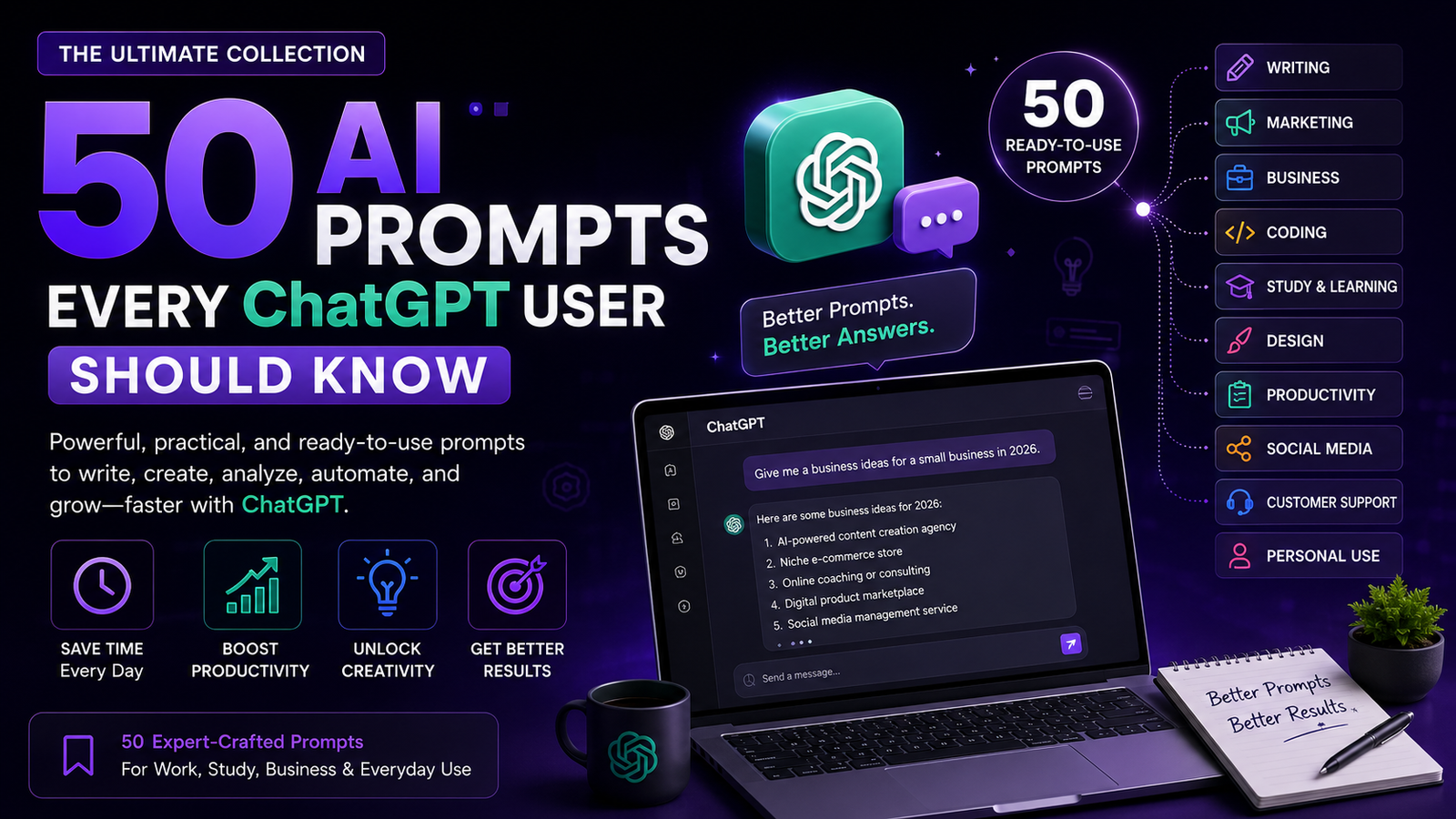
In this guide, we've pulled together 50 prompts covering writing, marketing, business, coding, productivity, social media, learning, creativity, and personal use. Each one is broken down into what it does, the exact prompt you can copy and paste, who it's best for, and a pro tip to squeeze even more value out of it. Grouped by category, so you can jump straight to what you need. Bookmark this one — you'll be back.
Table of Contents
- Quick Prompt Categories
- Writing Prompts (10)
- Marketing Prompts (8)
- Business Prompts (6)
- Coding Prompts (6)
- Productivity Prompts (5)
- Social Media Prompts (5)
- Learning Prompts (4)
- Creative Prompts (3)
- Personal Prompts (3)
- Best Practices for Writing Prompts
- Common Mistakes to Avoid
- Frequently Asked Questions
- Final Thoughts
Quick Prompt Categories
Before we get into the full list, here's a quick map of what's covered and who each category is built for.
| Category | Best For |
|---|---|
| Writing | Bloggers, authors, content teams |
| Marketing | Marketers, founders, agencies |
| Business | Entrepreneurs, consultants, managers |
| Coding | Developers, freelancers, students |
| Students | Learners, researchers, exam prep |
| Design | Designers, creators, product teams |
| Productivity | Remote workers, founders, freelancers |
| Social Media | Creators, social managers, brands |
| Customer Support | Support teams, small businesses |
| Personal Use | Anyone organizing daily life |
✍️ Writing Prompts (10)
1. The Blog Post Outliner
What it does: Instead of asking ChatGPT to just "write a blog post," this prompt gets it to build a structured outline first — headings, subpoints, and an angle — so you can review the direction before a single paragraph gets written. It's the difference between editing a draft and rewriting one from scratch.
Prompt:
Act as an experienced content strategist. Create a detailed blog post outline on the topic of "[YOUR TOPIC]" for an audience of [TARGET AUDIENCE]. Include a compelling headline, 5-7 H2 subheadings, 2-3 bullet points under each, and suggest one internal linking opportunity per section.
Best For: Bloggers, content marketers, SEO writers
Pro Tip: Paste your target keyword into the prompt and ask it to weight the outline toward search intent — it noticeably improves how well the final post ranks.
2. The Tone Rewriter
What it does: Takes a piece of writing you already have and rewrites it in a completely different tone without losing the meaning. Great for adapting one piece of content across different audiences — a formal report into a casual newsletter, for instance.
Prompt:
Rewrite the following text in a [FRIENDLY / FORMAL / HUMOROUS / AUTHORITATIVE] tone while keeping the core meaning and key facts intact. Keep the length roughly the same: "[PASTE TEXT]"
Best For: Bloggers, copywriters, students
Pro Tip: Ask for two tone variations side by side so you can compare before picking one.
3. The Headline Generator
What it does: Generates a batch of headline options for an article, email, or landing page so you're never stuck staring at a blank title field. It pulls from proven formulas — curiosity gaps, numbers, benefit-driven phrasing — and gives you a spread to choose from.
Prompt:
Generate 15 headline options for an article about "[TOPIC]". Include a mix of listicle-style, question-based, how-to, and curiosity-driven headlines. Keep each under 65 characters for SEO.
Best For: Bloggers, marketers, copywriters
Pro Tip: Run your final pick through a headline analyzer tool after this step to double-check emotional score and length.
4. The Editor's Pass
What it does: Acts as a line editor rather than a rewriter — pointing out clunky sentences, passive voice, repetition, and pacing issues without changing your voice entirely. It's useful when you want feedback, not a full rewrite.
Prompt:
Act as a professional editor. Review the following text and list specific issues with clarity, flow, passive voice, and repetition. For each issue, quote the problem sentence and suggest one fix. Do not rewrite the whole piece: "[PASTE TEXT]"
Best For: Authors, bloggers, students
Pro Tip: Feed it one section at a time for longer pieces — it gives sharper feedback on smaller chunks.
5. The Intro Hook Builder
What it does: Introductions are where most readers bounce, and this prompt is built specifically to craft an opening that earns the scroll. It focuses on hooking attention in the first two sentences using a stat, question, or relatable scenario.
Prompt:
Write 3 different opening paragraphs for an article about "[TOPIC]". Each should use a different hook style: one starts with a surprising statistic, one starts with a relatable problem, and one starts with a bold statement. Keep each under 60 words.
Best For: Bloggers, journalists, marketers
Pro Tip: Test which hook performs best by A/B testing them if your CMS supports it.
6. The Summarizer
What it does: Condenses long documents, articles, or transcripts into a tight summary at whatever length you specify. Perfect for turning a 3,000-word report into three bullet points for a meeting, or a podcast transcript into a shareable recap.
Prompt:
Summarize the following text in [NUMBER] bullet points, focusing only on the key takeaways a busy reader needs. Avoid fluff and keep each bullet under 20 words: "[PASTE TEXT]"
Best For: Students, researchers, business owners
Pro Tip: Ask it to flag anything it wasn't confident summarizing accurately, especially for technical documents.
7. The Story Expander
What it does: Takes a bare-bones story idea or plot point and fleshes it out into a scene with dialogue, sensory detail, and pacing. Useful for fiction writers stuck on a scene, or content creators building narrative-driven case studies.
Prompt:
Expand this story premise into a 400-word scene with dialogue and sensory detail. Keep the tone [DESCRIBE TONE] and end on a small cliffhanger: "[YOUR PREMISE]"
Best For: Authors, screenwriters, content creators
Pro Tip: Specify a POV character explicitly — first-person scenes come out noticeably stronger than vague third-person ones.
8. The Email Polisher
What it does: Rewrites a rough email draft to sound clear, professional, and appropriately concise. It's especially good at trimming emails that ramble or bury the actual ask three paragraphs in.
Prompt:
Rewrite this email to be clear, polite, and concise. Put the main ask in the first two sentences. Keep it under 120 words and end with a specific call to action: "[PASTE EMAIL]"
Best For: Professionals, business owners, freelancers
Pro Tip: Tell it who the recipient is (client, boss, vendor) — it adjusts formality accordingly.
9. The Meta Description Writer
What it does: Writes SEO meta descriptions within Google's character limits that actually make people want to click, rather than just restating the title. It balances keyword inclusion with genuine curiosity.
Prompt:
Write 3 meta description options for an article about "[TOPIC]" targeting the keyword "[KEYWORD]". Each must be between 150-160 characters, include the keyword naturally, and end with an implied benefit.
Best For: SEO writers, bloggers, marketers
Pro Tip: Always double check character count manually — models occasionally miscount.
10. The Style Mimic
What it does: Analyzes a sample of your own past writing and mimics your voice for new content, helping keep a consistent tone across a blog or brand even when multiple people are writing.
Prompt:
Analyze the writing style, sentence length, and tone of the sample below. Then write a new [PARAGRAPH/SECTION] on "[NEW TOPIC]" that matches that same voice: "[PASTE SAMPLE]"
Best For: Content teams, ghostwriters, brands
Pro Tip: Use at least 300 words of sample text — shorter samples produce weaker style matches.
📣 Marketing Prompts (8)
11. The Buyer Persona Builder
What it does: Builds out a detailed customer persona from basic product info — demographics, pain points, objections, and buying triggers — giving you a reference sheet the whole team can work from instead of guessing who you're actually marketing to.
Prompt:
Create a detailed buyer persona for a customer of "[PRODUCT/SERVICE]". Include age range, job title, biggest pain point, main objection to buying, and the one sentence that would convince them to purchase.
Best For: Marketers, founders, agencies
Pro Tip: Generate 2-3 personas at once and compare — most products serve more than one buyer type.
12. The Ad Copy Generator
What it does: Produces multiple ad copy variations for platforms like Facebook or Google Ads, each built around a different angle so you have real options to A/B test instead of one guess.
Prompt:
Write 5 ad copy variations for "[PRODUCT]" targeting "[AUDIENCE]" on [PLATFORM]. Use a different angle for each: urgency, social proof, problem-solution, curiosity, and discount-led. Max 90 characters per ad.
Best For: Marketers, agencies, e-commerce owners
Pro Tip: Ask for a matching headline and description pair for each angle if you're running Google Search Ads.
13. The Email Sequence Planner
What it does: Maps out a multi-email nurture or welcome sequence with the goal, subject line, and core message of each email, so you have a full campaign structure before writing a single line of copy.
Prompt:
Plan a 5-email welcome sequence for new subscribers to "[BRAND/PRODUCT]". For each email, provide the goal, subject line, and a 2-sentence summary of the core message.
Best For: Marketers, SaaS founders, e-commerce brands
Pro Tip: Ask it to space out the send-timing recommendations too (day 0, day 2, day 5, etc.).
14. The Competitor Angle Finder
What it does: Given a competitor's positioning, this prompt helps you identify gaps or differentiation angles you can market against, without directly copying their strategy.
Prompt:
Here is a competitor's positioning: "[PASTE DESCRIPTION]". Identify 3 potential gaps or weaknesses in their messaging that my brand, "[YOUR BRAND]", could highlight as a differentiator.
Best For: Marketers, founders, brand strategists
Pro Tip: Verify any factual claims about competitors independently before using them publicly.
15. The Landing Page Copy Draft
What it does: Writes a full landing page structure — headline, subheadline, benefits section, and CTA — in one pass, giving you a working first draft to refine rather than a blank page.
Prompt:
Write landing page copy for "[PRODUCT/SERVICE]". Include: a headline, subheadline, 3 benefit-driven bullet points, one short paragraph of social proof placeholder text, and a CTA button label.
Best For: Marketers, founders, freelance copywriters
Pro Tip: Provide your actual value proposition upfront — vague input produces generic, forgettable copy.
16. The Customer Review Analyzer
What it does: Reads through a batch of customer reviews and pulls out recurring themes, common complaints, and language customers naturally use — gold for both product improvement and marketing copy.
Prompt:
Analyze these customer reviews and identify: 1) the top 3 recurring praises, 2) the top 3 recurring complaints, 3) exact phrases customers use that could work well in marketing copy: "[PASTE REVIEWS]"
Best For: Marketers, product managers, e-commerce owners
Pro Tip: Feed in at least 15-20 reviews for patterns to actually be meaningful.
17. The SEO Content Gap Finder
What it does: Compares your existing content list against a topic to surface subtopics or questions you haven't covered yet, helping you plan content that fills real gaps instead of guessing.
Prompt:
Here is a list of blog posts I've already published: "[PASTE TITLES]". Suggest 10 additional topic ideas around "[MAIN TOPIC]" that aren't yet covered and would likely have search demand.
Best For: SEO specialists, bloggers, content managers
Pro Tip: Cross-check suggestions with a real keyword tool before committing to a full article.
18. The Elevator Pitch Refiner
What it does: Tightens a rambling business description into a sharp, memorable elevator pitch that can be delivered in under 30 seconds — useful for investor calls, networking, or your own "About" page.
Prompt:
Turn this business description into a 3-sentence elevator pitch that a stranger would understand and remember: "[PASTE DESCRIPTION]"
Best For: Founders, freelancers, sales teams
Pro Tip: Read it out loud and time it — if it's over 30 seconds, ask for a tighter version.
💼 Business Prompts (6)
19. The SWOT Analysis Builder
What it does: Runs a structured strengths-weaknesses-opportunities-threats breakdown for your business or a specific decision, giving you a clear framework rather than a scattered list of thoughts.
Prompt:
Conduct a SWOT analysis for "[BUSINESS/DECISION]" in the [INDUSTRY] industry. List at least 3 points under each of the 4 categories, with one sentence explaining each point.
Best For: Entrepreneurs, consultants, managers
Pro Tip: Feed it real internal data (sales numbers, churn rate) for a far more accurate analysis than generic industry assumptions.
20. The Meeting Agenda Creator
What it does: Builds a structured, time-boxed meeting agenda from a rough list of talking points, keeping meetings focused instead of running long with no clear outcome.
Prompt:
Create a 30-minute meeting agenda covering these topics: "[LIST TOPICS]". Include time allocations for each item and one clear objective for the meeting overall.
Best For: Managers, team leads, founders
Pro Tip: Ask it to flag which items could be handled async instead of in the meeting — it's a great filter.
21. The Pricing Strategy Advisor
What it does: Walks through different pricing models for your product and explains the tradeoffs of each, giving you a starting framework before you commit to numbers.
Prompt:
I'm pricing "[PRODUCT/SERVICE]" for "[TARGET MARKET]". Compare flat-rate, tiered, and usage-based pricing models for this specific case, and recommend which one fits best with reasoning.
Best For: Founders, SaaS owners, consultants
Pro Tip: Treat this as a starting framework, not financial advice — validate any pricing decision with real customer data.
22. The Job Description Writer
What it does: Drafts a clear, well-structured job posting from a rough list of responsibilities, formatted the way candidates actually expect to see one.
Prompt:
Write a job description for a "[JOB TITLE]" role. Include: a 2-sentence company/role intro, 5 key responsibilities, 5 required qualifications, and 3 nice-to-haves.
Best For: HR teams, founders, hiring managers
Pro Tip: Ask it to remove biased or overly demanding language ("rockstar," "must work nights and weekends") to widen your candidate pool.
23. The Investor Update Drafter
What it does: Turns raw business metrics and notes into a clean, professional investor update email, hitting the tone investors expect without you having to write it from scratch each month.
Prompt:
Turn these raw notes into a professional monthly investor update: "[PASTE METRICS/NOTES]". Structure it with: Highlights, Metrics, Challenges, and Asks. Keep the tone confident but honest.
Best For: Founders, startup teams
Pro Tip: Always fact-check the numbers yourself — never let it round or estimate figures on its own.
24. The Negotiation Prep Assistant
What it does: Helps you prepare for a business negotiation by anticipating the other side's likely objections and suggesting responses, so you walk in more prepared instead of improvising.
Prompt:
I'm negotiating "[SITUATION]" with "[OTHER PARTY]". List their 3 most likely objections and a calm, professional response to each.
Best For: Founders, sales professionals, consultants
Pro Tip: Ask it to role-play the other side in a follow-up message so you can practice your responses live.
💻 Coding Prompts (6)
25. The Bug Explainer
What it does: Instead of just fixing broken code silently, this prompt gets ChatGPT to explain what's actually wrong first, so you learn from the fix rather than just copy-pasting a patch you don't understand.
Prompt:
Here is my code and the error I'm getting: "[PASTE CODE + ERROR]". Explain what's causing the error in plain English first, then provide the corrected code.
Best For: Developers, students, freelancers
Pro Tip: Always include the exact error message, not just a description of it — precision matters here.
26. The Code Refactorer
What it does: Takes working but messy code and cleans it up for readability and performance without changing what it does — useful for tidying up projects before handing them off or pushing to production.
Prompt:
Refactor this [LANGUAGE] code for readability and performance without changing its functionality. Add brief comments explaining any non-obvious changes: "[PASTE CODE]"
Best For: Developers, freelancers
Pro Tip: Always test refactored code in a sandbox environment before deploying — never push straight to production.
27. The Regex Builder
What it does: Generates a regular expression from a plain-English description of the pattern you're trying to match, saving you from digging through regex documentation for the tenth time.
Prompt:
Write a regular expression that matches: "[DESCRIBE PATTERN IN PLAIN ENGLISH]". Explain each part of the regex briefly, and give one example string that matches and one that doesn't.
Best For: Developers, data analysts
Pro Tip: Test the regex against real edge cases from your dataset, not just the example provided.
28. The Code Documentation Generator
What it does: Writes clean docstrings or comments for existing functions, saving you the tedious part of documentation while keeping technical accuracy intact.
Prompt:
Write clear docstrings/comments for this function, including parameter descriptions, return value, and one usage example: "[PASTE CODE]"
Best For: Developers, engineering teams
Pro Tip: Specify your team's documentation style (JSDoc, Google-style, NumPy-style) for consistent formatting.
29. The SQL Query Helper
What it does: Converts a plain-English data request into a working SQL query, which is especially handy for non-developers who need specific data without learning SQL syntax from scratch.
Prompt:
Write a SQL query for a table called "[TABLE NAME]" with columns "[LIST COLUMNS]" that returns "[DESCRIBE WHAT YOU NEED]". Explain what each clause does.
Best For: Developers, data analysts, marketers
Pro Tip: Always run generated queries on a test database first, especially anything involving DELETE or UPDATE.
30. The Learn-a-Concept Explainer
What it does: Breaks down a technical programming concept using an analogy suited to your existing knowledge level, which is far more effective for learning than a textbook-style definition.
Prompt:
Explain "[CONCEPT, e.g. closures in JavaScript]" using a simple real-world analogy. Then show a short code example that demonstrates it in practice.
Best For: Students, junior developers, career switchers
Pro Tip: Tell it your current experience level explicitly — "explain like I know Python but not JS" gets a much better-tuned answer.
⚡ Productivity Prompts (5)
31. The Weekly Planner
What it does: Takes a messy brain-dump of tasks and organizes them into a realistic weekly schedule based on priority and estimated time, cutting the planning process down to minutes.
Prompt:
Here's my task list for the week: "[LIST TASKS]". Organize these into a Monday-Friday schedule, grouping similar tasks together and flagging anything that seems unrealistic to fit in.
Best For: Freelancers, remote workers, founders
Pro Tip: Include your rough available hours per day for a far more realistic schedule.
32. The Decision Matrix Builder
What it does: Helps you weigh a tough decision objectively by scoring options against criteria you define, removing some of the emotional back-and-forth from the process.
Prompt:
I'm deciding between these options: "[LIST OPTIONS]" based on these criteria: "[LIST CRITERIA]". Score each option 1-5 on each criterion and recommend the best overall choice with reasoning.
Best For: Founders, professionals, anyone facing a big decision
Pro Tip: Weight your criteria by importance (1-3) for a more accurate final score.
33. The Habit Tracker Designer
What it does: Builds a simple, personalized habit-tracking system based on the goals you're trying to hit, including realistic milestones instead of an overwhelming all-or-nothing plan.
Prompt:
I want to build the habit of "[HABIT]". Design a 30-day tracking plan with weekly milestones and one small reward suggestion for each milestone.
Best For: Anyone building new routines
Pro Tip: Ask for a "minimum viable" version of the habit for low-energy days, so you don't break your streak entirely.
34. The Meeting Notes Summarizer
What it does: Turns a raw meeting transcript or rough notes into a clean summary with clear action items and owners, so nothing discussed gets lost after everyone logs off.
Prompt:
Summarize this meeting transcript into: 1) key decisions made, 2) action items with owners if mentioned, 3) open questions still unresolved: "[PASTE TRANSCRIPT]"
Best For: Managers, remote teams, project managers
Pro Tip: Share the summary immediately after the meeting while context is still fresh for everyone.
35. The Priority Sorter
What it does: Takes an overwhelming to-do list and sorts it using a proven prioritization framework, so you know exactly what to tackle first instead of just working on whatever feels most urgent.
Prompt:
Sort this to-do list using the Eisenhower Matrix (urgent/important quadrants): "[LIST TASKS]". Present it as four grouped lists with a one-line reason for each placement.
Best For: Freelancers, founders, busy professionals
Pro Tip: Re-run this every Monday morning as a quick weekly reset ritual.
📱 Social Media Prompts (5)
36. The Caption Writer
What it does: Generates a batch of on-brand social captions for a single piece of content, saving the daily scramble of coming up with something fresh to post.
Prompt:
Write 5 Instagram caption options for a post about "[TOPIC/PRODUCT]". Include one with a question to boost engagement, one short and punchy, and one with a light storytelling angle. Add 5 relevant hashtags to each.
Best For: Creators, social media managers, brands
Pro Tip: Swap out hashtags regularly — reusing the exact same set repeatedly can hurt reach on some platforms.
37. The Content Calendar Planner
What it does: Builds a week or month of content ideas around a theme, giving you a structured posting plan instead of scrambling for ideas the night before.
Prompt:
Create a 2-week social media content calendar for "[BRAND/NICHE]". For each day, give a content type (reel, carousel, story, etc.) and a one-line topic idea.
Best For: Social media managers, creators, small brands
Pro Tip: Mix content pillars (educational, promotional, personal) rather than posting the same type every day.
38. The Video Script Outliner
What it does: Structures a short-form video script with a hook, body, and call-to-action, tuned for platforms where the first three seconds decide whether someone keeps watching.
Prompt:
Write a 30-second short-form video script about "[TOPIC]". Start with a hook in the first line, include 3 key points, and end with a clear call-to-action.
Best For: Creators, marketers, influencers
Pro Tip: Read the hook out loud — if it doesn't grab you in one breath, ask for a punchier version.
39. The Comment Response Assistant
What it does: Drafts thoughtful, on-brand responses to common types of comments so engagement feels personal even when volume is high.
Prompt:
Write 3 short, friendly response templates I can adapt for comments that are: 1) asking a product question, 2) leaving positive feedback, 3) leaving a complaint. Keep the brand tone [DESCRIBE TONE].
Best For: Social media managers, small business owners
Pro Tip: Always personalize templates before posting — copy-pasted responses are easy to spot and can feel dismissive.
40. The Trend Angle Adapter
What it does: Takes a trending format or sound and helps you adapt it to fit your specific niche or brand, so you can participate in trends without it feeling forced or off-brand.
Prompt:
Here's a trending format: "[DESCRIBE TREND]". Suggest 3 ways I could adapt this trend to fit a brand in the "[YOUR NICHE]" space, keeping it natural rather than forced.
Best For: Creators, social media managers
Pro Tip: Trends move fast — act on this within a day or two, or the moment usually passes.
🎓 Learning Prompts (4)
41. The ELI5 Explainer
What it does: Breaks down a complex topic into simple terms, adjustable to whatever level of "simple" you actually need — from a curious beginner to someone with some background knowledge.
Prompt:
Explain "[TOPIC]" like I'm a complete beginner with no background in this subject. Use a simple analogy and avoid jargon. Keep it under 200 words.
Best For: Students, curious learners
Pro Tip: Follow up with "explain that again but slightly more advanced" to gradually build understanding.
42. The Practice Quiz Generator
What it does: Creates a mini quiz from study material so you can actively test recall instead of passively re-reading notes, which is a far more effective way to actually retain information.
Prompt:
Create a 10-question quiz based on this study material, mixing multiple choice and short answer. Provide the answer key separately at the end: "[PASTE NOTES]"
Best For: Students, exam prep, self-learners
Pro Tip: Ask for progressively harder quizzes as you review the same material over multiple sessions.
43. The Essay Structure Coach
What it does: Helps plan an essay's structure — thesis, argument order, evidence placement — without writing the essay itself, keeping the actual work and critical thinking in the student's hands.
Prompt:
I'm writing an essay arguing "[THESIS]". Suggest a logical structure with 3 supporting arguments and one potential counterargument I should address. Don't write the essay itself.
Best For: Students, academic writers
Pro Tip: Check your school's AI usage policy before using ChatGPT for any graded assignment.
44. The Study Plan Builder
What it does: Turns a syllabus or exam date into a day-by-day study schedule, spacing out topics realistically instead of one giant cram session the night before.
Prompt:
I have an exam on "[SUBJECT]" in [NUMBER] days, covering these topics: "[LIST TOPICS]". Build a day-by-day study schedule, prioritizing my weaker areas: "[LIST WEAK AREAS]"
Best For: Students, professionals studying for certifications
Pro Tip: Build in one full rest day before the exam — cramming the night before rarely helps retention.
🎨 Creative Prompts (3)
45. The Brand Name Brainstormer
What it does: Generates a wide spread of brand or product name ideas based on your positioning, mixing different naming styles so you're not stuck with 20 variations of the same idea.
Prompt:
Brainstorm 15 brand name ideas for a "[BUSINESS TYPE]" targeting "[AUDIENCE]". Include a mix of descriptive, invented, and metaphor-based names. For each, note if the .com domain is likely available (best guess).
Best For: Founders, designers, marketers
Pro Tip: Always verify domain and trademark availability manually — never take an AI's guess as fact.
46. The Mood Board Describer
What it does: Translates a vague creative feeling ("modern but warm") into concrete visual direction — colors, textures, typography style — that a designer can actually act on.
Prompt:
I want a brand that feels "[DESCRIBE FEELING, e.g. modern but warm]". Suggest a color palette (with hex codes), 2 font pairing styles, and 3 texture/imagery ideas that match this mood.
Best For: Designers, founders, creative directors
Pro Tip: Ask for 2-3 different mood directions and pick the strongest instead of committing to the first suggestion.
47. The Metaphor Generator
What it does: Produces fresh metaphors or analogies to explain a concept in writing or design work, helping avoid the tired comparisons everyone's already read a hundred times.
Prompt:
Give me 5 fresh, non-cliché metaphors to explain "[CONCEPT]" to someone unfamiliar with it. Avoid any comparison involving journeys, puzzles, or building blocks.
Best For: Writers, designers, speakers
Pro Tip: Explicitly ban the metaphors you're already tired of seeing — it forces genuinely original output.
🏠 Personal Prompts (3)
48. The Meal Plan Builder
What it does: Builds a simple weekly meal plan around your dietary preferences and available ingredients, cutting down the daily "what should I cook" decision fatigue.
Prompt:
Create a 5-day dinner meal plan using mostly "[LIST INGREDIENTS YOU HAVE OR PREFER]". Keep each meal under 30 minutes of prep and include a simple shopping list for anything extra needed.
Best For: Home cooks, busy professionals, parents
Pro Tip: Mention any allergies or dietary restrictions explicitly, every single time — don't assume it remembers from a previous chat.
49. The Travel Itinerary Planner
What it does: Builds a day-by-day travel itinerary around your interests and trip length, giving you a solid starting plan you can adjust rather than researching everything from scratch.
Prompt:
Plan a [NUMBER]-day itinerary for "[DESTINATION]" for someone who enjoys "[INTERESTS, e.g. food, history, nature]". Include one main activity per day and a rough pacing note (relaxed vs packed).
Best For: Travelers, families, solo trip planners
Pro Tip: Always verify opening hours, prices, and current travel advisories separately — this is a starting plan, not a live booking source.
50. The Difficult Conversation Prep
What it does: Helps you plan how to approach a hard personal or professional conversation calmly and clearly, so you go in with a structure instead of rehearsing anxious what-ifs in your head.
Prompt:
I need to have a difficult conversation about "[SITUATION]" with "[PERSON/RELATIONSHIP]". Help me structure what to say calmly, in 3 clear points, without sounding accusatory.
Best For: Anyone navigating a tough conversation
Pro Tip: Practice saying it out loud once before the actual conversation — it feels different spoken than written.
Best Practices for Writing Better Prompts
Once you've used a few of the prompts above, you'll start noticing what actually separates a good prompt from a mediocre one. Here's the short version of what to keep in mind every time you open a new chat:
- Add context first. Tell ChatGPT who you are, what you're trying to achieve, and who the output is for before asking the actual question.
- Give examples. If you have a sample of the tone, format, or style you want, paste it in. Models copy patterns far better than they interpret descriptions.
- Define the tone explicitly. "Friendly but professional" gives a very different result than "formal and academic" — don't leave it to guesswork.
- Request a specific format. Ask for bullet points, a table, numbered steps, or a specific word count. Vague requests get vague structure.
- Iterate instead of starting over. If the first response isn't quite right, tell it exactly what to change rather than rewriting the whole prompt from scratch.
Common Mistakes People Make
Most disappointing ChatGPT responses come down to one of these four habits:
- Asking vague questions. "Write me something about marketing" gives ChatGPT almost nothing to work with. Be specific about the topic, angle, and goal.
- Skipping context. Not mentioning your audience, industry, or purpose forces the model to guess — and guesses are usually generic.
- Leaving out a format. Without direction, you'll often get a wall of text when you actually needed a table or a short list.
- Stacking too many requests at once. Asking for five different things in one prompt usually means at least one gets rushed or skipped. Break big asks into steps.
Frequently Asked Questions
What are the best ChatGPT prompts for beginners?
Beginners get the most value from prompts that include clear context, a defined tone, and a requested format — like the Tone Rewriter or ELI5 Explainer in this list. Starting simple and adding detail gradually is the fastest way to learn what works.
How do I write a good ChatGPT prompt?
A good prompt states the role you want ChatGPT to play, the specific task, relevant context, the tone, and the output format you expect. The more specific you are, the closer the first response lands to what you actually need.
Can ChatGPT prompts improve productivity?
Yes — prompts built for planning, summarizing, and drafting can save hours weekly by handling first-draft work, organizing tasks, and condensing information, freeing you up for higher-value decisions.
Are these prompts free to use?
Yes, every prompt in this guide works with the free version of ChatGPT. Paid tiers may return slightly more polished or nuanced responses, but the prompt structure itself works across all versions.
What is prompt engineering in simple terms?
Prompt engineering is simply the skill of asking an AI model questions in a way that consistently produces useful, accurate output. It's less about technical knowledge and more about clarity, context, and structure.
Do these prompts work with other AI tools besides ChatGPT?
Most of these prompts work well with other large language models too, since the underlying structure — context, task, tone, format — applies broadly across AI chat tools, not just ChatGPT specifically.
How many prompts should I try before finding what works?
There's no fixed number — but most people find their "go-to" prompts within the first week of regular use. Start with the categories most relevant to your work and adjust the wording until the output consistently matches what you need.
Can I use these prompts for professional or business content?
Absolutely. Many of these prompts, especially in the marketing and business categories, are built specifically for professional use cases like ad copy, investor updates, and job descriptions.
Final Thoughts
Prompt engineering isn't a trend — it's quickly becoming a basic literacy skill, the same way knowing how to search Google effectively became one twenty years ago. The people getting the most out of ChatGPT aren't necessarily more technical than you; they've just learned to ask better questions.
These 50 prompts cover the situations most people run into week to week, whether that's writing, planning, coding, or just getting through your inbox faster. Bookmark this page, come back to it when you're stuck, and don't be afraid to tweak the wording until it fits exactly what you need — that's the whole point of prompt engineering.
Want more AI resources like this?
Explore our Best AI Tools in 2026 guide, browse AI Tools by Category, or check out our picks for the best AI Writing Tools and AI Productivity Tools on Aivellow. Got a tool we should feature? Submit it here, or get in touch if you have questions.