
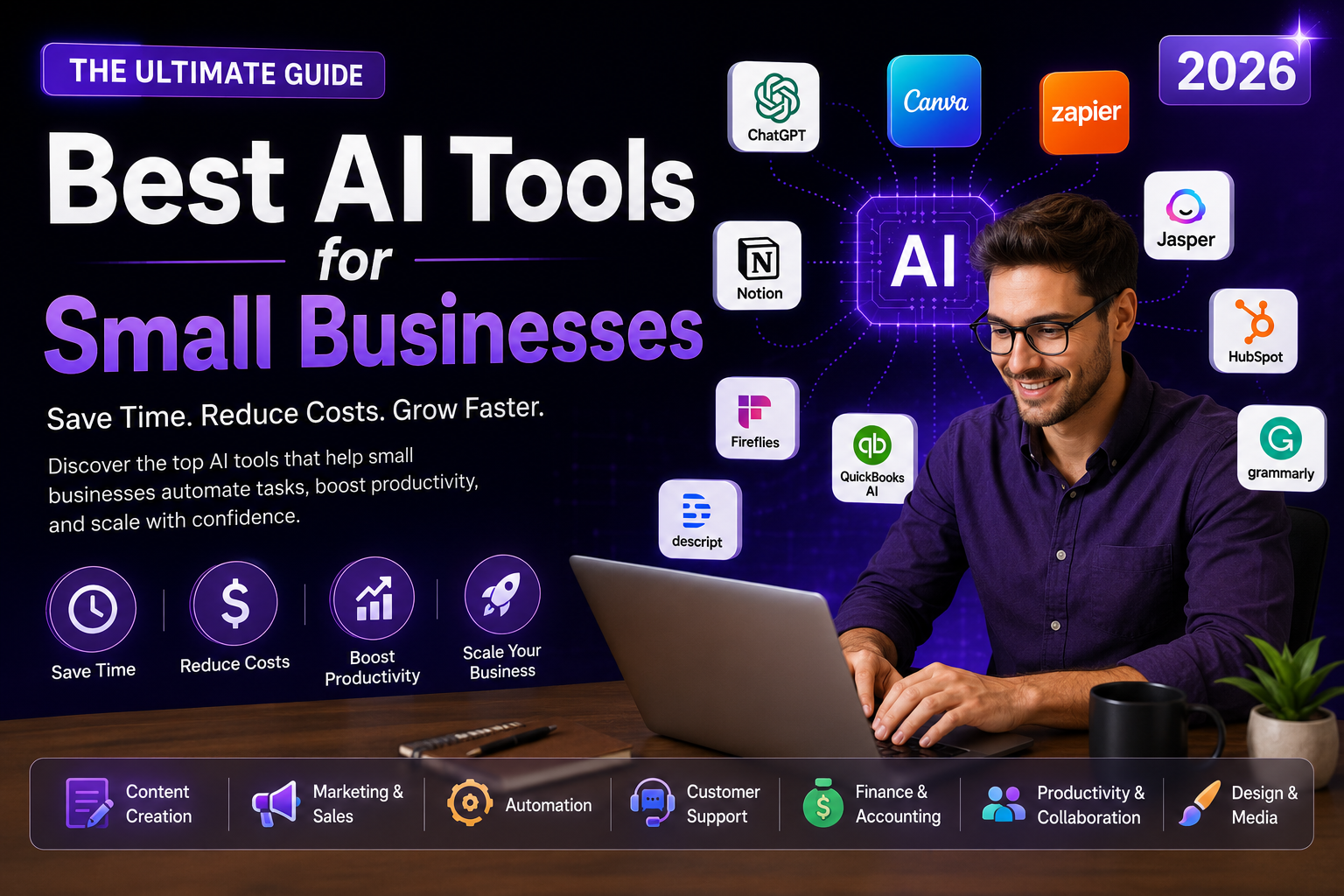
Best AI Tools for Small Businesses in 2026
Running a small business in 2026 means wearing ten hats before lunch. You're the marketer, the bookkeeper, the customer support rep, and somehow also the person who's supposed to post on Instagram today. This is exactly where the best AI tools for small businesses earn their keep — they don't replace you, they just quietly take the repetitive stuff off your plate.
A few years ago, "AI software" meant expensive enterprise platforms with six-month onboarding. That's not the world we're in anymore. Today, a solo founder or a five-person team can access the same caliber of AI productivity tools that large companies use — often for free or under $30 a month.
This guide breaks down 18 of the best AI tools for business owners right now, organized by what they actually help you do: writing, marketing, customer service, bookkeeping, design, and automation. For each one, you'll get the features, who it's genuinely built for, the honest pros and cons, and current pricing — so you can pick tools based on your actual workload, not hype.
Table of Contents
- Why Small Businesses Need AI Tools in 2026
- Quick Comparison Table
- AI Tools for Writing & Productivity
- AI Marketing Tools
- AI Design & Content Creation Tools
- AI Customer Service Tools
- AI Tools for Operations & Finance
- AI Automation Tools
- How to Choose the Right AI Tool for Your Business
- Frequently Asked Questions
- Conclusion
Why Small Businesses Need AI Tools in 2026
Small business owners don't have research departments or dedicated marketing teams. What they have is time — and never enough of it. That's the gap AI productivity tools fill. Instead of spending three hours drafting a newsletter, you can draft it in ten minutes and spend the rest of the afternoon actually talking to customers.
The businesses pulling ahead this year aren't necessarily the ones with the biggest budgets. They're the ones using small business AI software to do the work of a much bigger team: one person running social media, email marketing, invoicing, and customer support with the help of a handful of well-chosen tools.
Here's what's actually changed in 2026 that makes this practical:
- Pricing has dropped — most tools now offer usable free tiers or plans under $20/month
- No-code interfaces mean you don't need a developer to set anything up
- Tools now integrate with each other, so your CRM, inbox, and social scheduler can share data
- AI accuracy for writing, image generation, and customer support has reached a genuinely usable standard
Quick Comparison Table
| Tool | Category | Best For | Starting Price |
|---|---|---|---|
| ChatGPT | Writing/Productivity | All-purpose assistant | Free / $20 mo |
| Claude | Writing/Productivity | Contracts & long docs | Free / $20 mo |
| Grammarly | Writing/Productivity | Polishing client emails | Free / $12 mo |
| Notion AI | Writing/Productivity | Team docs & wikis | Add-on pricing |
| Otter.ai | Writing/Productivity | Meeting notes | Free / $17 mo |
| Jasper | Marketing | On-brand marketing copy | From $49 mo |
| Copy.ai | Marketing | Sales outreach copy | Free / $36 mo |
| HubSpot AI (Breeze) | Marketing | CRM + marketing automation | Free / paid tiers |
| Buffer AI Assistant | Marketing | Social scheduling | Free / $6 mo |
| Canva AI | Design | Social graphics & branding | Free / $15 mo |
| Gamma | Design | Pitch decks & proposals | Free / $10 mo |
| Descript | Design | Video/podcast editing | Free / $24 mo |
| Tidio | Customer Service | Website chat support | Free / $29 mo |
| Intercom Fin | Customer Service | Automated support tickets | Usage-based |
| ElevenLabs | Customer Service | Voice agents & IVR | Free / $5 mo |
| QuickBooks Assist | Finance | Bookkeeping & invoicing | From $30 mo |
| Fireflies.ai | Operations | Meeting transcripts | Free / $18 mo |
| Zapier | Automation | Connecting your apps | Free / $19.99 mo |
| Lovable | Automation | Building tools without code | Free / $25 mo |
AI Tools for Writing & Productivity
1. ChatGPT
ChatGPT is still the easiest on-ramp into AI productivity tools. It drafts emails, brainstorms product names, summarizes contracts, and answers the "how do I word this?" question that eats up more of your day than you'd like to admit.
Best use case: Daily writing, quick research, and general problem-solving.
Pros: Fast, versatile, generous free tier, huge plugin ecosystem.
Cons: Can be generic without specific prompting; needs fact-checking for niche topics.
2. Claude
If your business deals with contracts, long reports, or dense client documents, Claude handles them without losing the thread. Its writing also reads more naturally than most AI output, which matters when you're using it for client-facing content.
Best use case: Reviewing contracts, writing long-form content, analyzing large documents.
Pros: Strong reasoning, natural tone, handles very long documents well.
Cons: No built-in image generation; fewer third-party integrations than ChatGPT.
3. Grammarly
Grammarly sits quietly in the background of every email, proposal, and social post you write, catching typos and softening anything that sounds too blunt for a client's inbox.
Best use case: Polishing client communication and keeping tone consistent across a team.
Pros: Works almost everywhere you type; simple to install; free tier covers the basics.
Cons: Premium tone/rewrite features are behind a paywall.
4. Notion AI
If your team already lives in Notion for notes and project tracking, Notion AI answers questions using everything stored in your workspace — no more digging through old docs to find that one decision from three months ago.
Best use case: Internal knowledge management and team documentation.
Pros: Searches your whole workspace; good for onboarding new hires fast.
Cons: Only valuable if your team is already committed to Notion.
5. Otter.ai
Otter joins your calls and quietly writes everything down, so nobody has to be "the notes person" anymore. Action items get pulled out automatically, which is a small thing that saves a surprising amount of follow-up confusion.
Best use case: Client calls, team meetings, and interviews.
Pros: Generous free tier; accurate transcription; easy to search past meetings.
Cons: Struggles with heavy background noise or multiple accents at once.
AI Marketing Tools
6. Jasper
Jasper learns your brand voice once and then keeps every blog post, ad, and email sounding like you wrote it — even on days someone else on your team is doing the writing.
Best use case: Scaling content production while keeping brand voice consistent.
Pros: Strong brand voice training; dozens of marketing-specific templates.
Cons: Pricier than general-purpose assistants; steeper learning curve.
7. Copy.ai
Copy.ai is where small sales teams go to write cold outreach that doesn't read like a template. It also repurposes one blog post into a week's worth of social captions, which is a genuinely useful shortcut.
Best use case: Sales outreach and repurposing content across channels.
Pros: Solid free tier; good at personalizing outreach at volume.
Cons: Output sometimes needs a human pass for tone.
8. HubSpot AI (Breeze)
HubSpot's AI layer sits on top of its CRM, so it can draft follow-up emails, score leads, and summarize a contact's entire history the moment they call in. For a growing small business, this is often the first "real" marketing automation tool worth adopting.
Best use case: Combining CRM, email marketing, and lead scoring in one place.
Pros: Free CRM tier; scales well as your contact list grows.
Cons: Costs climb quickly once you need advanced automation.
9. Buffer AI Assistant
Buffer's AI assistant drafts captions, suggests posting times, and schedules across platforms so social media stops being the thing you do at 11pm out of guilt.
Best use case: Scheduling and drafting social posts across multiple platforms.
Pros: Cheap, simple interface, good for solo marketers.
Cons: Analytics are more basic than dedicated social suites.
AI Design & Content Creation Tools
10. Canva AI
Canva's Magic Studio turns a rough idea into a finished social post, flyer, or menu in your brand colors within minutes — no design background required.
Best use case: Social graphics, flyers, and marketing materials without hiring a designer.
Pros: Huge template library; extremely easy to learn.
Cons: Designs can look "templated" if you don't customize much.
11. Gamma
Gamma turns a pile of notes into a polished pitch deck or client proposal in a few minutes — genuinely useful the night before a big meeting.
Best use case: Client pitches, proposals, and investor decks.
Pros: Fast, good default design sense, works on any device.
Cons: Less control over fine layout details than PowerPoint.
12. Descript
Descript lets you edit video and podcast content by editing a text transcript — delete a sentence from the document, and it's cut from the recording. Filler words disappear with one click.
Best use case: Product demo videos, podcasts, and customer testimonials.
Pros: Massively faster than traditional video editing for beginners.
Cons: Free tier has watermarks and export limits.
AI Customer Service Tools
13. Tidio
Tidio's chatbot answers the same five questions your customers ask over and over — shipping times, return policy, store hours — so your inbox isn't full of repeats by Monday morning.
Best use case: Website live chat and answering common customer questions automatically.
Pros: Easy setup; works well for ecommerce stores.
Cons: More complex queries still need a human handoff.
14. Intercom Fin
Fin reads your help docs and resolves support tickets on its own, escalating only the ones that genuinely need a person. Businesses with a growing support queue see this pay for itself fast.
Best use case: Automating tier-one customer support tickets.
Pros: High resolution accuracy; learns from your existing help center.
Cons: Usage-based pricing can be unpredictable at scale.
15. ElevenLabs
ElevenLabs powers realistic voice agents for phone support and IVR systems, plus natural-sounding voiceovers for training videos or product explainers.
Best use case: Voice-based customer support and video voiceovers.
Pros: Extremely natural voice quality; supports 30+ languages.
Cons: Real-time voice agents require some technical setup.
AI Tools for Operations & Finance
16. QuickBooks Assist
QuickBooks' AI layer categorizes expenses, flags unusual transactions, and drafts invoices, taking a lot of the dread out of month-end bookkeeping for business owners who aren't accountants.
Best use case: Bookkeeping, invoicing, and expense tracking.
Pros: Deep integration with banks and payment processors.
Cons: Can feel like overkill for very early-stage businesses.
17. Fireflies.ai
Fireflies joins your sales and client calls, transcribes them, and lets you search past conversations later — handy for "wait, what did we actually agree on?" moments.
Best use case: Sales call tracking and building a searchable meeting archive.
Pros: Solid CRM integrations; useful sales coaching insights.
Cons: Advanced analytics locked behind higher-tier plans.
AI Automation Tools
18. Zapier
Zapier is the glue between every other tool on this list. When a form gets submitted or an invoice gets paid, Zapier makes sure the right spreadsheet, inbox, or CRM updates automatically — no manual copy-pasting required.
Best use case: Connecting apps so information flows without manual entry.
Pros: Connects 7,000+ apps; plain-English workflow builder.
Cons: Costs rise quickly with high task volume.
19. Lovable
Lovable turns a plain-English description into a working web app — a booking page, an internal tool, a simple client portal — without hiring a developer or learning to code.
Best use case: Building simple internal tools or booking systems fast.
Pros: No coding required; full code export if you outgrow it.
Cons: Complex, custom-built apps still benefit from a developer's touch.
How to Choose the Right AI Tool for Your Business
With this many options, it's easy to end up with five subscriptions and no clear system. A simpler approach works better:
- Start with your biggest time drain. If it's social media, start with Canva or Buffer — not Zapier.
- Use free plans first. Nearly every tool here has one. Test it on real work before paying anything.
- Think about what you already use. A CRM-based tool works best if you already have a CRM; a Notion tool only helps if your team is in Notion daily.
- Add one tool at a time. One tool used well beats four tools half-used.
Frequently Asked Questions
What are the best AI tools for small businesses in 2026?
It depends on the job. ChatGPT and Claude are the best general assistants, Canva AI leads design, Jasper leads on-brand marketing content, and Zapier leads automation. Most small businesses do well starting with two or three tools that match their biggest weekly time drains.
Are these AI tools affordable for a small budget?
Yes — most tools on this list have usable free tiers, and paid plans typically start between $6 and $30 a month. A small business can build a solid AI stack for under $100 a month total.
Do I need technical skills to use AI productivity tools?
No. Nearly every tool covered here is built for non-technical users, with plain-English prompts, drag-and-drop interfaces, and no-code setup.
Which AI tool is best for marketing on a small budget?
Canva AI and Buffer AI Assistant offer the most value for the money — both have strong free tiers and cover the two things most small businesses need most: visuals and social scheduling.
Can AI tools replace a customer support team?
Not entirely. Tools like Tidio and Intercom Fin handle repetitive, common questions well, but complex or emotionally sensitive issues still need a human. Think of them as a first line of support, not a full replacement.
Is my business data safe with these AI tools?
Reputable providers follow strong security practices, but you should still review each tool's data policy before uploading sensitive client information, and look for business plans that exclude your data from AI training.
How many AI tools should a small business actually use?
Two to four is a realistic sweet spot for most small teams — enough to cover writing, marketing, and one operational task, without spending your day switching between apps.
Conclusion
The best AI tools for small businesses in 2026 aren't about replacing the people who run the company — they're about giving those people their time back. Whether it's Canva handling your social graphics, Zapier connecting your apps, or ChatGPT drafting your next client email, the right combination can genuinely feel like hiring a small team without the payroll.
Ready to build your own AI toolkit?
Pick one tool from this list that matches your biggest time drain, try its free plan this week, and see how much time it actually saves you before adding another.