
Accelerate Your Potential
Smart Strategies Real Results |

Your ultimate destination for everything AI — from deep
learning and neural networks to real-world applications and
futuristic insights, helping you stay ahead in the age of intelligence.

Superscale AI

Superscale AI

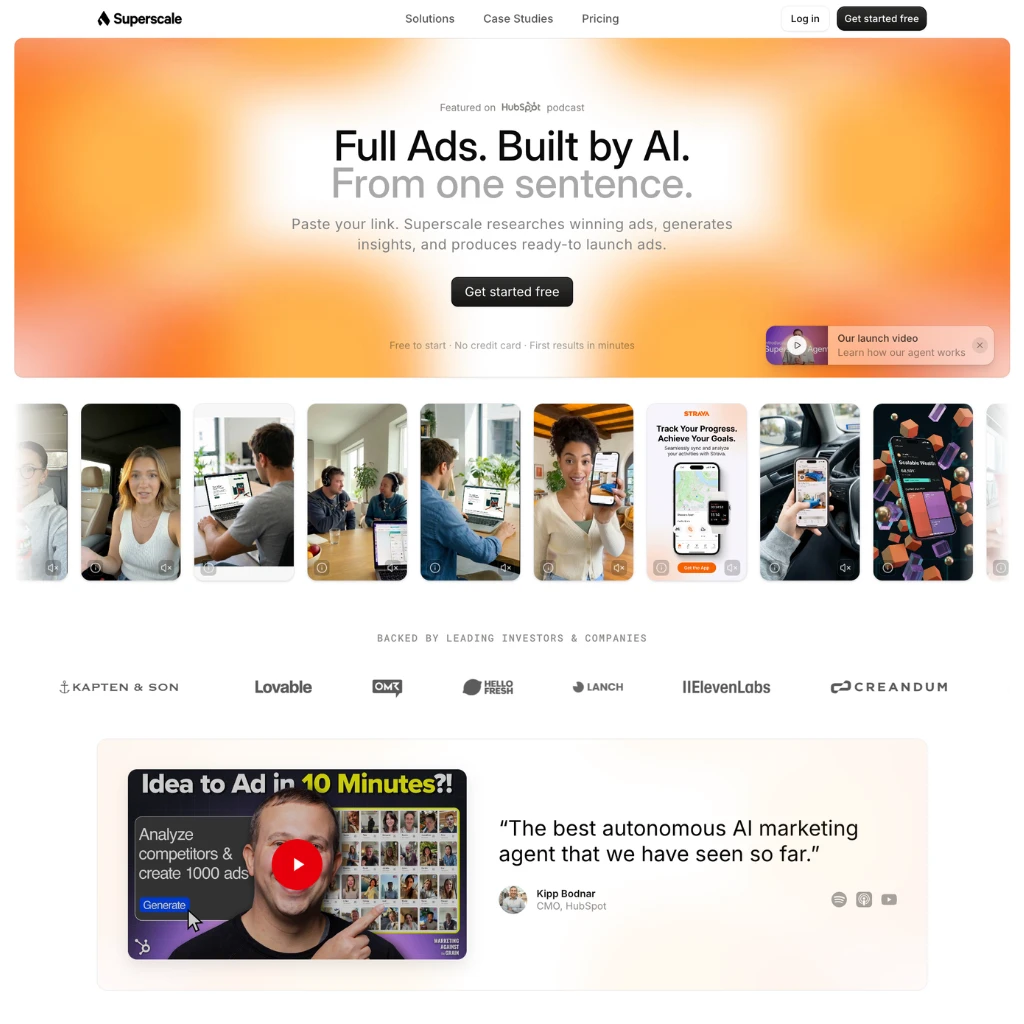
Superscale AI is a full-stack ad creation platform. Paste a product URL and it researches top-performing ads in your niche, generates scripts and copy, and produces finished creatives in multiple formats ready to publish. The whole process runs in under 10 minutes. The platform covers mobile app ads, e-commerce creatives, website ads, and AI UGC videos. Unlike tools that focus on a single format, Superscale handles the complete workflow: competitive research, briefing, scripting, video production, timeline editing, B-roll, music, and automatic resizing for every placement. There are 70+ proven ad templates, 300+ AI characters with ElevenLabs-powered voices in 20+ languages, and ultra-realistic lip sync throughout. The results from real campaigns are notable. TaxFix ran the platform and within its first 30 ads, 20% became winning creatives. Across the campaign, it delivered a 37% lift in thumbstop ratio and a 45% improvement in click-through rate. The Chief Growth Officer at TaxFix credited the output quality relative to speed as the deciding factor. Kipp Bodnar, CMO at HubSpot, called it “the best autonomous AI marketing agent that we have seen so far.” That quote is on the homepage, but it is also the kind of signal worth noting for a product this early. Superscale raised a $5M pre-seed round in June 2025 led by Creandum, with Anthropic and ElevenLabs listed as strategic backers. The team previously built Sonic, a product studio, and has worked together for over a decade. There are no significant third-party reviews on G2 or Capterra yet, which reflects the product’s age rather than its quality. Free access includes 500 credits. The Starter plan runs $99/month with a 3-day free trial and no credit card required to begin. Superscale AI: Pros & Cons Pros (The Wins) Cons (The Friction) End-to-End Workflow: Research, scripting, video, and publishing in one place. Very New: No G2 or Capterra reviews yet. Limited independent track record. Proven Performance: +37% thumbstop, +45% CTR in TaxFix case study. Credit-Based: Costs scale with volume. Heavy users may hit limits fast. 300+ AI Characters: ElevenLabs voices, 20+ languages, ultra-realistic lip sync. Ad-Only Focus: Built for performance ads. Not a general content tool. Strong Backing: Creandum, Anthropic, and ElevenLabs as strategic partners. Pricing Opacity: Enterprise tiers not listed. Requires direct contact. Features Full campaign generation from a single product URL Competitive ad research and insight generation AI scriptwriting and copy based on niche research AI UGC video production with 300+ characters ElevenLabs voices with ultra-realistic lip sync 70+ proven ad templates across mobile, e-commerce, and website formats Automatic resizing to all aspect ratios and placements Timeline editing, B-roll, music, and multi-format export Multi-brand support on all plans Brand asset auto-extraction from product URLs 20+ languages supported Shopify integration MCP integrations for Claude and AI agent workflows Free plan: 500 credits, no credit card required Read more

Advertising Generative Video Marketing AI Agents
Freemium
Visit Tool
Devs.ai

Devs.ai

Devs.ai is an AI app and agent building platform from AppDirect. It is built around a fairly specific idea: companies should be able to build internal tools, agents, search experiences, and customer facing AI apps without sending every workflow to a separate SaaS vendor. The main pieces are App Builder, Agent Studio, Agent Chat, Enterprise Search, AI Cost Center, and Marketplace. App Builder lets you describe a business app and connect it to real company data, integrations, authentication, hosting, and brand rules. Agent Studio is for building agents that use approved models, tools, and data sources. Agent Chat gives teams one governed place to use multiple major AI models with company context attached. The governance angle matters here. Devs.ai talks a lot about SSO, SCIM, RBAC, audit logs, cost controls, data policies, and private workspaces. That makes it more relevant for teams that already have IT rules, security reviews, and procurement headaches. If you are just building a quick personal app, it may feel heavier than a simple no code builder. The integration story is also a big part of the product. Devs.ai lists more than 2,000 integrations through AppDirect, including workplace, identity, CRM, support, productivity, and marketplace connections. The goal is to build apps and agents around the tools a company already uses, then distribute them internally through a private AI store or externally through marketplace channels. Devs.ai makes most sense for operators, founders, IT leaders, product teams, and service providers who want to build AI powered business tools without giving up control over data, access, billing, and deployment. The tradeoff is that this is not a tiny prompt to app toy. It is closer to an enterprise creation studio, so setup, governance, and internal ownership will matter. There is a free plan, with paid Personal, Business, and Enterprise options available. The pricing page also points to usage allowances on paid plans, so heavier model use and team deployment should be checked before rolling it out broadly. AI app builder for internal tools and customer facing products Agent Studio for building agents on approved data and tools Agent Chat for using multiple AI models in one governed workspace Enterprise Search across connected company systems AI Cost Center for usage, spend, budgets, and model visibility More than 2,000 integrations through AppDirect SSO, SCIM, RBAC, audit logs, and admin controls Private AI store for internal distribution Marketplace distribution through AppDirect and partner channels Templates for CRMs, dashboards, portals, helpdesk tools, and other business apps Built for teams that need governance, billing, identity, and deployment controls Read more

AI Agents NoCode Coding Automation
Free
Visit Tool
Clico

Clico

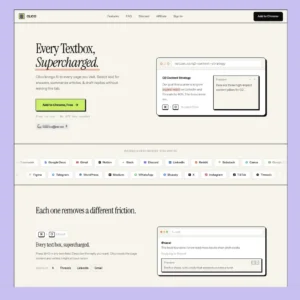
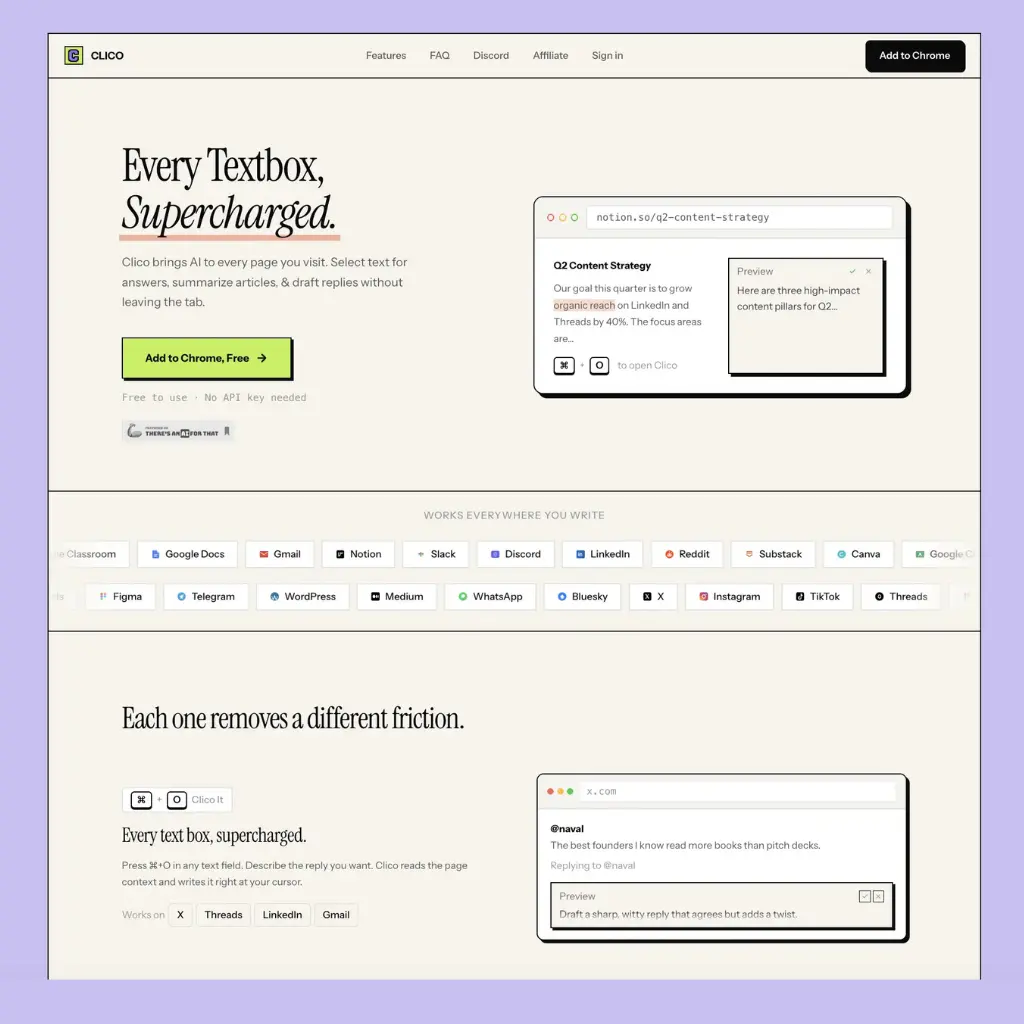
Most AI writing tools require you to open a new tab, paste in your context, get your answer, then go back and type it yourself. Clico cuts that loop entirely. It’s a browser extension that puts AI directly inside every text field you already use, reading the page around you so it knows what you’re working on. The core shortcut is ⌘+O: press it in any text box on any page and Clico reads the visible content around your cursor, then drafts, replies, or rewrites in context. It works in Gmail, Google Docs, Notion, Slack, Discord, LinkedIn, Reddit, Substack, and 20+ other platforms without any configuration per site. Three other modes round it out. Memo It (double-tap ⌘) summarises the current page into key points and action items, useful when you’re reading something long and need a quick brief. Voice input lets you hold ⌘ to dictate and transcribe in real time without touching the keyboard. Highlight any text on any page and you get an instant AI explanation, handy when you’re reading something technical and don’t want to open a separate search. The context-awareness is what separates it from a simple AI sidebar. Rather than requiring you to paste in what you’re working on, Clico reads the visible page, so replies and rewrites are grounded in the actual email thread, document, or conversation you’re looking at. It installs from the Chrome Web Store in seconds and works on Chrome, Edge, Brave, Arc, and any Chromium-based browser. No API key, no credit card, no configuration required. The free tier covers all core functionality. For knowledge workers who bounce between Gmail, Docs, Slack, and social platforms throughout the day, the value is mostly about removing the friction of context-switching to an AI tool and back. Features ⌘+O in any text field: AI drafts, replies, and rewrites in context Page-aware context: reads visible content so you don’t need to copy-paste Memo It: one-shortcut page summarisation with key points and action items Voice input: real-time transcription with hold-to-speak Instant explanations: highlight text on any page for AI breakdown Works on Gmail, Google Docs, Notion, Slack, Discord, LinkedIn, Reddit, Substack, and 20+ apps Chrome, Edge, Brave, Arc, and all Chromium-based browsers Free, no API key or credit card required Read more

Productivity Copywriting Ai Agents
Free
Visit Tool
OpusClip

OpusClip

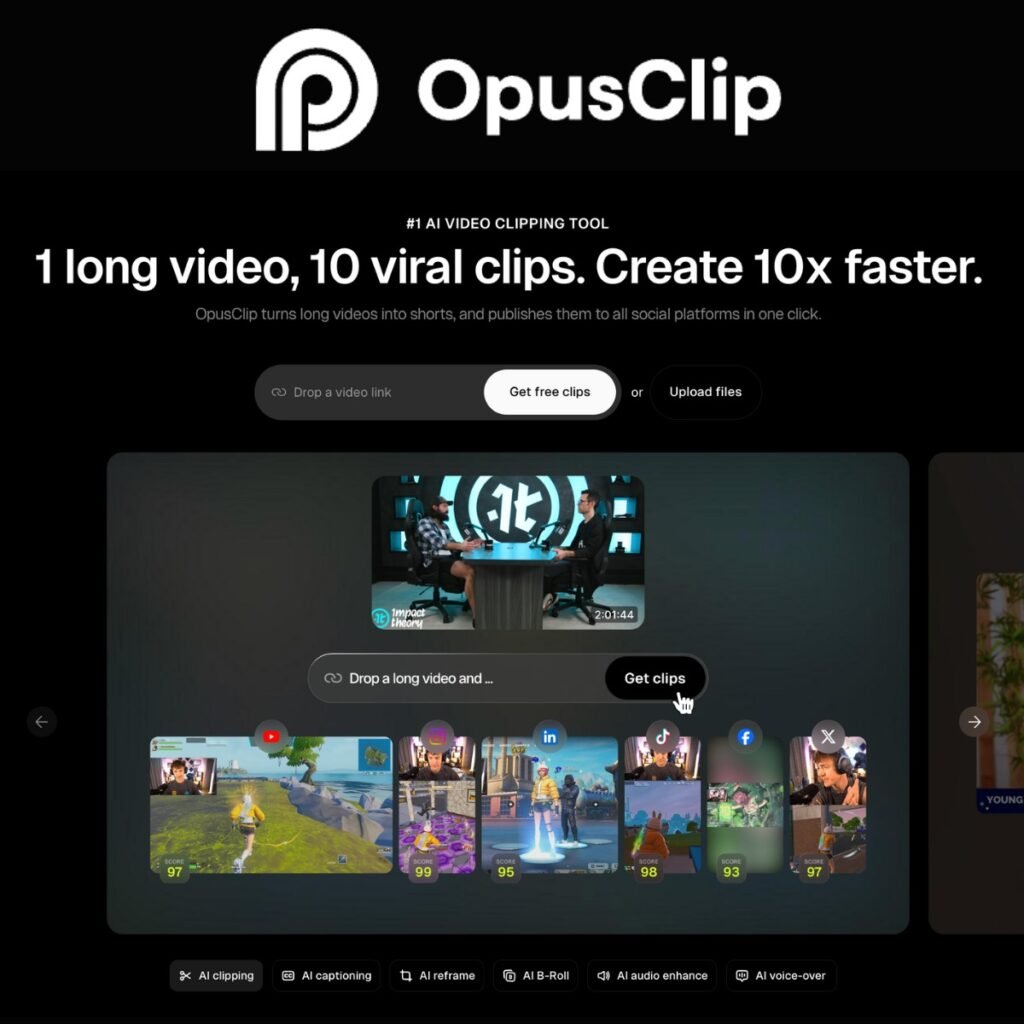
It takes just a few clicks for OpusClip to create viral shorts from your video. Automatic AI-powered copywriting and editing keep your audience engaged by hooking them with your content. Add your YouTube video link, and OpusClip will create short videos to share on social media based on your original video. OpusClip uses proprietary technology, ClipGenius™, to automatically extract the most powerful segments from your video and compile them into a highlights reel. No longer a game of chance, the Virality Score™ analyzes hundreds of factors to predict whether your video will go viral: It gives you actionable advice on how to make it happen. With the AI Co-Pilot, you can clip specific time frames or keyword-based portions. That way, your podcast has all the elements that work together to succeed. OpusClip keeps the speaker at the center of your frame with Active Speaker Detection, eliminating awkward cuts and static frames. By isolating the most valuable keywords from your video captions, watch time increases. AI calculates which words viewers focus on most and enhances them with suitable emojis. Use this tool for repurposing Video Podcasts, Educational Videos, Commentary Videos, Product Reviews, and Motivational Speeches, just to name a few. Supports English, German, Spanish, French, and Portuguese. Opus Clip is a popular Klap ai and 2Short ai alternative (OpusClip’s advanced AI is better identifying engaging content segments and improving visual storytelling) for making TikTok videos and Instagram Reels fast with the power of artificial intelligence editing. MCP OpusClip also offers an MCP server that lets compatible AI assistants create and manage clips directly from a conversation. After connecting your OpusClip account through OAuth, you can ask Claude, ChatGPT, Cursor, Cline, or another MCP client to find highlights, score potentially engaging moments, add animated captions, reframe footage, repurpose clips for different platforms, and schedule finished videos. This makes OpusClip more useful inside agent-based workflows. A developer could ask Cursor to turn a product demo into several vertical clips, while a marketing team could tell ChatGPT to find the strongest moment in a webinar, caption it, resize it for Instagram Reels, and queue it for publishing. The tools can be chained together in one request, reducing the need to move repeatedly between the AI assistant and the OpusClip dashboard. Setup is relatively simple: add https://mcp.opus.pro to a supported MCP client and sign in with your existing OpusClip account. No separate API key is required for the MCP connection, although generated clips still use the processing allowance or credits attached to your OpusClip plan. As with any automated clipping workflow, review the selected moments, captions, translations, and scheduled posts before publishing. More details about the Opus Clip Pro MCP server Frequently Asked Questions What are OpusClip’s main features? ClipAnything Beta: Imagine telling your video exactly what moments you want to highlight, and it just happens. That’s ClipAnything. You use natural language prompts, and the AI clips any moment from any video. It’s like having a conversation with your footage. Auto Reframe: No more wrestling with aspect ratios. The AI automatically adjusts your clips, keeping speakers and action in focus whether you’re going square, vertical, or widescreen. AI Curation: This feature sifts through your content to find the most compelling hooks and highlights. It then stitches them together into a cohesive, attention-grabbing short that’s primed for virality. Animated Captions: Let’s face it, captions make videos more engaging. OpusClip adds them automatically with over 97% accuracy, and you get to choose from various styles to match your vibe. AI B-roll (Lab version): Need to spice up your video? The AI can seamlessly add relevant B-roll footage, either from royalty-free stock or AI-generated visuals, to enhance your storytelling. Brand Templates: Consistency is key in branding. You have the option to personalize fonts, colors, logos, and more, so that your clips perfectly match your brand identity. Editing Tools: An intuitive editor with the ability to change just about anything, offering text-based and timeline-based editing options. How does OpusClip work? OpusClip leverages AI and big data to understand not just your video but also what’s trending across social media. It’ll scan your content, pick out the golden nuggets, and turn them into a short, catchy clip. Think of it as having a personal editor that’s supposed to keep pace with all the latest happenings on social media and makes sure that your content isn’t good, but rather relevant. What kinds of videos can you upload? With the ClipAnything feature, almost anything goes. Podcasts, interviews, vlogs, sports events, TV shows, or even videos with minimal dialogue—OpusClip can handle them all. It understands visual cues, audio elements, and even the sentiment to find the best moments. Which languages are supported? English German Spanish French Portuguese Italian Dutch Russian Polish Indonesian Ukrainian Swedish Turkish Norwegian Croatian Romanian Slovak Greek Danish Finnish What customization options are available? Brand Templates: Tailor your clips to match your brand’s look and feel. Animated Captions: Edit text, choose styles, and make those words pop. AI B-roll: Add that extra visual flair with relevant footage. Editing Tools: Fine-tune your clips until they’re just right. What does it cost? Free Plan: 60 minutes of video processing time per month. That’s enough to dip your toes and see if it works for you. Pro Plan: New users can test the waters with a 7-day free trial, which gives you 90 minutes of processing time-about 30 downloadable clips. After that, subscription options open if you need more firepower. For detailed pricing, you’d need to check out their website or reach out to them directly. Is there a free trial? Once signed up, you get a 7-day free trial for the Pro Plan. That should be a good enough no-strings-attached opportunity to put OpusClip to the test. What about integrations? Export Options: You can export your projects in software like Adobe Premiere Pro if you want that next-level edit. Social Media Integration: Schedule and auto-post your clips directly to YouTube, TikTok, Instagram, Facebook, LinkedIn, and X (formerly Twitter). Is it compatible with my current workflow? Absolutely. OpusClip is designed to Read more

Social Media
Paid
Visit Tool
Quickads

Quickads

Quickads simplifies ad creation, making it possible to design professional-looking ads in seconds. Quickads is an AI ad generator built for businesses that need ads fast. It produces both images and videos, pulls inspiration from a massive ad library, and lets you publish directly to Meta. The tool is aimed at marketers, agencies, and small businesses who want professional ads without building everything from scratch. Features Access to a library of 20M+ ads for research and competitor insights AI-powered image and video ad creation with customizable models and backgrounds Virtual product and fashion photoshoots AI avatars and voice generation for video ads Brand compliance scoring and campaign optimization tools Direct publishing to Meta platforms Collaborative scheduling, unified ad and social management, and reporting dashboards Support for saved brand kits and multiple team members Pricing tiers with Starter, Pro, and Agency plans plus enterprise license packages Reported performance: 400K+ ads generated, 25K brands served, active in 100+ countries Average ROAS 5.12x, median ROAS 7.68x Read more

Advertising
Paid
Visit Tool
PopAi

PopAi

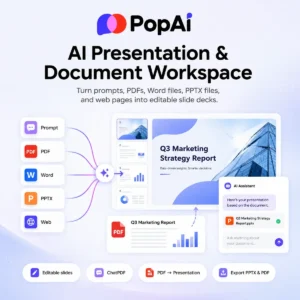
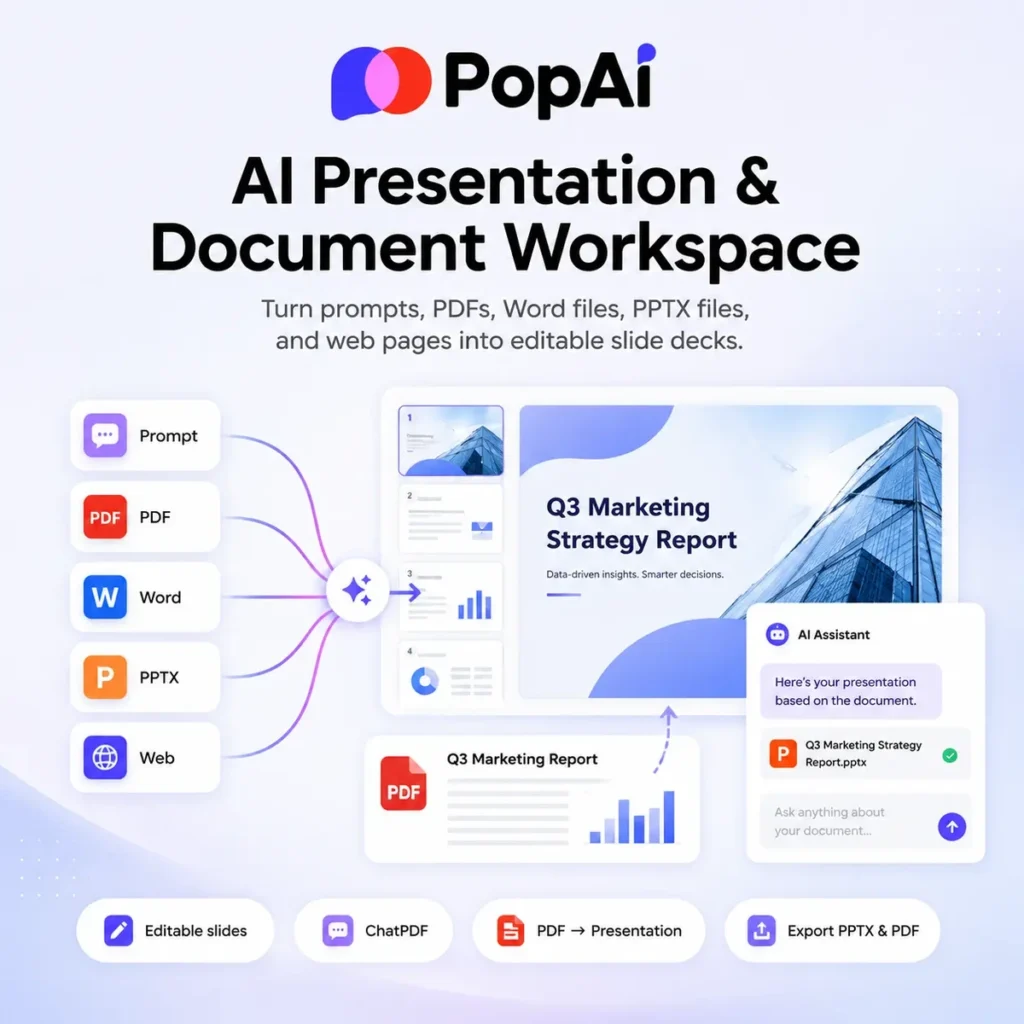
PopAi is an AI workspace built around presentations, PDFs, document reading, writing, and image generation. The main draw is the presentation tool: give it a topic, PDF, Word document, PPTX file, or web page, and it turns that material into an editable slide deck. The slide workflow is the strongest part. You enter a prompt or upload a file, choose a template, then edit the generated deck in PopAi’s web canvas. Exports include PPTX and PDF, which matters because most AI presentation tools become annoying the moment you need to hand the deck to someone who still lives in PowerPoint. Which is most offices, basically. PopAi also has an AI ChatPDF side. You can upload documents, ask questions beside the original text, summarize long files, generate mindmaps, and convert PDFs into presentations. The site says it can handle up to 20 documents at once and up to 5,000 pages, which puts it closer to a study and research workspace than a simple slide generator. It also supports chart and image analysis through a screenshot based question flow. There are writing and image tools too, but they feel secondary to the presentation and document workflows. PopAi is best for students, teachers, consultants, analysts, founders, and small teams who regularly turn reports, lesson plans, research notes, or dense PDFs into something presentable. The pricing starts with freemium. The free plan gives a small one-time credit allowance for testing AI presentations, ChatPDF, AI chat, image tools, and file management. Paid plans move to monthly credits and unlock heavier presentation use, logo uploads, paid themes, full PPTX/PDF export, watermark removal, larger ChatPDF limits, and higher end model access. AI presentation maker from prompts, PDFs, Word files, PPTX files, and web pages Editable slide canvas with template selection Export to PPTX and PDF Share completed presentations by link AI ChatPDF for reading, summarizing, and asking questions about documents Upload multiple documents for document analysis PDF to presentation conversion Mindmap generation from PDFs Screenshot based chart and image analysis Writing and image generation tools Chrome, iOS, and Android options listed on the site Site lists access to several major AI models Read more

Presentation Maker Productivity Education Generative Art
Freemium
Visit Tool
Tripo AI

Tripo AI

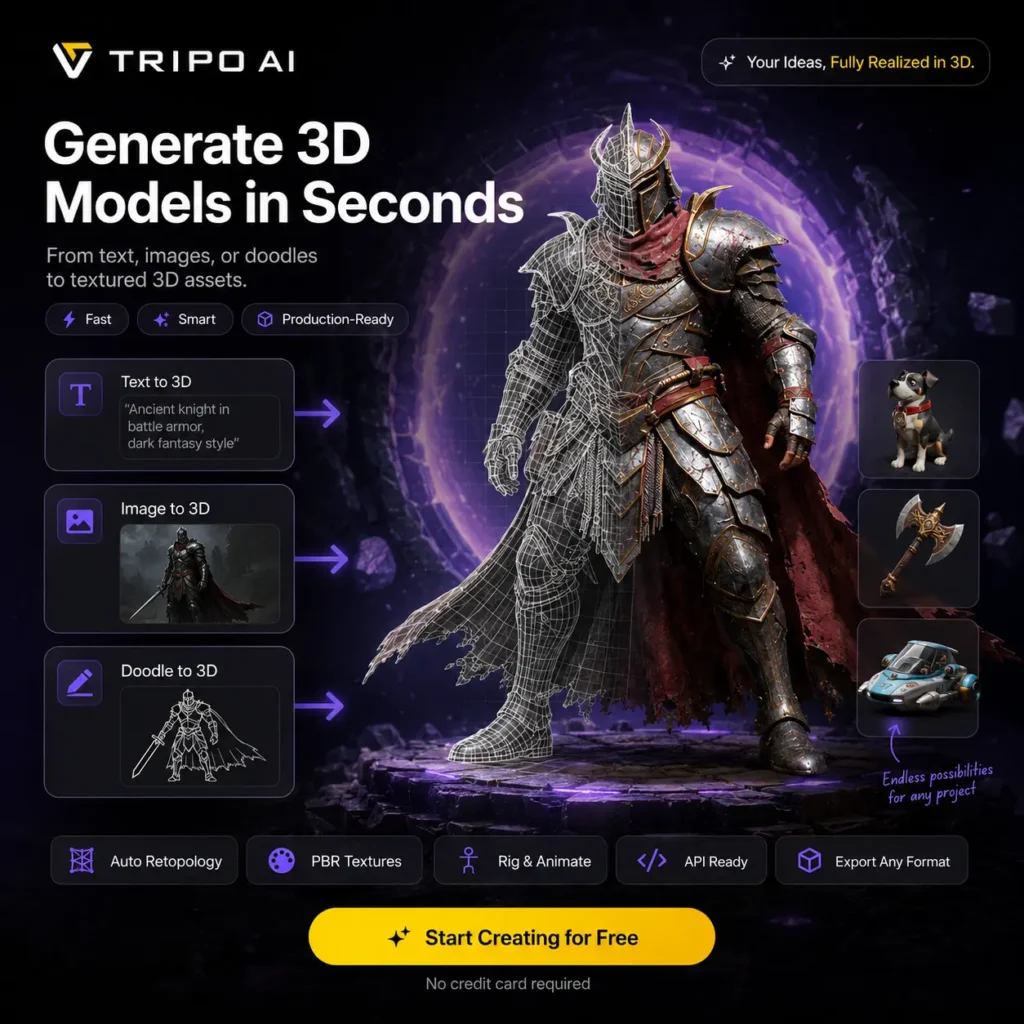
Tripo AI turns a text description, one reference image, or several views into a textured 3D model. Tripo Studio now covers much more than the initial generation. You can inspect the mesh, divide it into parts, repair missing geometry, rebuild topology, replace textures, rig characters, apply animations, and export the result. There are two practical workflows. One Click produces a textured PBR asset with minimal setup. Build & Refine creates the base geometry first and leaves texturing until later, which gives you more control when shape matters. Generate in Parts can separate components during creation, while existing models can be uploaded for texturing and further processing. Image input usually gives you more control over silhouette and style than a text prompt. Multiple view generation improves coverage when you have front, side, and rear references. It is not the same as scanning an object. With only one image, Tripo must infer every hidden surface, so backs, interiors, hands, thin structures, hard edges, and printed lettering can be inaccurate. The geometry tools have become a major part of the product. High Detail Model creates dense geometry for rendering or printing. Smart Mesh targets lighter models with cleaner topology, while the quad remesher converts triangle based output into more manageable quad geometry. Segmentation splits a model into meaningful components so you can edit, merge, replace, or complete individual parts. Tripo generates PBR material maps and can retexture both imported and generated models. Texture enhancement and upscaling tools can produce higher resolution materials, while style controls can turn an asset into voxel, Lego, clay, or other visual treatments. Auto Rigging adds skeletons and skin weights to human, animal, and stylized characters. Preset motions and animation retargeting make it possible to test movement without building a rig manually. Joint placement, skinning, and deformation still need checking around shoulders, hands, faces, and characters with unusual proportions. Exports include GLB, FBX, OBJ, STL, USDZ, and 3MF. These cover web viewers, game engines, animation software, augmented reality, and 3D printing. A model that looks convincing inside the browser may still need repair before it is ready for a game, print, or client project. Check scale, normals, polygon density, texture seams, watertightness, and any geometry inferred from an incomplete reference. The REST API covers model generation, texturing, segmentation, retopology, format conversion, rigging, and animation. API usage has its own credit balance and is separate from a Tripo Studio subscription. Resources are also available for Blender, Unity, Unreal Engine, ComfyUI, Cocos, and Godot. Tripo and Stability AI released TripoSR, an MIT licensed model for reconstructing 3D objects from a single image. It remains useful for local experiments and research, but it is separate from the newer hosted models and editing tools available through Tripo Studio. Public feedback is generally positive about speed, accessibility, and rapid prototyping. The repeated criticism concerns consistency. Some generations contain distorted proportions, hollow geometry, incomplete surfaces, rough topology, or textures that need manual correction. It is sensible to test several generations before spending additional credits on rigging, high resolution textures, or batch processing. There is a free plan with monthly credits. Models created through the free plan are public and licensed under CC BY 4.0. Paid tiers add private models, commercial usage rights, multiple view generation, parts generation, Smart Mesh, batch processing, better output settings, faster queues, and longer project history. 🛠️ Tripo AI: Pros & Cons Pros (The Wins) Cons (The Friction) Generation: Text, single image, and multiple view inputs. Hidden geometry: Unseen surfaces may be invented or incomplete. Mesh tools: Parts, Smart Mesh, quads, and texture controls. Cleanup: Complex models may still need work in Blender. Downstream use: Rigging, animation, API, and common exports. Credit use: Retries and processing increase consumption. Entry point: Free monthly credits for testing ideas. Free licensing: Free models are public under CC BY 4.0. Features Text to 3D generation Single image and multiple view reconstruction One Click and Build & Refine workflows Generate in Parts and model segmentation Part completion, merging, and manual selection tools Smart Mesh and quad retopology High detail geometry generation PBR materials and texture regeneration Higher resolution texture upscaling Automatic character rigging Preset motions and animation retargeting Batch generation and bulk export on supported plans GLB, FBX, OBJ, STL, USDZ, and 3MF export REST API for automated 3D production Blender, Unity, Unreal, ComfyUI, Cocos, and Godot resources Open source TripoSR model available separately Alternatives to Tripo AI Meshy: Closest direct alternative for text-to-3D, image-to-3D, sketch-to-3D, textures, animations, and exportable game, print, design, and VR assets. Krea: Broader creative suite with 3D generation, real-time image generation, text-to-video, LoRA fine-tuning, and high-resolution upscaling. QuickMagic: Best for motion capture workflows, turning 2D video into 3D motion data for animation, games, avatars, and virtual production. Floor Plan AI: Niche alternative for architecture and interior layouts, converting text descriptions into 2D, 2.5D, and 3D floor plans. Skybox Lab: Environment-focused alternative for generating 360-degree skyboxes and immersive virtual spaces from text prompts. Leonardo AI: Stronger for concept art, game assets, image generation, custom models, canvas editing, and image-to-video than export-ready 3D mesh creation. Read more

Generative Art Design Generators Gaming NoCode
Freemium
Visit Tool
Omnia

Omnia

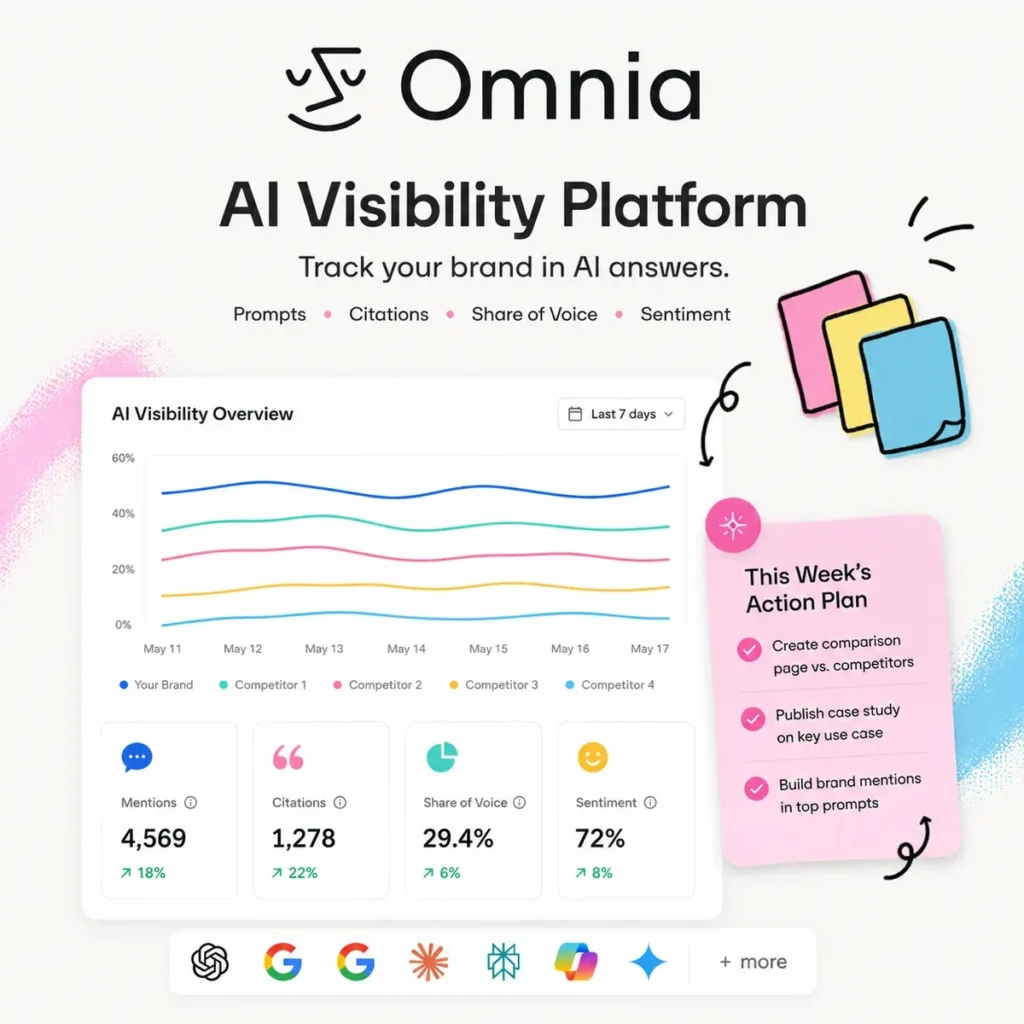
Omnia is an AI visibility platform built for small marketing teams. It shows you where your brand turns up in AI generated answers and why competitors keep getting cited instead of you. It tracks prompts across the major AI engines, monitors mentions and citations, benchmarks competitors, and rolls everything into a weekly action plan. The product sits in the newish AEO and GEO category. The short version: SEO used to mean ranking in search results, and now a growing chunk of it means appearing inside AI answers. Omnia shows you which prompts matter for your market and whether AI engines mention your brand when people ask them. It also tracks how your share of voice moves over time. Plenty of tools in this space stop at a dashboard. Omnia connects the visibility data to recommended actions, so you know which content, citation, and positioning fixes are worth doing first. If you’re a small team with no dedicated GEO person, that’s the difference between a report you glance at and something you can work from on a Monday morning. The sentiment analysis is worth a mention too. It checks how AI systems describe your brand compared to competitors, which can catch problems early. If ChatGPT keeps describing your product as expensive or weak on a specific feature, you want to know before that framing hardens. Pricing is paid. There’s a trial, no card needed. Plans scale by monitored prompts, insight credits, exports, and support level, with sentiment analysis and enterprise account support on the bigger tiers. Startups dipping a toe into AI visibility can start small. Agencies and teams treating AI search as a real acquisition channel will want the larger plans. Omnia makes sense for in house marketers, SEO leads, content teams, and agencies that already track search visibility and now need the AI side covered as well. If all you want is classic keyword rank tracking or a one off brand mention check, skip it. Tracks brand visibility across major AI engines Monitors prompts, mentions, citations, and share of voice Benchmarks your brand against competitors Surfaces AI topics related to your brand and market Builds weekly action plans from visibility data Checks sentiment and brand positioning inside AI answers Refreshes tracked prompts daily Covers multiple countries and languages API access for custom reports MCP access for pulling Omnia data into AI assistant workflows Aimed at SEO leads, in house marketers, agencies, and small marketing teams Read more

SEO Marketing Ai Agents Business Intelligence
Free
Visit Tool
Designrr

Designrr

Import a blog post URL, upload a PDF, or drop in an audio file into Designrr and the AI transcribes audio and video automatically. From there, you pick a template, tweak the layout if needed, and export as a PDF, Kindle file, ePub, or HTML. The whole process takes minutes instead of hours. The AI component, called WordGenie, does more than transcribe. It generates content outlines, rewrites sections, suggests headlines, and pulls in relevant images. If you’re building an eBook from scratch, the AI can draft chapters based on a keyword or topic. If you’re repurposing existing material, it can summarize long pieces or restructure them for better flow. A 45-minute podcast becomes a rough draft in under 10 minutes thanks to smart transcription. Designrr also suggests images based on your text, which speeds up the design process. The pricing model is subscription-based, but Designrr is known for offering lifetime deals. That’s a big reason people buy in. You pay once, own it forever, and avoid monthly fees. Higher-tier plans unlock more transcription minutes, advanced templates, and flipbook creation. Integrations include Mailchimp, ConvertKit, and other email platforms, so you can deliver lead magnets directly after someone signs up. Cloud storage options like Google Drive and Dropbox are supported too. This tool works best if you’re already producing content and need to repurpose it quickly. If you have a library of blog posts, recorded webinars, or YouTube videos sitting unused, Designrr can turn them into new assets without much effort. It’s less useful if you need highly customized designs or if you’re starting with zero content. Who is this for? Content-heavy businesses, solo entrepreneurs, coaches, and consultants who value speed over design perfection. Real estate agents building neighborhood guides. Fitness coaches packaging workout plans. Academics reformatting research for public consumption. The tool competes with Canva, which has better design capabilities but lacks automated content import and transcription. Designrr is a repurposing machine. You feed it raw content, it formats and designs it, and you export a finished product. If that workflow matches your needs, it’s hard to beat for speed and price. Key Features AI transcription engine converts audio and video files into text automatically WordGenie AI generates content outlines, headlines, and full chapters from keywords Import content directly from blog URLs, Google Docs, Word files, and PDFs Export to multiple formats including PDF, Kindle (mobi), ePub, and HTML Built-in editor with templates for eBooks, lead magnets, reports, and flipbooks AI-powered image suggestions and insertion based on document text Automated formatting and layout adjustments for different publication types Integration with email marketing platforms like Mailchimp and ConvertKit Bulk content import for creating multi-chapter books from multiple sources 3D cover image generator for professional book mockups Customizable headers, footers, and page numbers Translation feature for reaching international audiences Screen capture editor for extracting visuals from videos Automated show notes creation from podcast transcripts Read more

Marketing
Paid
Visit Tool
Vidu

Vidu

Vidu generates short videos from text prompts, still images, keyframes, and visual references. It covers the usual text to video and image to video jobs, but its reference controls are where it becomes more useful for recurring characters, products, and branded scenes. You can upload as many as seven reference images, then tell Vidu how those people, objects, or locations should appear in the clip. Saved references can be reused across projects. It will not remove every continuity mistake, but it gives you more control than repeatedly describing the same character in a prompt and hoping the face survives another generation. The current Vidu Q3 model generates video and native audio together. Dialogue, voiceover, music, and sound effects can arrive in the same export, with support for multiple speakers and output in English, Japanese, and Chinese. A single generation can run for up to 16 seconds, with controls for camera movement and pacing. For image led work, you can animate one picture or supply first and last frames for a specific transition. This works well for product shots, anime artwork, social clips, and short advertising scenes. Vidu also includes templates, lip sync, digital humans, motion syncing, video extension, sound generation, and resolution upscaling. The 16 second limit is enough for one scene, advert beat, or social clip. Longer sequences still need several generations and an editor. Credits also disappear quickly when you are testing prompts or rerunning a shot because a hand, face, or camera move came out wrong. New accounts receive trial credits, with more available through daily logins, subscriptions, and additional credit purchases. Serious use will require a paid plan or regular credit top ups. Use code AITOOLSDIRECT for a 20% discount Text to video generation Image to video animation Reference to video with up to seven images Saved characters, objects, and scenes First and last frame controls Native dialogue, voiceover, music, and sound effects Clips up to 16 seconds with Vidu Q3 Multiple speaker support Camera movement and pacing controls Output up to 1080p Video templates and effects Lip sync and digital human tools Motion sync and video extension Video upscaling API access for developers Read more

Video Generation Text-to-Video Generative Video Video Editing
Freemium
Visit Tool
Dzine

Dzine

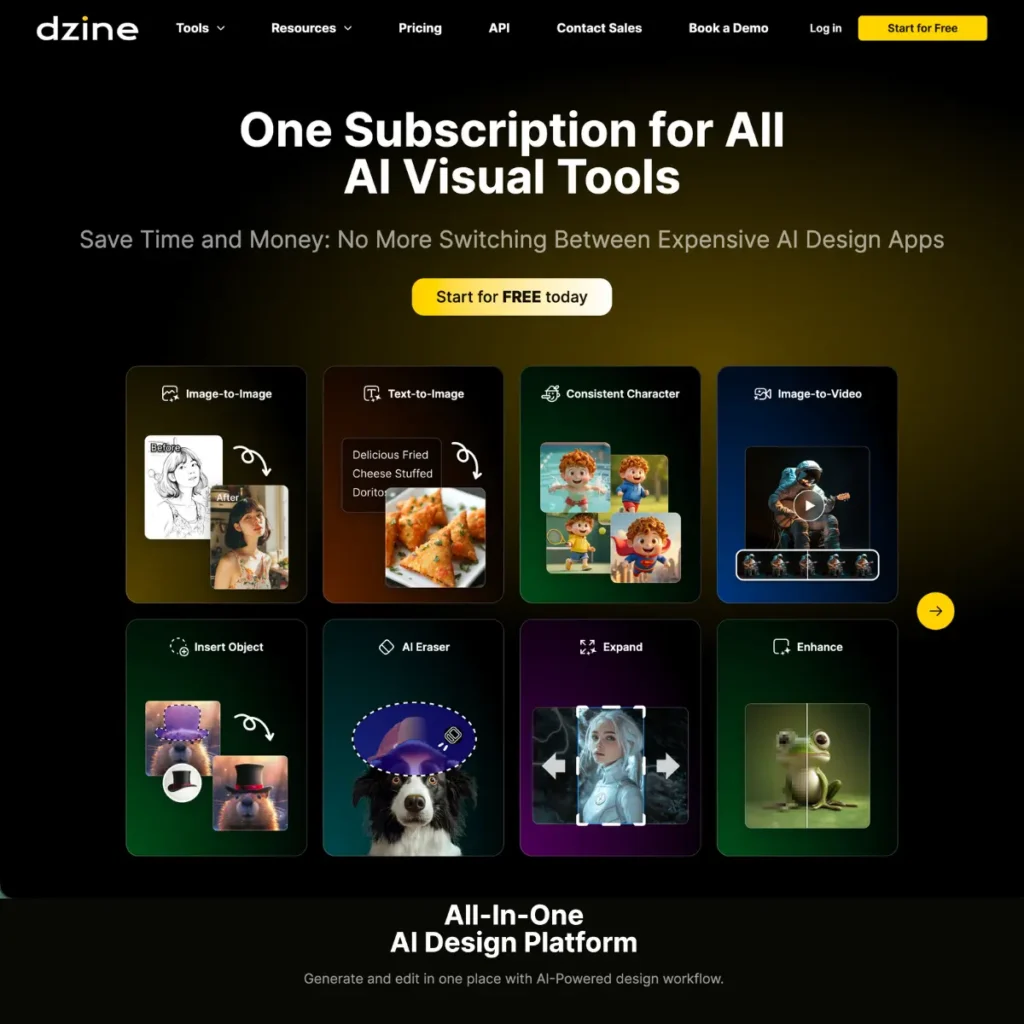
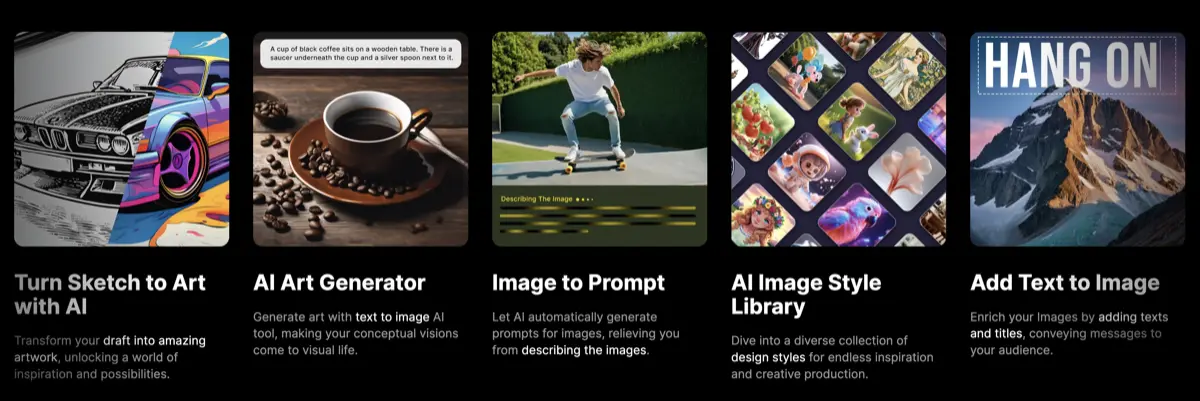
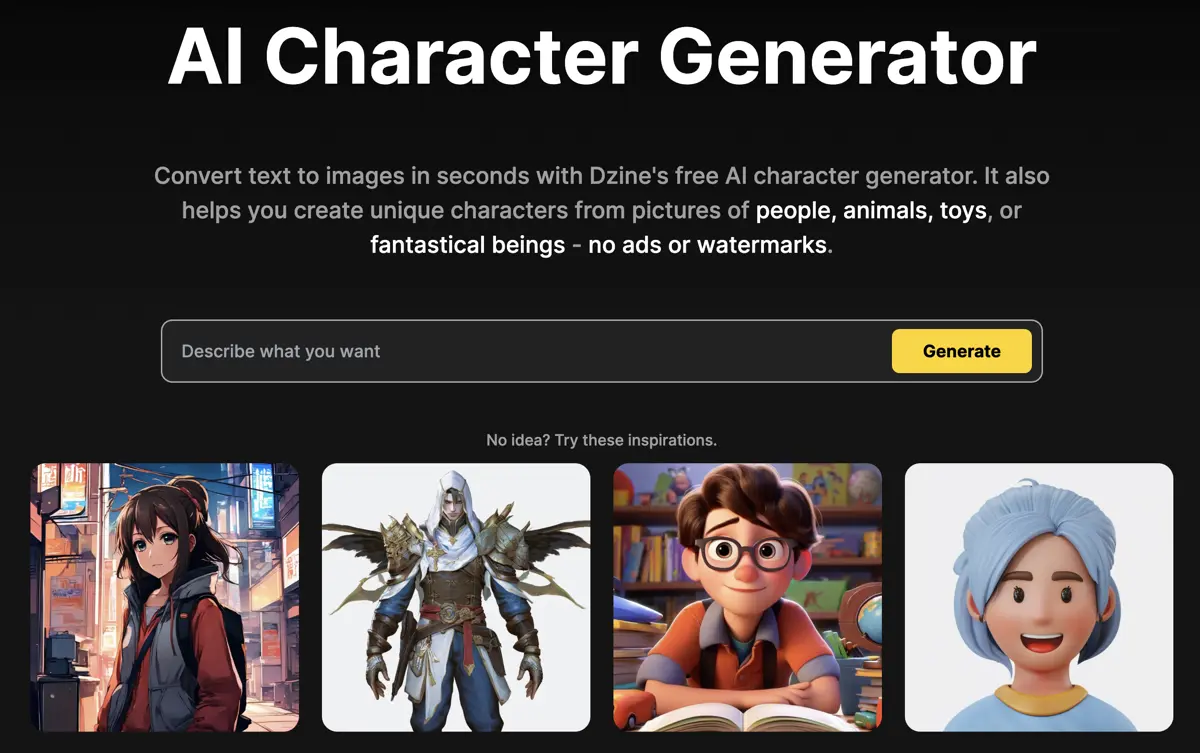
Dzine is a browser-based image editor that combines AI generation with manual editing tools. You get text-to-image and image-to-image workflows, object removal, background swapping, face manipulation, and a 2D-to-3D converter. The interface uses layers and canvas-based composition, which means if you’ve used Photoshop or similar tools, the workflow feels familiar. You have full control over the image design process. Many AI image generators are controlled by a text prompt only and the results can be wildly different to what you might expect. Dzine lets you drag elements around on a canvas, adjust style intensity and structure matching, and preview changes before committing. There’s a library of predefined art styles, so you don’t need to write detailed style prompts. Built-in GPT assistance generates prompts from plain language descriptions if you want it. Some of the unique features that matter: generative fill for editing specific areas by typing instructions, object removal that actually works on hair and complex textures, and an auto-selection tool that extracts elements as separate layers. You can export at up to 6144×6144 pixels in PNG or JPG. Character designers and game developers benefit from the 2D-to-3D converter and the ability to generate consistent characters across multiple images using the same style settings. If you’re churning out product photos for ecommerce or creating social content variations, the batch workflow saves repetition. Dzine works best if you want control over composition without touching Blender or spending hours learning Stable Diffusion parameters. It’s less useful if you just want quick AI image generation with minimal fussing. The learning curve is shallow compared to Midjourney or local WebUI setups, but you’re trading some flexibility for usability. The community runs on Discord, Instagram, Reddit, and YouTube. There are contests and collaborative projects, which matters if you care about seeing what other people create with the tool. Core Features Text-to-image and image-to-image generation Layer-based canvas composition with drag-and-drop positioning Generative Fill for editing specific areas via text instruction Remove Object tool for cleaning unwanted elements from photos Background removal with one-click simplification Face Swap and avatar generation AI Photo Filter for cartoon and style conversion 2D-to-3D image converter Auto-selection tool to extract objects as separate layers AI Photo Enhancer for clarity and artifact fixing Sketch-to-art conversion Consistent character generation across multiple images Built-in GPT-assisted prompt generation Predefined style library for easy customization Export up to 6144×6144 pixels in high resolution AI text effects and logo design tools Read more

Free Visit Tool
i10x

i10x

i10x is an AI agent marketplace that gives you instant access to over 500 ready-made AI agents, prebuilt workflows and tools powered by GPT-4o, Claude 3.7, Gemini 2.5, Grok 3, and more. Whether you’re handling SEO, drafting legal docs, building marketing content, or analyzing reports, i10x acts as a single hub for multi-model AI automation. This subscription-based AI platform aggregates major AI models and bundles them with 500+ pre-built “agents” that are essentially pre-configured prompts for specific tasks. You can choose from text, image, coding, marketing, document tools, and more, all in a single interface. i10X is for people and organizations who want easy access to multiple advanced AI tools through one subscription. It suits professionals, creators, students, and teams looking to automate tasks, boost productivity, and save on software costs. And you won’t have to manage many separate accounts to perform most of the AI-related tasks that these individuals and businesses perform daily. Key Features 👉 Access to 30+ premium AI models, including: OpenAI GPT-4o, GPT-4.5 Anthropic Claude 3.7 Google Gemini 2.5 xAI Grok 3 OpenAI’s GPT-Image-1 (vision tasks) 👉 500+ prebuilt “AI agents” for niche use cases: SEO Customer support Marketing Legal and compliance Creative writing Productivity tools Document analysis New agents and models added regularly No need to juggle multiple subscriptions Ratings and user feedback for agents Simple web interface, no installation needed i10X’s main draw is in the consolidation of apps. Instead of bouncing between ChatGPT, Claude, Gemini, and Perplexity with different logins, i10X wraps everything into one tab. It’s both accessible and affordable. You’re not getting anything new in terms of model capabilities. Existing tools are getting a revamped, more accessible interface with improved organization. These 500+ mini-agents are perfect if you’re too busy to write your own prompts. Think of it as a shortcut. Note that Zapier, Slack, and Notion aren’t yet integrated. And no mention of API access. Key Features of this AI Agent Marketplace AI agent marketplace with 500+ prebuilt agents for business, writing, coding, and more Unified access to 30+ models including GPT-4o, Claude 3.7, Gemini 2.5, Grok 3 Categorized AI agent directory: legal, SEO, marketing, education, productivity Use AI agents without writing prompts or switching tools Human-built agents designed for real-world business use cases One subscription replaces multiple AI tools and apps Frequent updates with new AI agents and model integrations Web-based platform, no install or tech setup required What Makes i10x a True AI Agent Marketplace? Unlike generic AI chat apps, i10x organizes hundreds of niche AI agents into a searchable interface, like an app store for prompts and workflows. You don’t build from scratch. You just choose, click, and get results. i10x at a Glance Models: GPT-4o, Claude 3.7, Gemini 2.5, Grok 3, and more Agents: 500+ human-built tools for business, coding, writing, and marketing Access: Web-based, no install Ideal for: Freelancers, marketers, students, small teams Pricing: Paid (single subscription) Read more

Productivity
Freemium
Visit Tool

Vellow AI is a modern AI tools directory built for creators, businesses, marketers, developers, students, and professionals looking to discover the latest AI software in one place.