
Accelerate Your Potential
Smart Strategies Real Results |

Your ultimate destination for everything AI — from deep
learning and neural networks to real-world applications and
futuristic insights, helping you stay ahead in the age of intelligence.

Blotato

Blotato

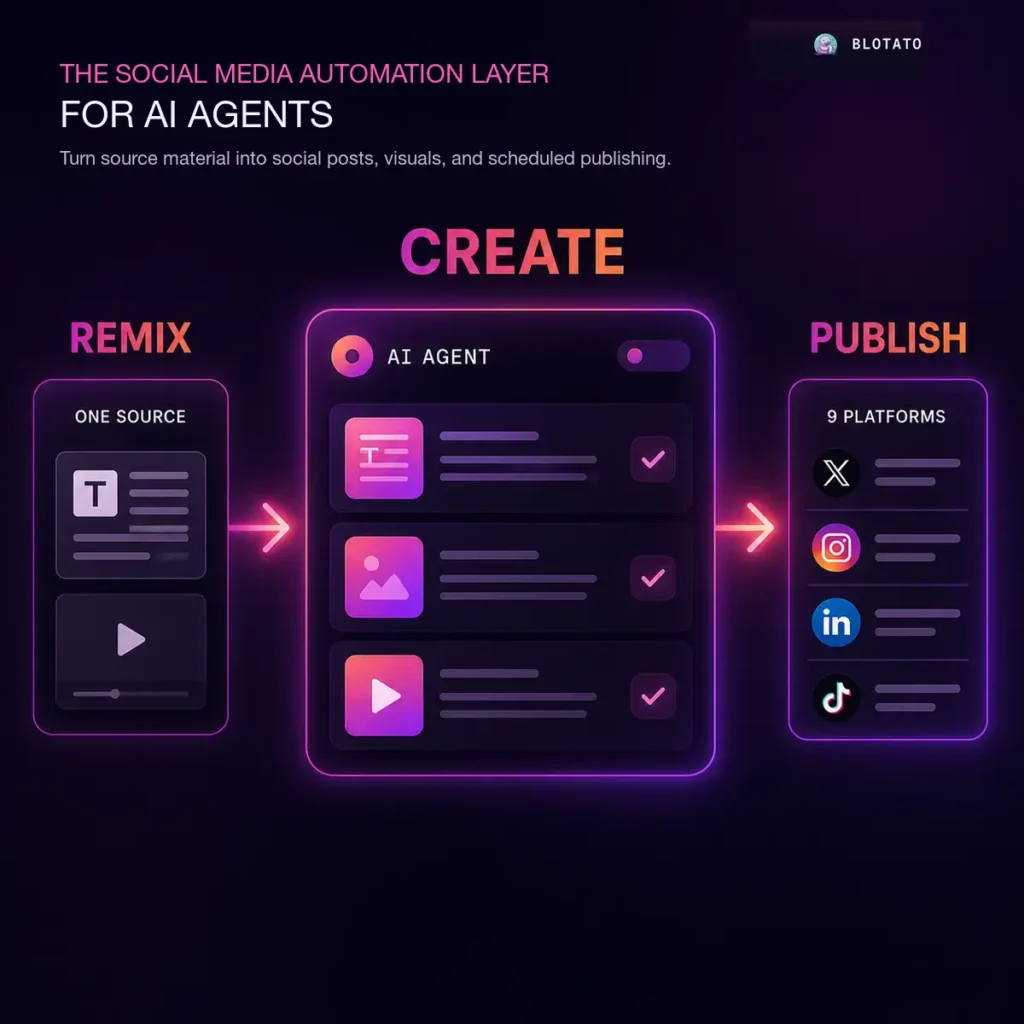
Blotato is an AI content and social publishing workspace for creators, small businesses, and agencies that need to turn one idea into posts for several channels. Add a website, article, YouTube or TikTok video, podcast, PDF, audio file, research prompt, or plain text, then use it as the source for platform-specific drafts. The writing layer creates posts for channels including LinkedIn, X, Instagram, TikTok, Facebook, Threads, Bluesky, YouTube, and Pinterest. You can also search viral posts for ideas, keep a content calendar, work from reusable templates, and add your own perspective before a draft goes live. The AI works best when it has a strong source and clear brand input. Blotato itself cautions against publishing low effort content without an editorial pass. Blotato also creates the visual formats that usually slow down a posting workflow. It can produce images, carousels, quote cards, infographics, faceless videos, voices, and captions. The API can accept other media sources such as HeyGen, Veo, Sora, or your own files, then publish the finished output. AI image and video generation use monthly credits, while scheduling, publishing, remixing, and AI voiceovers have separate allowances. The more technical side is a hosted social media API and MCP server. An AI agent, n8n workflow, Make scenario, or custom app can list connected accounts, upload media, create a post, and publish or schedule it. That makes Blotato useful when you want an agent to turn a source into a queue of drafts and distribute approved work without maintaining browser automations. There is a 7-day trial with access to the app, while the API is reserved for paid plans. Plans include a set number of social accounts and AI credits, with higher tiers adding more credits, accounts, and processing capacity. Blotato is not built for cutting long videos into short clips, and it will not replace judgment about what is worth posting. It fits best when you already have source material and want a repeatable way to adapt, create, schedule, and publish it. Source remixing: Turn articles, videos, podcasts, PDFs, audio, research prompts, or text into post drafts. Platform-specific drafts: Adapt content for LinkedIn, X, Instagram, TikTok, Facebook, Threads, Bluesky, YouTube, and Pinterest. AI visual creation: Generate carousels, quote cards, infographics, images, faceless videos, voices, and captions. Content calendar: Schedule and manage a multi-platform publishing queue. Viral inspiration tools: Search posts and work from reusable templates and prompts. REST API and MCP: Let agents and custom workflows publish or schedule through a hosted integration layer. n8n and Make nodes: Connect Blotato to no-code automations and approval flows. External media support: Publish assets from tools such as HeyGen, Veo, Sora, or your own media library. Alternatives to Blotato Buffer: A social media scheduler and analytics platform for teams that mainly need dependable publishing, reporting, and collaboration. Metricool: A planning and analytics tool for managing multi-platform social content, ads, and performance reporting. Publer: A social scheduling platform with content recycling, post creation tools, and collaboration features for small teams. Read more

Social Media Automation AI Agents Video Generation
Paid
Visit Tool
TaxGPT

TaxGPT

TaxGPT is an AI tax research, drafting, and document review platform built around the US tax system. It is aimed at CPAs, enrolled agents, tax preparers, accounting firms, and businesses that need help working through federal, state, and local tax questions. You can ask research questions, analyze client documents, draft tax communications, and keep client context in one workspace. The research tool returns cited answers drawn from sources including the Internal Revenue Code, Treasury Regulations, court decisions, and official IRS guidance. That makes it useful when a tax professional needs a quicker starting point for a memo, client email, IRS response, or a question raised during a meeting. It also supports multi jurisdictional comparisons, which matters for US firms handling clients across more than one state. Document analysis accepts tax returns, financial statements, IRS notices, K 1s, and related files. TaxGPT can summarize material and surface questions or issues for a preparer to investigate. Agent Andrew adds automated return review for forms such as the 1040, 1065, 1120, and 1120 S, with findings presented for a human to evaluate. The service also includes client profiles, document storage, filing history, and linked entity context. TaxGPT Cowork is the operational side of the platform. Its agents work with existing tax and practice management software to handle tasks across preparation, bookkeeping, payroll, advisory, audit, planning, and related firm workflows. The firm remains the system of record, while finished work is placed in a review queue. This is not a substitute for a US tax professional. TaxGPT’s terms state that outputs can be inaccurate or misleading and must be reviewed. Citations help you check the work, but they do not prove that an answer covers every exception, reflects the taxpayer’s full circumstances, or applies the law correctly. Review every research conclusion, return review flag, drafted response, and tax position before it reaches a client, filing, or tax authority. TaxGPT says it is SOC 2 Type II certified, uses encryption and automatic PII redaction, and does not use firm and client data for agent training. Its general terms permit use of content to develop and improve services, so firms with sensitive client records should confirm the data processing addendum, retention terms, and subscription agreement before uploading documents. The platform has a trial, while current subscriptions are paid and generally demo led. It suits US accounting firms that want AI assistance for research and repetitive production work, not a consumer do it yourself filing app or an unsupervised tax decision maker. Cited US tax research: Research federal, state, and local tax questions with links to statutes, regulations, cases, and official guidance. Tax writing: Draft tax memos, client communications, engagement letters, and IRS notice responses. Document analysis: Analyze returns, financial statements, IRS notices, K 1s, and supporting records. Return review: Use Agent Andrew to highlight findings in prepared tax documents for professional review. Tax firm agents: Run preparation, bookkeeping, payroll, advisory, audit, and planning workflows inside existing software. Client intelligence: Store documents, filing history, entity relationships, and context for recurring client work. Multi jurisdictional work: Compare tax rules and issues across US jurisdictions. Human review queues: Keep a professional responsible for the final work before a client receives it or a return is filed. Alternatives to TaxGPT No directly comparable, verified listings are currently available on AI Tools Directory. Read more

Business Intelligence Productivity AI Agents Automation
Paid
Visit Tool
fal Agent

fal Agent

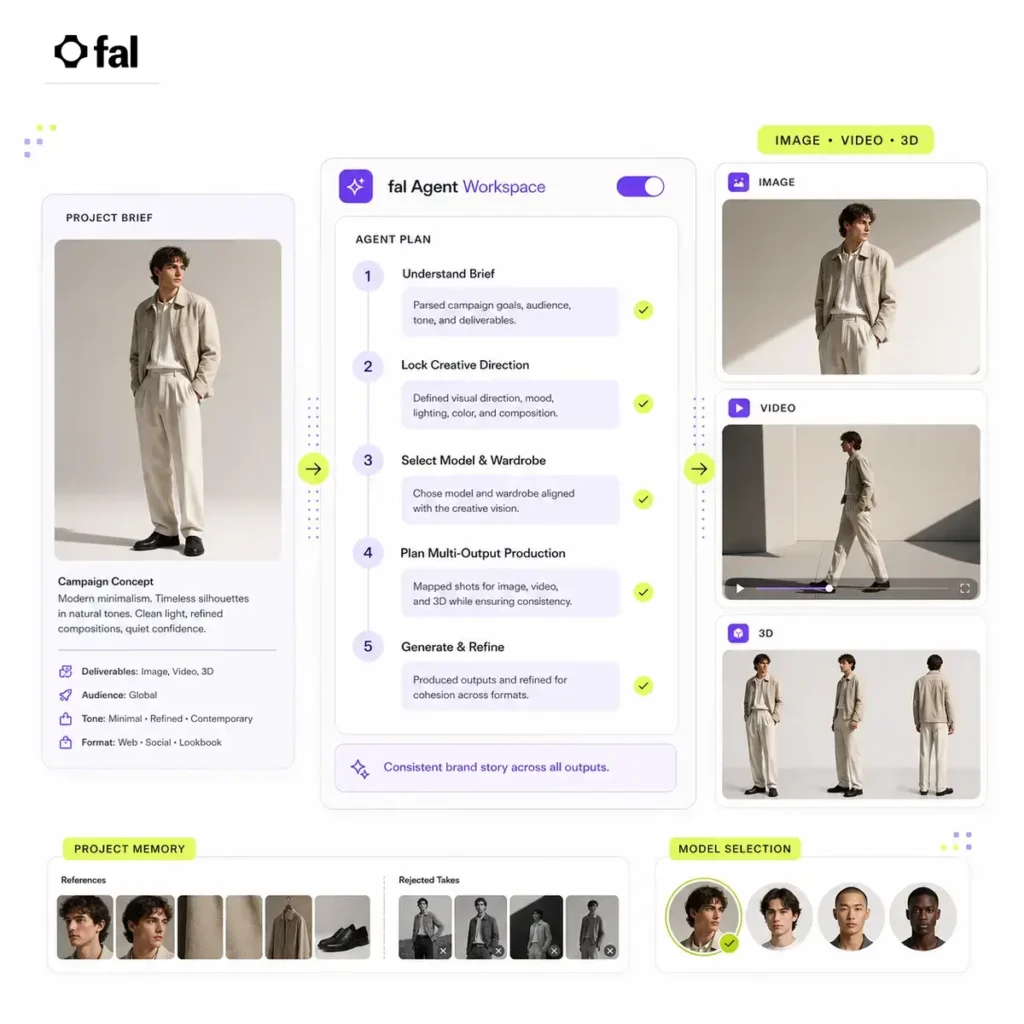
fal Agent is a creative production agent for generating and iterating on visual work across image, video, and 3D models. You give it a brief and references, then it can map a production run, choose models, prepare assets, and carry the project through to delivered outputs. The agent keeps persistent project memory, so references, decisions, and rejected takes stay with the work instead of disappearing when you start another session. That helps when a campaign, product, or character needs more than one round of generation. Memory is scoped to each project, which keeps separate client or brand work from blending together. fal Agent also uses stackable skills. fal provides guided creative templates, and you can add your own instructions for a visual look, format, or delivery requirement. You can apply several skills to one run, which gives the agent a clearer brief before it selects a model and starts producing assets. Consistency is the feature that makes the agent more useful than a sequence of disconnected prompts. You can lock a character or object, reuse references across scenes, and retain the selected style through edits, rerenders, and model changes. The agent can move between a still image, motion, and 3D work in the same project, selecting a model for the output you request. Teams can share projects, skills, and references, then queue or batch work when a production needs more volume. fal Agent is currently a paid interface product. Its page lists programmatic API and CLI runs, plus an MCP server for coding agents, as coming soon. It is best suited to creative teams that need a record of decisions and reusable visual direction, not a general purpose chat agent or a low cost one shot image generator. Persistent project memory: Keep references, decisions, and rejected takes attached to a project. Stackable creative skills: Apply reusable instructions for style, format, and delivery requirements. Model selection: Let the agent choose a model for the requested image, video, or 3D output. Cross modality production: Move between still images, motion, and 3D assets in one project. Consistency controls: Reuse a locked character, object, or visual style across scenes and revisions. Shared workspaces: Share projects, references, and skills with a production team. Queue and batch support: Manage multiple creative workflows when output volume increases. Pipeline roadmap: API, CLI, and MCP access are marked as coming soon. Alternatives to fal Agent Runway: A creative AI platform focused on generating and editing video, with tools for visual effects and production workflows. Krea: A visual AI workspace for generating, editing, and exploring images and video across several model options. Leonardo AI: An image generation and design platform for building visual assets, concepts, and controlled creative outputs. Adobe Firefly: Adobe’s generative AI suite for creating and editing visual assets inside familiar creative workflows. Read more

AI Agents Generative Video Generative Art Design Generators
Paid
Visit Tool
Pexo

Pexo

Pexo is an AI video creation platform that works like a chat-based creative partner. You describe what you want. It writes the script, plans the shots, renders the scenes, adds voiceover and music, and then hands you a finished video. It is built for people who want videos without touching a traditional editor. This is a powerful AI video agent that takes your raw thoughts, even the half-formed ones, and turns them into polished, ready-to-post videos. Describe your video concept in plain language, and behind the scenes, Peso figures out the best AI models to use, whether that’s Seedance, Sora, Kling, or others. It then builds a storyboard, picks references, and renders a complete video. The idea is to skip the usual video production headaches and get straight to a finished product. It even integrates with tools like Slack, Lark, and WhatsApp, so you can kick off video creation right from where you’re already working. For small businesses, indie hackers, or content creators who need to churn out video content for social media or marketing without a dedicated video team, Pexo could be a real time-saver. It’s about getting your message out there visually, quickly, and without needing to become a video expert yourself. Key Features Natural Language Input Type your idea the way you’d describe it to a colleague. Pexo interprets the intent behind your words, so vague or loosely described ideas still result in coherent, on-point videos. Automatic Model Selection Pexo runs an agentic layer on top of multiple best-in-class video generation models including Seedance, Sora, and Kling. Rather than leaving you to work out which model suits which brief, it makes that call automatically, matching the right engine to your specific content type and style requirements. Creative Direction Suggestions When your idea has room to grow, Pexo offers creative directions to choose from, giving you a sense of the possible angles before committing to one. It’s collaborative without being complicated. Workflow Integrations Pexo connects directly to Slack, Lark, and WhatsApp, so you can generate videos without leaving the tools your team already lives in. Brief it in a message thread and get a finished video back in the same conversation. Post-Ready Output The end result is a complete, formatted video, not raw footage to clean up. The intention is that what comes back is shareable as-is, whether that’s for social media, internal comms, marketing, or content creation. Alternatives to Pexo Topview AI: The most direct alternative for product marketing videos. Topview generates videos from product URLs or images using AI avatars, GPT-4o scripts, and ElevenLabs voiceovers. If Pexo’s chat-based workflow is appealing but the main goal is ecommerce or product ads, Topview is the more focused choice. Arcads: A strong alternative for AI actor-led video ads. Arcads lets users input a script, select an AI actor, and generate a finished ad with B-roll, music, and subtitles. It is less of a general creative partner than Pexo, but more direct for performance ad production. CreatOK: Better for ecommerce sellers who want TikTok-style sales videos from product images. CreatOK can replicate viral content, create watermark-free videos, and publish directly through the TikTok API. If Pexo is the flexible short-form video generator, CreatOK is the sharper ecommerce growth tool. Shoorts: A good alternative for creators who want fast vertical videos built around social trends. Shoorts automates TikTok and YouTube video creation with weekly updated templates based on current social media formats. Choose it when trend speed matters more than deep creative control. Read more

Video Generation
Freemium
Visit Tool
Uncanny Automator

Uncanny Automator

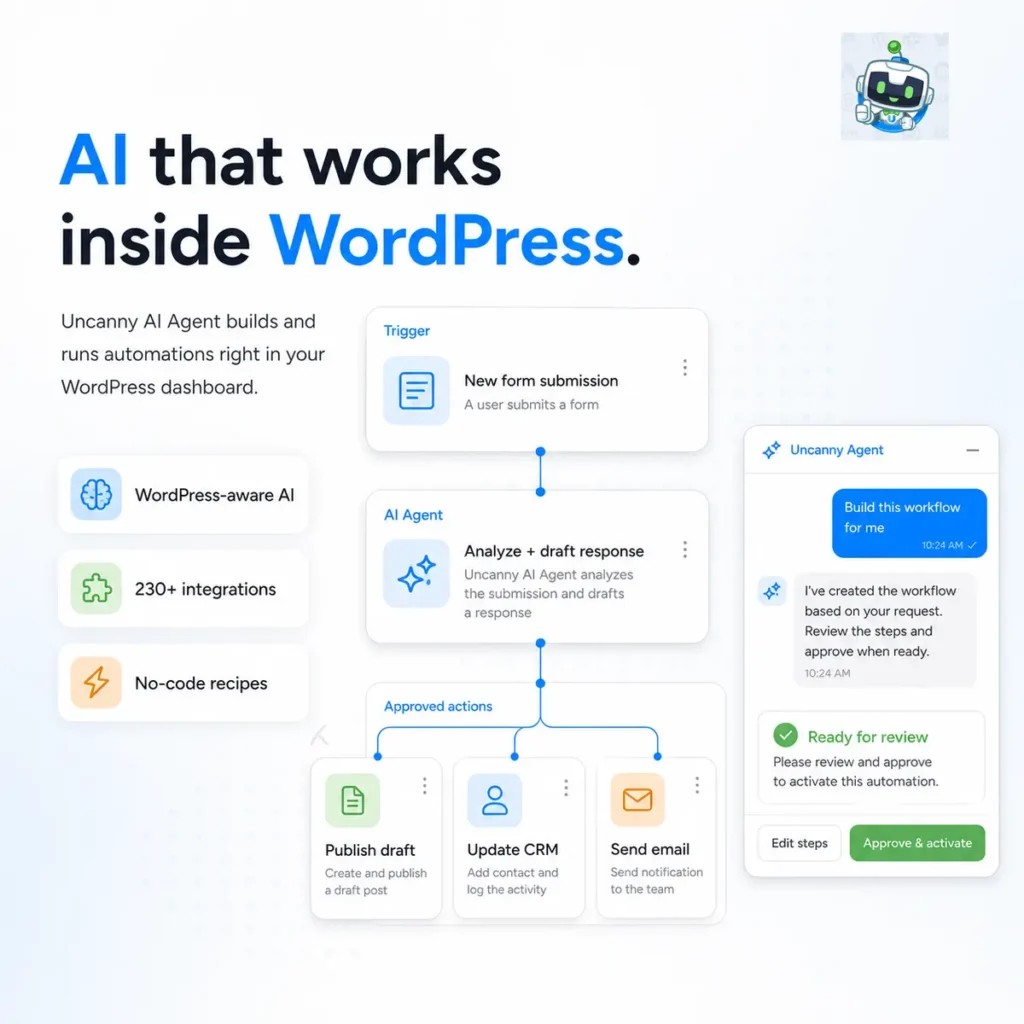
Uncanny Automator connects WordPress plugins, external apps, and AI models through visual automation recipes. A form submission, purchase, course completion, user update, or published post can trigger a series of actions without custom code. AI can sit directly inside these recipes. You can send submitted text to OpenAI, Claude, Gemini, DeepSeek, or another supported model, then use the response elsewhere in WordPress. Practical examples include analyzing support requests, drafting replies, translating text, creating post summaries, writing social captions, generating images, and preparing personalized emails. Uncanny Agent goes further. It works inside the WordPress dashboard and understands your content, settings, users, plugins, and site data. You can ask about WooCommerce sales, LearnDash completion rates, pending orders, or membership activity without exporting the data first. The agent can also complete approved tasks. Ask it to draft a post, update a page, enroll someone in a course, build a recipe, or generate WordPress code. When you describe an automation in plain English, it prepares the triggers, actions, and conditions for you to review before activation. The AI Page Builder creates pages from written instructions or reference screenshots. It produces editable HTML and CSS, while retaining the original page so changes can be reversed. More than 230 integrations cover WordPress, WooCommerce, LearnDash, MemberPress, Gravity Forms, WPForms, FluentCRM, Google Sheets, Mailchimp, Slack, social networks, and other business tools. Conditions, schedules, delays, loops, webhooks, database queries, and dynamic data support more involved workflows. There is a permanent free plugin with unlimited recipes for included WordPress integrations. Paid plans add Uncanny Agent, the page builder, advanced recipe controls, additional triggers and actions, and included AI usage. Separate model integrations may require their own provider accounts or API usage. The company says Uncanny Agent uses US data centers and does not use customer data to train AI models. That may suit American businesses that prefer domestic data processing, but it does not automatically establish HIPAA, FERPA, or other regulatory compliance. One security issue needs to be acknowledged. A compromised Pro build was briefly distributed through the vendor’s update infrastructure. The vendor replaced it with a verified clean release and published remediation instructions. Sites that received the affected build may require more than reinstalling the plugin. Install the current release and keep both the free and Pro components updated. Uncanny Automator: Pros & Cons Pros (The Wins) Cons (The Friction) WordPress integration: Works with site data, plugins, users, and content. Paid AI access: Uncanny Agent requires a paid subscription. Practical AI actions: Generate, classify, analyze, and route AI output. Setup and testing: Complex recipes need careful testing. Human approval: Agent changes can be reviewed before activation. Usage limits: Agent access includes plan based allowances. Free starting point: The core plugin includes unlimited recipes. Security history: A compromised Pro build requires update discipline. Key features WordPress aware AI assistant inside the administration dashboard Natural language recipe creation AI powered content, translation, sentiment analysis, and support workflows OpenAI, Claude, Gemini, DeepSeek, and other model integrations AI page generation from prompts or screenshots More than 230 plugin and app integrations Conditions, schedules, loops, webhooks, and database actions Approval controls before agent changes go live Free WordPress plugin with paid AI and automation upgrades Alternatives to Uncanny Automator Easy MCP AI: Turns WordPress into an MCP server so external AI assistants can manage content, WooCommerce, SEO, analytics, and routine administration. n8n: A node based automation platform with AI agents, broad API support, and self hosting for technical workflows that extend beyond WordPress. Relay: Combines AI workflow steps with human approvals and team review, but without Uncanny Automator’s native access to WordPress plugins and data. Read more

Automation AI Agents NoCode Productivity
Freemium
Visit Tool
V2Fun

V2Fun

V2Fun is a browser based AI 3D creation platform that connects concept images, model generation, textures, rigging, animation, and video driven motion capture. You can begin with a text description, one reference image, or multiple views of the same subject. V2Fun generates the initial 3D model and provides tools for prompt improvement, topology cleanup, PBR materials, and alternative textures. The platform is particularly useful for characters. Once a model is ready, you can bind a skeleton, adjust its joint markers, apply movements from the built in animation library, or upload existing motion files. AI video motion capture extracts human movement from an ordinary MP4 recording and transfers it to a rigged character. It works best with one person fully visible, stable framing, even lighting, a clean background, and limited obstruction of the arms and legs. Reference clips should be short and contain clear movement. You can also upload your own models in formats including GLB, FBX, PMX, and ZIP. Existing BVH and VMD motion files can be added to the motion library. V2Fun documents FBX and GLB export for using completed assets in other 3D software and game engines. For American indie game developers, animators, 3D printing businesses, virtual production teams, and small creative studios, V2Fun can reduce the amount of preliminary modelling and motion capture equipment required. The platform runs through cloud infrastructure, so you do not need a powerful local GPU for every generation step. Pricing uses credits. Free credits can be earned through registration, account tasks, check ins, invitations, and promotions. Paid subscriptions provide recurring credits and higher usage allowances. Every stage of a project may consume credits separately, including image generation, model creation, texturing, rigging, and animation. Subscriptions renew automatically unless cancelled. Successfully completed generations and consumed credits are generally not refundable. Commercial licensing and download rights can differ between plans, so check the current licence before producing work for a client or selling generated assets. Generated assets remain private unless you deliberately publish them or create a shareable link. V2Fun states that its default asset licence follows CC BY 4.0, while commercial licence benefits vary by subscription tier. This distinction deserves attention if attribution, resale, or exclusive client ownership matters. Finished video rendering is not currently documented as an available output. The present workflow produces images, static 3D models, animated 3D assets, and reusable motion data. You will still need another application when a project requires final editing, lighting, rendering, sound, or compositing. Independent user feedback is currently limited. Inspect geometry, topology, textures, skeleton placement, and animation deformation before moving an asset into production. Key Features Text to image generation Local image repainting and refinement Smart reference images for 3D modelling Text to 3D model generation Single image and multiview image to 3D AI prompt improvement for spatial and material details Automated topology cleanup AI generated PBR textures and materials Character skeleton binding Built in motion library Video based human motion capture Motion retargeting across different characters Upload support for GLB, FBX, PMX, and ZIP models Upload support for BVH and VMD motion files FBX and GLB export Private cloud asset library Free credits with optional paid subscriptions Alternatives to V2Fun Tripo AI: Generates editable 3D models from text and reference images, with tools for texturing, segmentation, topology cleanup, rigging, animation, and export. Meshy: Creates 3D models and textures from prompts, images, and sketches, with export options for game development, printing, design, and virtual environments. Read more

Design Generators Generative Art Gaming NoCode
Freemium
Visit Tool
ViralKey

ViralKey

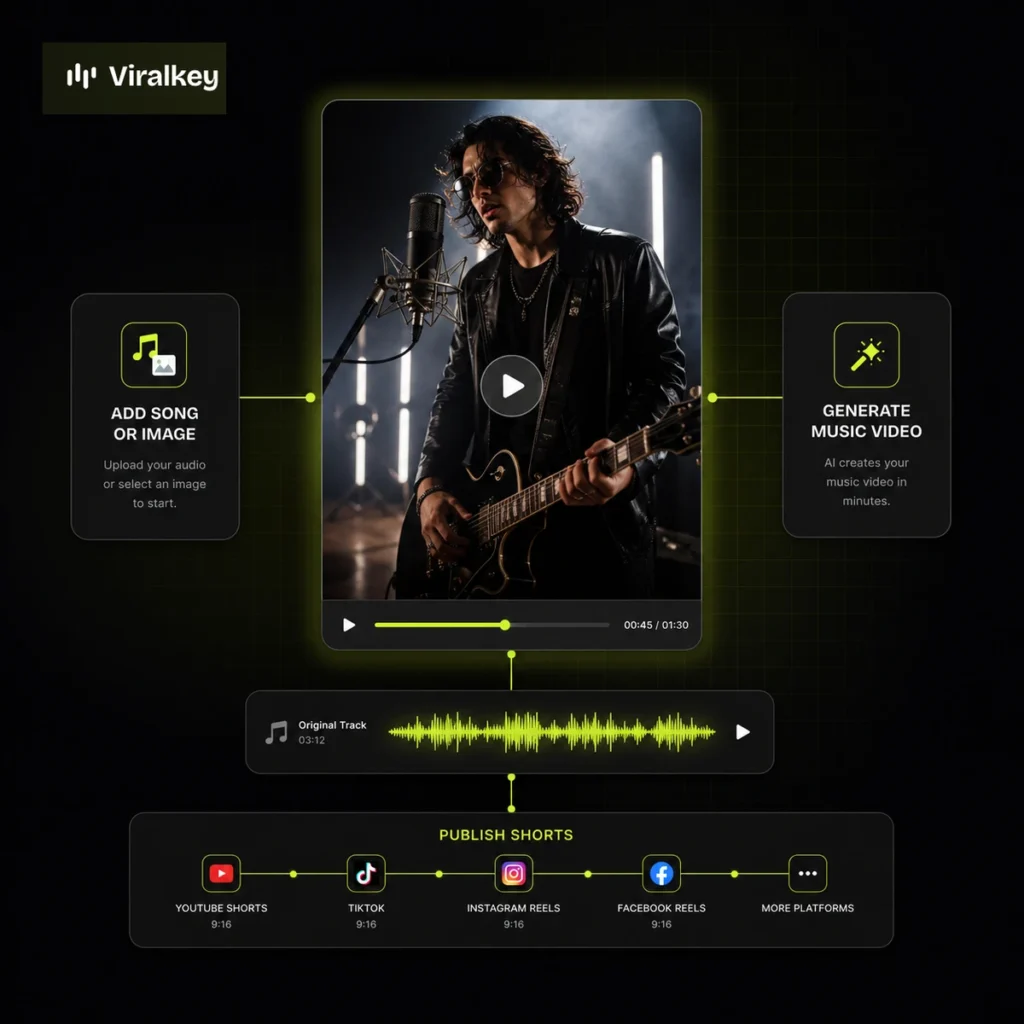
ViralKey turns a song or image into a short AI music video. You choose a visual direction, add your music, and generate vertical content that can work as a music teaser, artist visual, or social clip. The product is aimed at independent musicians, labels, and creators who need regular video output without filming a new performance for every release. The main workspace starts with a prompt, then lets you choose a style and an avatar before generating. ViralKey groups its short video templates around dance, singing, and story formats, so you can begin with a format that suits the track rather than a blank canvas. It also has a Music MV area for longer music video work. Paid plans include character consistency and face merge controls, which matter when the same performer or visual identity needs to appear across multiple clips. Plans also include beat sync, character lock, lyrics, and access to premium video models. Those controls give an artist more consistency than generating each social post as a disconnected scene. ViralKey is a focused tool. It does not replace a full non linear editor, and it will not decide the creative direction of a release for you. You still need to select the right imagery, check every generated scene, and make sure you have the rights to use the music and likenesses involved. Its value is speed when a track needs a set of matching visual assets. The service uses paid plans with monthly credits. Higher tiers add more generation capacity and broader access to templates and premium models. It is a better fit for music led content than general purpose video explainers, business training videos, or text heavy social edits. Song or image input: Start with an audio track, image, prompt, style, and avatar selection. Music short video templates: Work from dance, singing, and story based formats for vertical music clips. Music video generation: Create longer music video work alongside short form social visuals. Character consistency: Keep a performer or visual identity more consistent across several generated videos. Face merge and character lock: Use controls that help retain a chosen look through a visual series. Beat sync and lyrics: Match video output to the track and add lyric focused visuals when needed. Premium video models: Access higher end generation models through paid plan credits. Publishing workflow: Prepare music visuals for distribution across social video channels. Alternatives to ViralKey Runway: A broader AI video platform for generating, editing, and adding visual effects to creative projects. Pika: Generate short AI videos from text or images, with tools for playful visual effects and social content. Read more

Video Generation Short Form Video Music Social Media
Paid
Visit Tool
Krisp

Krisp

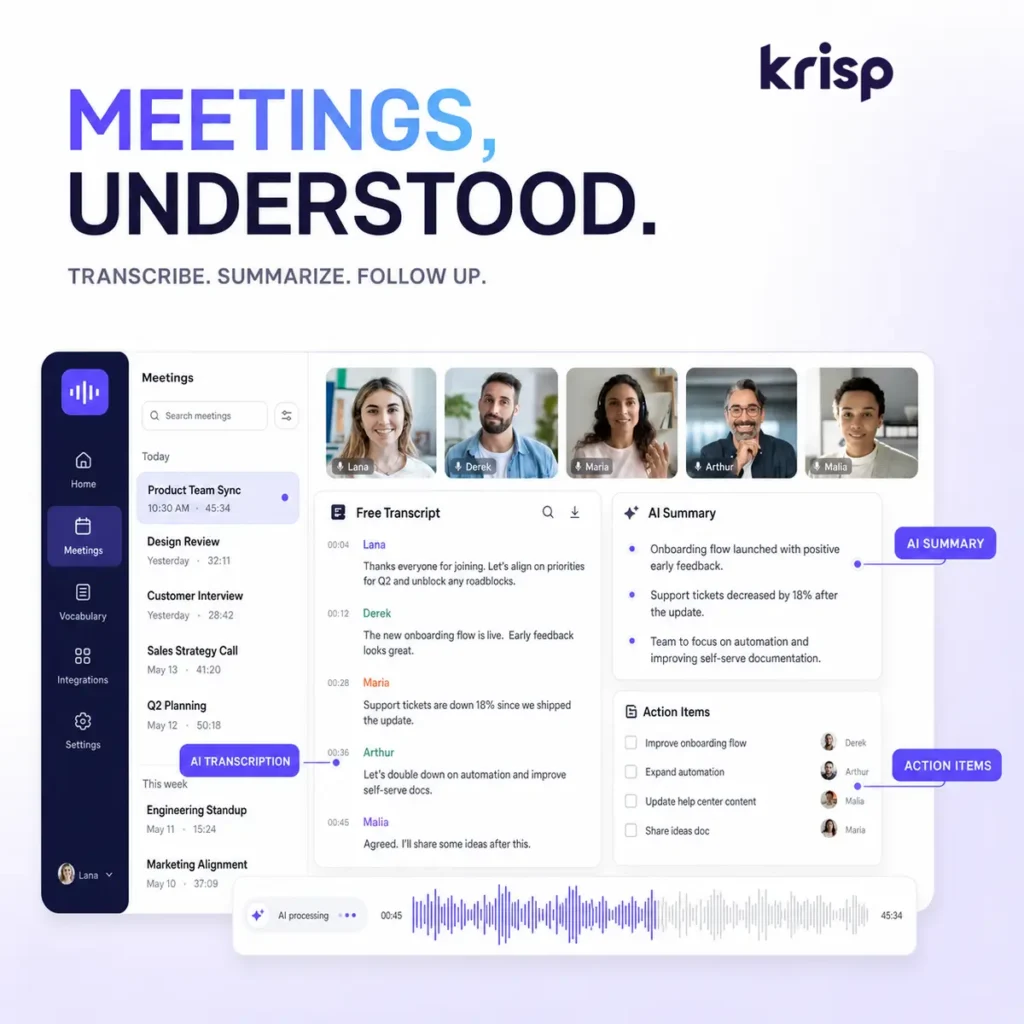
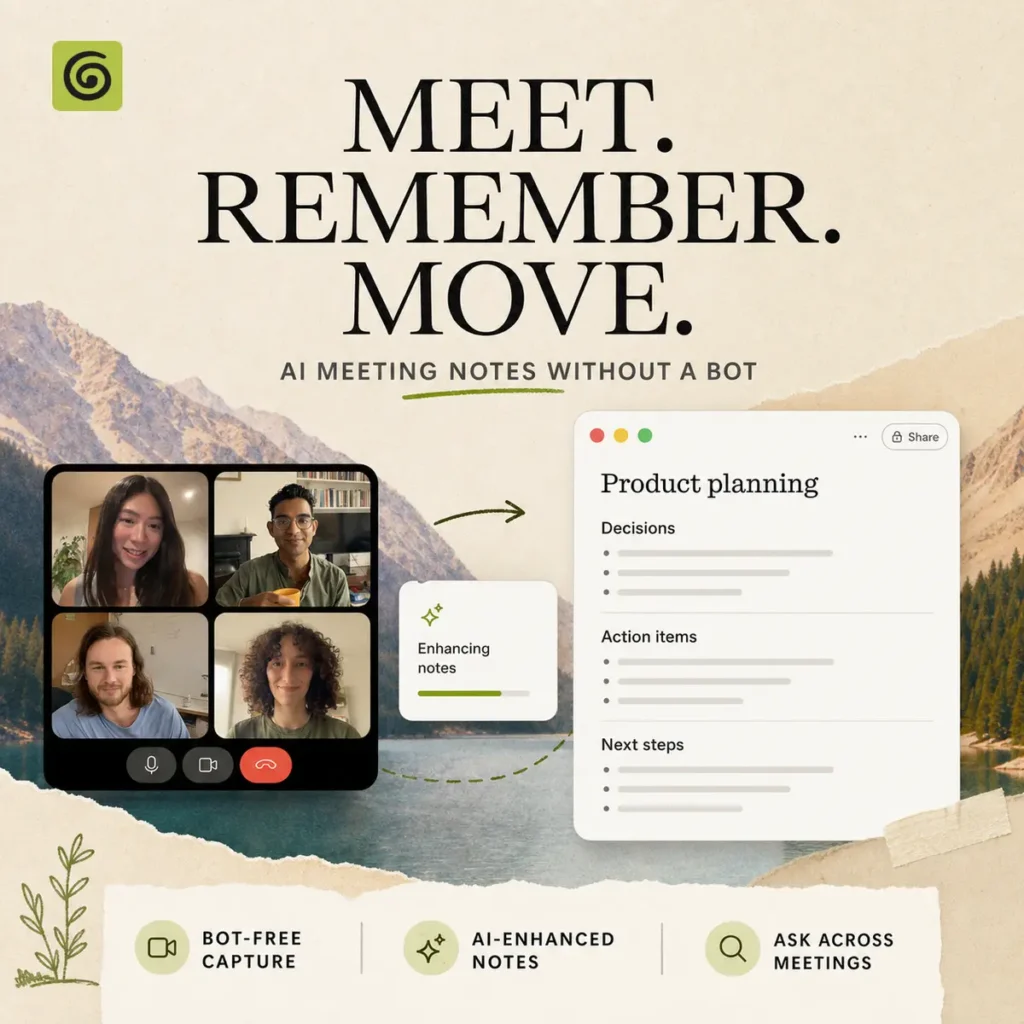
Krisp combines real time noise cancellation with an AI meeting assistant for online calls, in person conversations, and contact center workflows. It filters background noise, echo, and nearby voices at the audio layer, so it works with common conferencing apps such as Zoom, Google Meet, Microsoft Teams, and Slack Huddles. The meeting assistant records and transcribes conversations without requiring a bot to join the call. After a meeting, Krisp turns the transcript into notes, summaries, and action items that you can search, share, and connect to tools such as Slack, HubSpot, Salesforce, Notion, Zapier, and other workflow systems. The mobile app also supports recording in person meetings and uploading audio for transcription. Krisp adds real time accent conversion for speaker and listener sides, with support that varies by plan. Its developer products extend the same voice processing into applications and AI agents through Voice AI models for noise cancellation, voice isolation, accent conversion, turn prediction, and voice translation. Call center teams can use agent and customer noise cancellation, after call summaries, monitoring, and organization controls. The main limitation is scope. Krisp is strongest when your work already happens in calls and you want cleaner audio plus structured follow up. Teams looking for a general purpose knowledge base or a purely transcript focused workspace may prefer a dedicated meeting intelligence product. A seven day free trial is available, with paid Core, Advanced, and Enterprise tiers for additional controls, storage, integrations, and administration. Noise cancellation: Remove background noise, echo, and nearby voices from incoming and outgoing call audio. Bot free meeting notes: Capture transcripts, summaries, and action items without adding a visible meeting bot. Recording and transcription: Record online or in person meetings, then review searchable transcripts and playback. Accent conversion: Convert speaker or listener accents in real time on supported plans. Workflow integrations: Send meeting notes and action items to collaboration, CRM, and automation tools. Developer voice AI: Add voice isolation, noise cancellation, accent conversion, and translation to applications and agents. Alternatives to Krisp Fireflies: Meeting intelligence platform for recording, transcription, summaries, search, and conversation analysis. Granola: Meeting note workspace focused on turning conversations into structured notes without a visible bot. tl;dv: Meeting recorder and transcript tool for searchable calls, summaries, clips, and team sharing. Read more

Productivity Audio Transcription Automation
Freemium
Visit Tool
Revid

Revid

Revid is an AI video generator for creators who want to turn a prompt, image, or reference into a short video without learning a traditional editing suite. It suits social media posts, marketing assets, product visuals, music clips, and creative experiments where you need a visual starting point quickly. You can begin with a text prompt, animate a still image, or provide a reference for the scene, subject, or style you want to explore. Revid then generates video output from that input. The reference workflow is useful when a generic prompt is not specific enough and you need more control over the result. The tool is accessible for solo creators and small teams who need visual content but do not have advanced video production skills. A marketer can test a product concept, a social creator can build a short clip around an idea, and an indie founder can create basic visual assets for a launch or landing page. Revid is best treated as a generation tool, not a full video production environment. You will still need to check motion, continuity, text, and any visual details before publishing. It is also your responsibility to have the rights to uploaded images, reference material, and generated content used commercially. Free accounts can try the generator, while paid credits unlock commercial use. Revid’s pricing page describes one time credit purchases rather than a recurring plan. Free output is not licensed for commercial use. Text to video: Generate a video from a written idea or scene description. Image to video: Add motion to a still image for social and marketing content. Reference to video: Use a reference image or subject to guide the generated output. Fast visual concepts: Produce short AI video drafts for creative testing and content ideas. Beginner friendly workflow: Start without advanced timeline editing knowledge. Commercial use options: Use paid credits when you need commercial rights for generated videos. Alternatives to Revid Runway: A broader AI video creation platform for text and image based generation, visual effects, and more hands on creative editing. Pika: Generate short AI videos from prompts or images, with a focus on fast visual experiments and social friendly clips. Sora: OpenAI’s video generation model for creating cinematic scenes from text and image prompts. CapCut: A broader short form video editor with AI tools for assembling, editing, captioning, and publishing social content. Read more

Text-to-Video Video Generation Generative Video Social Media
Freemium
Visit Tool
AIWriter

AIWriter

AIWriter is for people who want to write fiction without opening a general chatbot and pleading with it to remember who everyone is. Start with a premise, choose sentence, paragraph, or full story output, then keep developing the work through saved characters, worlds, and a chapter based novel workspace. The main writing tool has two modes. Skilled Writer handles fast, everyday generations. Deep Writer is the stronger option for richer prose, more distinctive character voices, and longer story work. Paid plans add Continue Writing, which picks up from the last passage rather than making you stitch together a novel from disconnected chat responses. AIWriter also covers poems, lyrics, story prompts, and an unfiltered fiction area for darker or adult themes. Its rules still prohibit illegal content and sexual material involving minors. The tool is built around creative writing, though its library also includes more than 70 structured generators for work such as proposals, cover letters, social bios, YouTube descriptions, and real estate listings. For U.S. writers, those work templates fit common American job and business formats. For novelists, the stronger draw is the persistent project material. Save a character, build a setting, return to the same draft, and keep writing from the previous scene. That is more useful than a blank chat window when the story has reached chapter twelve and everyone has a backstory. The free plan lets you generate with Skilled Writer, try Deep Writer, create outlines, and keep a limited number of documents. Paid plans expand Deep Writer use, saved documents, characters, worlds, and novel projects. AIWriter says saved documents remain in your account until you delete them, while prompts are retained under its privacy policy for a limited period. Do not upload unpublished client manuscripts or sensitive material without reading those terms. Features AI story, poem, and lyric generation Sentence, paragraph, and full story modes Skilled Writer and Deep Writer models Continue Writing for longer drafts Novel outlining, character bibles, and chapter drafting Saved characters and story worlds Unfiltered fiction writing option More than 70 structured writing generators Business proposals, cover letters, social bios, and real estate listings Export to TXT, Markdown, Word, and EPUB Alternatives to AIWriter Sudowrite: AI fiction writing software with drafting, editing, worldbuilding, chapter continuity, and a large plugin library. NovelAI: A fiction writing and anime image generation platform with user controlled encryption and fewer content filters. Writesonic: A broader AI writing platform for brand voice, fact checked marketing copy, SEO content, and business writing. Read more

Copywriting Productivity Education
Freemium
Visit Tool
Granola

Granola

Granola is an AI meeting notepad that captures device audio without sending a visible bot into your call. It works with Zoom, Google Meet, Microsoft Teams, Slack Huddles, and other meeting platforms because it listens through the desktop app rather than joining as another participant. You start Granola manually when the meeting begins. Write rough notes during the conversation or leave the page mostly empty. When the meeting ends, Granola combines your notes and the transcript into a structured record with decisions, action items, follow ups, and other details selected by your template. This approach works particularly well when your own notes provide a signal about what mattered. A product manager can mark an important roadmap decision. A salesperson can jot down an objection. Granola then builds those points into a more complete meeting summary. Calendar integration connects meetings with their attendees and previous notes. Before an external meeting, Granola can prepare a Brief containing information about the participants, earlier conversations, and useful context. Granola Chat answers questions within one meeting or across your meeting history. You can ask what was decided, find commitments made during the week, draft a follow up email, list action items, or turn a discussion into a project plan. Folders organize meetings around clients, projects, teams, or research topics. Notes remain private until you share them. Shared notes can be opened in a browser, and collaborators can be given editing access. Business plans add connections for Slack, Notion, HubSpot, Attio, Affinity, and Zapier. Granola’s sharing documentation explains the available access controls. The MCP connector makes meeting notes available to compatible tools such as Claude, ChatGPT, Cursor, and other AI applications. Access follows your Granola permissions and personal API token. An API is also available for teams building internal tools around meeting information. Desktop apps support online calls on macOS and Windows. The mobile apps capture in person conversations and phone calls, while Apple Watch support provides another way to begin note capture away from a computer. Privacy, audio and consent Granola does not retain meeting audio. Desktop audio is transcribed in real time, while mobile audio may be cached temporarily during processing. The transcript, generated notes, and anything you type are stored. Granola uses transcription providers including Deepgram and Assembly, along with AI providers such as OpenAI and Anthropic. Those third parties are not permitted to use Granola customer data to train their models. Granola may use anonymized customer data to improve its own models. Individual users can opt out in Settings, while Enterprise workspaces have training disabled by default. Notes are stored in a US-hosted AWS environment with encryption in transit and at rest. Granola reports SOC 2 Type 2 controls and GDPR support, but it does not currently provide regional data residency outside the United States. No stored meeting audio is useful for privacy, but it removes the ability to replay the original recording when a transcript is unclear. Teams that need permanent audio or video evidence may prefer a conventional meeting recorder. A bot does not appear in the participant list, so other attendees may not realize AI transcription is running. You remain responsible for obtaining consent and following recording and transcription laws. Granola provides an optional consent message, but it must be enabled and used correctly. Accuracy and reliability Review important notes before sharing them. Check names, figures, deadlines, decisions, and assigned owners against your own recollection or transcript. The free Basic plan includes unlimited note capture, AI enhanced notes, meeting chat, shared folders, custom templates, and multiple languages. Its main restriction is limited note history, with older meetings becoming inaccessible after the rolling history window. Paid Business plans add unlimited history, advanced AI models, integrations, MCP, API access, and team billing. Enterprise adds SSO, administrative controls, retention policies, security settings, and organization-wide consent options. Granola: Pros & Cons Pros (The Wins) Cons (The Friction) Bot free capture: No extra participant joins your online meeting. Consent remains necessary: Participants may not know transcription is active. Editable notes: Your rough notes guide the generated summary. Details can be missed: Long meetings may produce incomplete notes or actions. Meeting memory: Chat searches decisions and commitments across calls. No audio archive: You cannot replay the original meeting through Granola. Connected workflow: MCP, API, CRM, Slack, Notion, and Zapier access. Free history limit: Older notes require a paid subscription. Desktop and mobile: Capture online, in person, and phone conversations. US data residency: Regional hosting options are not currently available. Key features Bot free meeting transcription AI enhanced notes and summaries Decisions, action items, and follow ups Custom templates for different meeting types Pre-meeting Briefs from calendar and meeting history AI Chat within individual meetings Questions across meeting history and folders People and Companies views Shared folders and collaborative notes Private, company, and link sharing controls Slack and Notion integrations HubSpot, Attio, and Affinity CRM connections Zapier automation MCP connector for external AI applications API access macOS and Windows desktop apps iPhone, Android, and Apple Watch support Multiple language support Optional participant consent messages SOC 2 Type 2 controls Free plan with limited meeting history Alternatives to Granola Supernormal: Another bot free meeting assistant that can turn conversations into slides, documents, images, and client deliverables. Krisp: Combines bot free meeting notes with noise cancellation, accent conversion, recordings, and contact center voice tools. Fireflies: Provides searchable recordings, transcripts, summaries, conversation analysis, and broad CRM integrations through a more conventional meeting assistant workflow. MeetGeek: Records and summarizes meetings with stronger emphasis on automated capture, meeting analytics, team insights, and searchable recordings. Read more

Productivity Transcription Automation Chat
Free Visit Tool
LucroVox

LucroVox

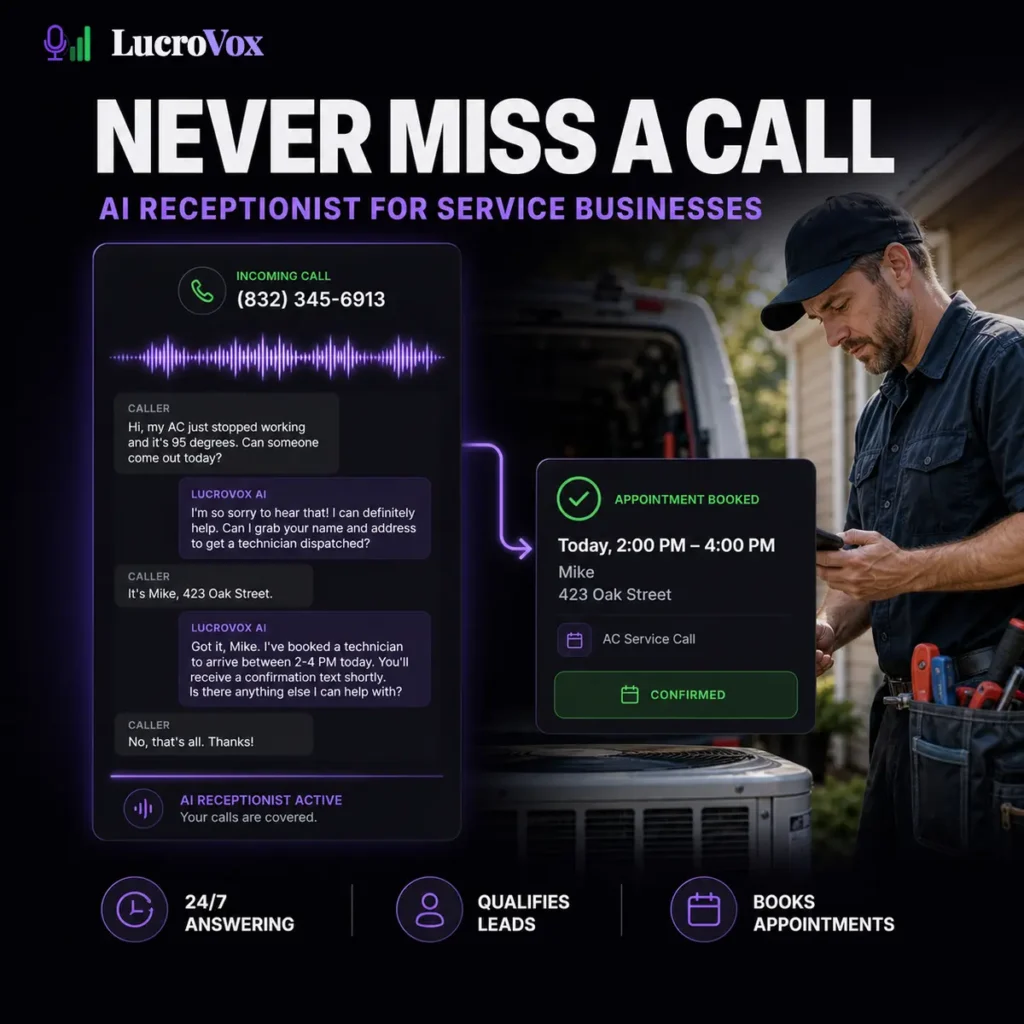
LucroVox is an AI voice receptionist that answers business calls, speaks with customers, qualifies leads, and books appointments. It is primarily built for local service businesses such as HVAC companies, plumbers, roofers, clinics, med spas, and other teams that cannot answer every call while working. Each agent is configured around the business rather than using one generic call script. You can define its greeting, services, qualifying questions, pricing responses, business hours, scheduling rules, and circumstances that require human attention. During a call, the agent can collect the caller’s name, address, service requirement, and preferred appointment time. Qualified enquiries can be added directly to a connected calendar. The system can then send confirmation messages, alert the business by SMS or email, and store a transcript for later review. If the AI cannot handle a request safely, it can transfer the call to a team member or take a detailed message with a priority flag. This is important for emergency service calls, unusual pricing questions, complaints, and conversations where automation is not appropriate. Calendar and CRM connections are available, including support for scheduling tools and field service platforms. Advanced plans add broader lead qualification, CRM access, multiple locations, and white label options. An API is available for businesses that need a custom connection. The product currently operates from Houston and London, with support documented for US and UK carriers. Call disclosure, transcription consent, SMS, and privacy requirements vary between states and countries. Businesses remain responsible for notifying callers where local law requires it. Call data and privacy LucroVox creates a text transcript during each call. Its privacy policy states that call audio is streamed but not recorded or stored. Transcripts are retained for a limited period by default, while call metadata may remain available for longer. This metadata can include caller phone numbers, timestamps, call duration, qualification status, and booking results. The policy also says transcripts and interactions may be analyzed to improve LucroVox’s AI models. Businesses handling medical, financial, legal, or otherwise sensitive conversations should clarify data processing, retention, deletion, and contractual protections before connecting a live customer number. Pricing and reliability LucroVox is a paid subscription service with a trial. Plans scale according to monthly call volume and access to qualification, CRM, support, multiple location, and branding features. Onboarding is managed with the LucroVox team rather than being a completely self service agent builder. This may suit businesses that want help configuring scripts and integrations, but technical teams looking for complete control over prompts, models, and telephony infrastructure may prefer a developer platform. Independent user feedback is currently sparse. The testimonials, customer totals, response times, and booking improvements displayed on the LucroVox website are vendor supplied and have not been independently verified. Test the live demonstration and run the service alongside your existing phone process before relying on it for every incoming call. Key features AI voice agents for incoming business calls 24/7 call answering Custom greetings and call scripts Lead qualification questions Appointment and job booking Google Calendar and scheduling integrations CRM and field service software connections SMS confirmations and follow ups Email and text lead notifications Call transcripts and performance reporting Human call transfers Priority messages for urgent enquiries Multiple location support White label options Custom integrations through an API US and UK phone support Alternatives to LucroVox Jobber AI Receptionist: Answers calls and texts inside Jobber’s broader field service platform, with access to customer records, scheduling, quoting, invoicing, and job management. Smith.ai: Combines AI call handling with optional human receptionists for lead intake, appointment booking, call transfers, and customer support. Simple Phones: Provides configurable AI phone agents for answering calls, collecting information, taking messages, and routing customer enquiries. Read more

AI Agents Automation Productivity Text-to-Voice
Paid Visit Tool

Vellow AI is a modern AI tools directory built for creators, businesses, marketers, developers, students, and professionals looking to discover the latest AI software in one place.