
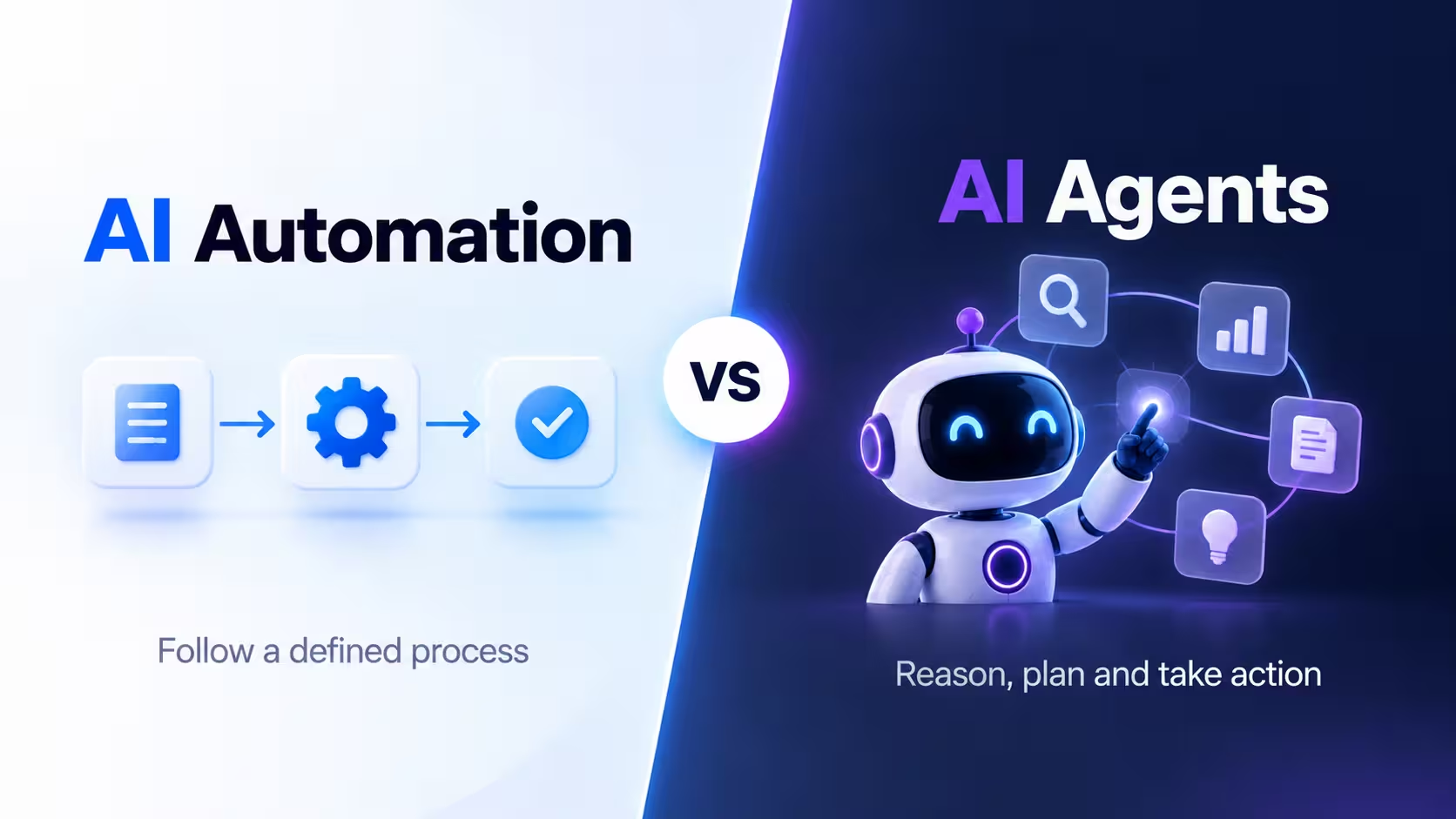
AI is changing the way businesses automate everyday work. But two terms are often used as if they mean the same thing: AI automation and AI agents.
They are related, but they work differently.
Traditional automation usually follows a predefined sequence of rules. An AI-powered workflow can add intelligence to individual steps, while an AI agent can work toward a goal, decide which steps are needed, use tools, and adjust its approach when circumstances change. OpenAI and Google both describe this distinction in their current guidance on workflows and agents.
Understanding the difference can help businesses decide whether a task needs a simple automated workflow, an AI-powered step, or a more autonomous agent.
What Is AI Automation?
AI automation uses software and AI capabilities to automate tasks that would otherwise require manual work. A typical automated workflow has a defined trigger and a sequence of actions. For example:
New customer submits form → AI categorizes request → Create CRM record → Send email
The workflow follows the process that has been configured. AI can make individual steps more flexible by handling tasks such as:
- Classifying messages
- Summarizing documents
- Extracting information
- Generating text
- Categorizing customers
- Analyzing data
OpenAI describes these as workflows where predefined steps can include LLM-powered tasks without giving the AI control over the entire workflow.
Example of AI Automation
Imagine an ecommerce store receives a new support email. An automated workflow could:
- Detect the incoming email.
- Use AI to identify the topic.
- Categorize it as "Refund Request."
- Create a support ticket.
- Assign it to the refunds team.
- Send an acknowledgment email.
The workflow doesn't need to figure out a completely new process every time. It follows the configured rules.
What Is an AI Agent?
An AI agent is a system that can pursue a goal by reasoning about what needs to happen, selecting tools, taking actions, and adapting its approach.
Google describes AI agents as systems that can use reasoning, planning, memory, and tools to complete tasks with a degree of autonomy. OpenAI similarly describes agents as systems that independently accomplish tasks and use an AI model to manage workflow execution and make decisions.
Instead of being told every individual step, an agent can receive a goal. For example:
"Find why this customer's order was delayed and resolve the issue."
The agent could potentially:
- Look up the order.
- Check shipping information.
- Review the customer's previous messages.
- Identify the problem.
- Check available solutions.
- Contact another system or service.
- Update the order.
- Prepare a response.
The exact actions depend on the tools, permissions, and guardrails provided to the agent.
AI Automation vs AI Agents
Here's the simplest comparison:
| AI Automation | AI Agents |
|---|---|
| Usually follows predefined workflows | Works toward a goal |
| Steps are defined in advance | Can determine steps dynamically |
| Often predictable | Can adapt to changing conditions |
| AI may handle individual steps | AI can control multiple steps |
| Usually easier to test | More complex to test |
| Strong predictability | Greater flexibility |
| Good for repetitive processes | Good for complex, variable tasks |
| Human involvement can be optional | Human oversight can be configured |
| Often uses rules and triggers | Uses reasoning, tools, and planning |
The distinction isn't absolute. A business can combine both approaches in the same system.
The Main Difference: Who Controls the Workflow?
The biggest difference is workflow control.
AI Automation
The workflow controls the AI.
Trigger → Step 1 → Step 2 → AI Step → Step 4 → Finish
The AI may make a decision inside one step, but the overall workflow remains predefined.
AI Agent
The AI controls more of the workflow.
Goal → Reason → Choose Action → Observe → Reason → Choose Next Action → Complete
Agentic systems can use an iterative reasoning-and-action loop to decide what to do next. Google describes this type of orchestration as a core part of agentic workflows.
A Simple Example
Suppose you run an online store.
AI Automation
You configure: when an order is canceled → send cancellation email → update CRM → notify sales team.
The sequence is already known.
AI Agent
You give the agent a goal: "Handle this customer's cancellation request." The agent may determine that it needs to find the order, check its current status, review the cancellation policy, determine whether a refund is applicable, update the relevant system, and prepare a customer response.
The agent has more flexibility in deciding how to accomplish the goal.
How AI Automation Works
A typical AI automation system looks like:
Trigger → Predefined Workflow → AI-Powered Step → Action → Result
For example: new email → AI classifies email → workflow checks category → ticket is created → team receives notification.
The sequence is configured ahead of time.
How AI Agents Work
A simplified agent architecture looks more like:
Goal → Understand → Plan → Choose Tool → Take Action → Observe Result → Adjust Plan → Complete Goal
An agent can use tools to access information or perform actions. OpenAI's current agent guidance describes tool access as a key part of enabling agents to interact with external systems.
Where AI Automation Works Best
AI automation is particularly useful when the process is stable and predictable.
- Email Processing: Categorize emails, extract information, route messages, send standard responses.
- Lead Management: Capture leads, score leads using defined criteria, add contacts to CRM, notify sales teams.
- Marketing: Schedule content, generate content drafts, categorize campaign responses, create reports.
- Ecommerce: Process order notifications, categorize support requests, update inventory-related records, send transactional communications.
- HR: Send onboarding emails, create tasks, collect documents, update employee records.
Google's workflow documentation gives similar examples of predefined multi-step processes, including employee onboarding across systems such as Gmail and Calendar.
Where AI Agents Work Best
AI agents become more useful when the path to the answer isn't always the same.
- Customer Support: An agent can investigate an issue across multiple systems before responding.
- Research: An agent can search multiple sources, collect information, compare findings, and prepare a report.
- Software Development: A coding agent can inspect a codebase, identify relevant files, make changes, run tests, and revise the implementation when tests fail.
- Sales: An agent could research a prospect, review CRM information, prepare personalized material, and update records.
- Data Analysis: An agent can investigate a business question, retrieve relevant data, perform analysis, and generate a report.
- IT Operations: An agent could investigate an alert, inspect system information, identify potential causes, and recommend or perform approved remediation steps.
These are examples of tasks where the exact sequence can change depending on what the system discovers.
AI Automation vs AI Agents: Real-World Scenario
Consider customer support. A customer says:
"My package hasn't arrived, and I need it urgently."
Automated Workflow
The workflow might detect the message, classify it as a delivery issue, create a ticket, and send a standard response.
AI Agent
An agent might identify the customer's order, check the shipping status, check the latest tracking event, determine whether the package is delayed or lost, review available options, ask for clarification if necessary, escalate the issue if it meets certain conditions, and prepare a personalized response.
The agent can adapt based on what it discovers.
Can AI Automation and AI Agents Work Together?
Yes. In practice, businesses don't necessarily have to choose one or the other. An AI agent can operate inside a larger automated workflow. For example:
New support ticket → Automation triggers AI agent → Agent investigates issue → Automation checks approval requirement → Human approves refund → Automation processes refund → Customer receives notification
This hybrid approach can combine the predictability of automation with the flexibility of agents.
AI Automation vs AI Agents vs AI Assistants
These three concepts can be separated roughly like this:
| Technology | Main Role | Typical Behavior |
|---|---|---|
| AI Automation | Automate a process | Follows configured workflow |
| AI Assistant | Help a person | Responds to requests |
| AI Agent | Complete a goal | Plans and acts with greater autonomy |
There can be overlap between these categories. For example, an assistant may have agent capabilities, and an agent may operate inside an automated workflow.
Google similarly distinguishes agents, assistants, and bots partly by their level of autonomy and complexity.
Benefits of AI Automation
- Predictability: The workflow is defined in advance, making its behavior easier to understand.
- Easier Testing: Teams can test each workflow step against known conditions.
- Lower Complexity: Simple workflows don't require an autonomous agent architecture.
- Good Auditability: Because the steps are predetermined, it can be easier to track why a particular action happened. OpenAI specifically notes auditability as a strength of rule-based workflow automation.
Benefits of AI Agents
- Flexibility: Agents can adapt their approach when circumstances change.
- Complex Problem Solving: They can handle tasks that don't have a single fixed sequence.
- Tool Use: Agents can interact with external systems through tools.
- Multi-Step Work: They can coordinate multiple actions toward a larger goal.
- Less Manual Coordination: Instead of manually directing every step, a user can provide a higher-level objective.
Google identifies reasoning, planning, tools, memory, and orchestration as important components of modern AI agents.
Limitations and Risks
Neither approach is perfect.
AI Automation Risks
Automation can struggle when business rules change, unexpected situations occur, a workflow encounters information it wasn't designed to handle, or a predefined path no longer matches the real situation.
AI Agent Risks
Agents introduce additional challenges because they have greater flexibility. Potential issues include incorrect decisions, unintended actions, tool misuse, data-access problems, higher operational complexity, difficult debugging, security concerns, and unexpected costs.
Google's current guidance emphasizes that production agents require additional attention to testing, memory, orchestration, and security because agents reason, act, and adapt differently from traditional software.
Which One Should a Business Use?
The answer depends on the process.
Use AI Automation when: the process is predictable, the steps rarely change, rules are easy to define, you need consistent outcomes, auditability is important, and the task is repetitive.
Consider an AI Agent when: the goal is clear but the path can vary, multiple systems need to be used, the task requires reasoning, the environment changes during execution, the agent needs to decide what to do next, and the task contains many possible outcomes.
A useful rule is: if you can clearly write every step, automation may be enough. If you can define the goal but not every step, an agent may be more appropriate.
That isn't a strict technical rule, but it's a useful starting point when designing an AI workflow.
The Future of AI Automation and Agents
The two technologies are increasingly converging. Instead of businesses having completely separate automation and AI systems, future workflows may combine traditional automation, AI-powered steps, RAG, reasoning models, AI copilots, AI agents, human approvals, and business APIs.
This creates workflows where deterministic software handles predictable steps while AI handles tasks that require interpretation or flexible decision-making.
Google's current agentic-workflow guidance describes this shift toward systems where agents can dynamically plan, use tools, and adjust their actions rather than simply following rigid predefined paths.
Frequently Asked Questions
What is the difference between AI automation and AI agents?
AI automation generally follows predefined workflows, while AI agents can pursue a goal by reasoning, selecting tools, and adapting their actions.
Is AI automation the same as an AI agent?
No. They can work together, but traditional automation is usually more rule-driven, while agents have greater autonomy over how a task is completed.
Is ChatGPT an AI agent?
ChatGPT itself can function as an AI assistant, while specific agent systems built around AI models can use tools and orchestration to complete multi-step tasks. The exact behavior depends on the product and configuration.
Are AI agents better than automation?
They solve different types of problems. Predictable processes can often be handled effectively by traditional automation, while variable multi-step tasks may benefit from agentic systems.
Can AI agents replace automation?
Not necessarily. Automation remains useful for predictable, deterministic processes. Agents can be added where flexibility and reasoning are needed.
Can businesses use both?
Yes. A business can use automation for predictable steps and AI agents for tasks that require dynamic decision-making.
Final Thoughts
AI automation and AI agents are not competing technologies. They are different approaches to getting work done.
AI automation is generally best when you know the process and can define the steps in advance.
AI agents become more useful when you know the goal, but the exact path to achieving it can change depending on what the system discovers.
The most practical business systems may combine both: automation for predictable processes, AI for interpretation, and agents for complex tasks that require planning and action.
Want to explore more of what's next in AI?
At Aivellow, we're following these developments closely and helping users discover AI tools across productivity, marketing, coding, content creation, research, automation, and more. Check out our What Are AI Agents guide and our AI Trends to Watch in 2026. See our full Top 25 Best AI Tools in 2026 guide and our ChatGPT vs Claude vs Gemini comparison, browse our Top AI Productivity Tools and 15 Best AI Coding Assistants guides, explore more by category, submit a tool we should feature, or get in touch if you have questions.