
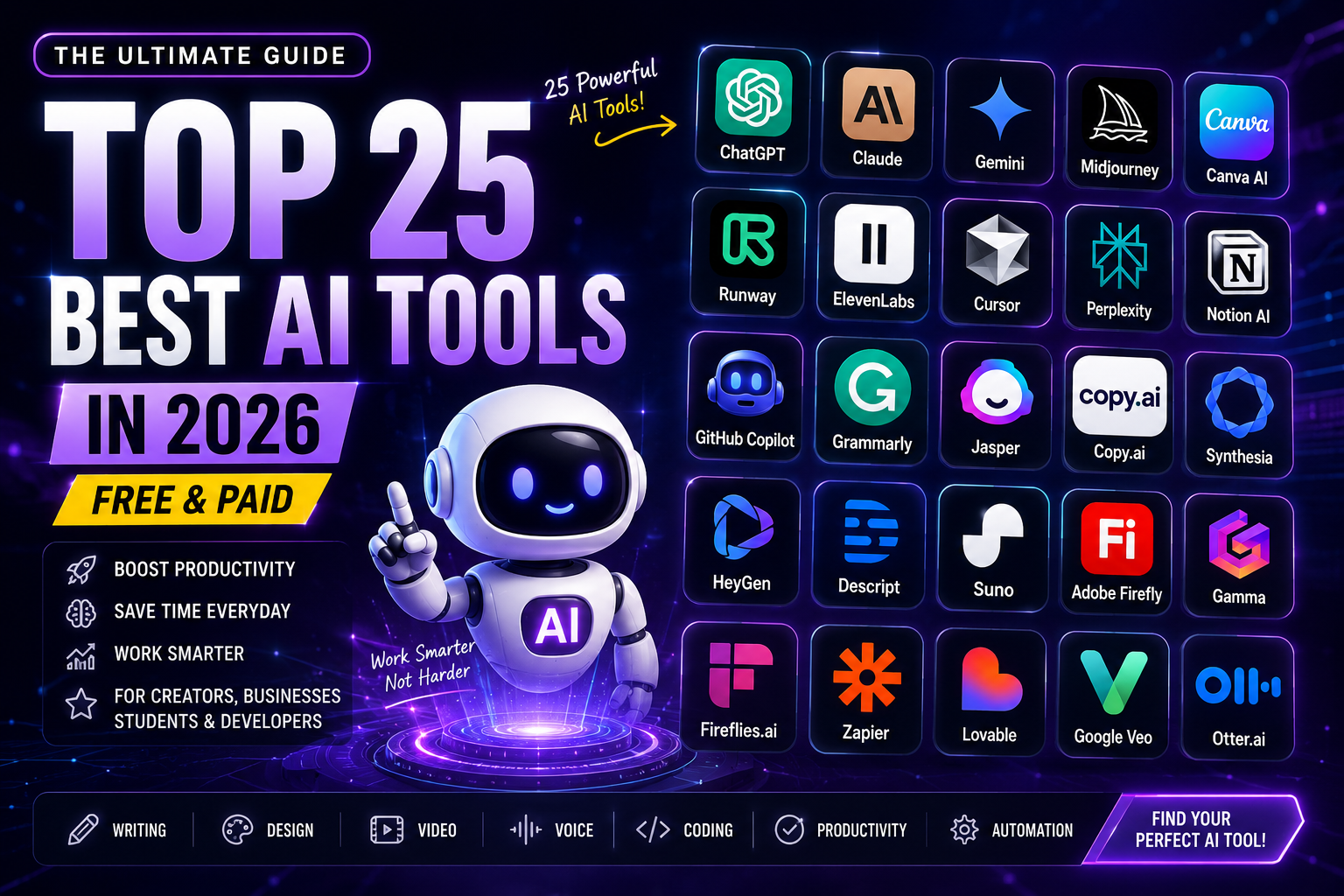
25 Best AI Tools in 2026 (Tested & Compared)
Artificial intelligence has moved from hype to habit. In 2026, more than 900 million people use AI assistants every week, and businesses of every size now rely on AI for writing, design, video, coding, and automation. The question is no longer whether to use AI tools — it's which ones deserve a place in your workflow.
That's the hard part. Thousands of AI tools launch every year, and most of them look identical on the surface. Choosing the wrong one wastes money, time, and momentum.
That's why we created this guide. We tested and compared the best AI tools of 2026 across every major category — writing, image generation, video, voice, coding, productivity, marketing, and automation. For each tool, you'll find what it does best, who it's for, key features, and up-to-date pricing so you can decide in minutes, not hours.
Whether you're a creator, marketer, developer, student, or business owner, at least a few of these 25 tools will save you hours every single week.
Best AI Tools in 2026: Quick Comparison
| # | Tool | Category | Best For | Pricing |
|---|---|---|---|---|
| 1 | ChatGPT | AI Assistant | Writing, research & everyday productivity | Free & Paid (from $20/mo) |
| 2 | Claude | AI Assistant | Long documents & professional writing | Free & Paid (from $20/mo) |
| 3 | Google Gemini | AI Assistant | Google Workspace users | Free & Paid |
| 4 | Midjourney | Image Generation | AI art & creative visuals | Paid (from $10/mo) |
| 5 | Canva AI | Design | Graphic design for non-designers | Free & Paid |
| 6 | Runway | Video | AI video editing & generation | Free & Paid |
| 7 | ElevenLabs | Voice | Realistic AI voiceovers | Free & Paid |
| 8 | Cursor | Coding | AI-native code editing | Free & Paid (from $20/mo) |
| 9 | Perplexity AI | Search | Research with cited sources | Free & Paid |
| 10 | Notion AI | Productivity | Notes, docs & team collaboration | Paid add-on |
| 11 | GitHub Copilot | Coding | Code completion in any IDE | Free & Paid (from $10/mo) |
| 12 | Grammarly | Writing | Grammar, clarity & tone | Free & Paid (from $12/mo) |
| 13 | Jasper | Marketing | Brand-consistent marketing content | Paid (from $49/mo) |
| 14 | Copy.ai | Marketing | Sales & marketing copy at scale | Free & Paid |
| 15 | Synthesia | Video | AI avatar videos for business | Paid (from $22/mo) |
| 16 | HeyGen | Video | Avatar videos & video translation | Free & Paid (from $29/mo) |
| 17 | Descript | Audio/Video | Editing video by editing text | Free & Paid (from $24/mo) |
| 18 | Suno | Music | AI music & song generation | Free & Paid (from $10/mo) |
| 19 | Adobe Firefly | Image Generation | Commercially safe AI images | Free & Paid |
| 20 | Gamma | Presentations | AI-generated slide decks | Free & Paid |
| 21 | Fireflies.ai | Meetings | Meeting transcription & summaries | Free & Paid (from $18/mo) |
| 22 | Zapier | Automation | Connecting apps & automating work | Free & Paid (from $19.99/mo) |
| 23 | Lovable | App Building | Building apps without code | Free & Paid |
| 24 | Google Veo | Video | Cinematic text-to-video | Free & Paid |
| 25 | Otter.ai | Meetings | Real-time meeting notes | Free & Paid |
1. ChatGPT
ChatGPT remains the most widely used AI assistant in the world, with roughly 900 million weekly active users in 2026. It has evolved far beyond a chatbot: it writes articles, analyzes documents, generates images, browses the web, builds spreadsheets, and even executes multi-step tasks through its agent features.
For most people, ChatGPT is the best first AI tool to learn. Students use it to study and summarize, freelancers use it to draft client work, marketers use it for campaign ideas, and developers use it to debug code. The free tier is generous, and the paid plans unlock more powerful models, longer memory, and advanced data analysis.
Key Features
- Advanced writing and editing assistance
- Deep research with web browsing and citations
- Code generation and debugging
- Image generation and file analysis
- Custom GPTs and agent workflows
- Voice conversations and translation
Best for: Anyone who wants a single, all-purpose AI assistant.
2. Claude
Claude, built by Anthropic, is the tool professionals reach for when quality of thinking matters. It handles massive context windows, which means you can upload entire books, contracts, codebases, or research archives and get accurate, nuanced analysis across all of it.
Writers consistently rate Claude's prose as the most natural of any AI assistant, and developers rank it among the very best models for clean, well-explained code. Its Projects feature lets teams share knowledge bases, and Claude Code has become a favorite for agentic software development.
Key Features
- Industry-leading long-document analysis
- Natural, human-sounding long-form writing
- Top-tier coding and reasoning ability
- Projects and shared team knowledge bases
- Artifacts for interactive documents and apps
Best for: Researchers, lawyers, writers, and developers working with complex or lengthy material.
3. Google Gemini
If your work already lives in Gmail, Docs, Sheets, and Drive, Gemini is the AI tool with the least friction. It's built directly into Google's ecosystem, so you can draft emails in Gmail, summarize threads, generate formulas in Sheets, and create documents without switching tabs.
Gemini's multimodal abilities are also excellent — it works fluently across text, images, audio, and video, and it powers Google's AI search experiences. For Android users, it doubles as a powerful on-device assistant.
Key Features
- Deep Gmail, Docs, Sheets & Drive integration
- Multimodal understanding (text, image, audio, video)
- AI-powered search and research
- NotebookLM integration for study and analysis
Best for: Teams and individuals living inside Google Workspace.
4. Midjourney
Midjourney is still the gold standard for AI-generated art in 2026. Its latest versions produce photorealistic and stylized images with remarkable prompt accuracy, HD 2K output, and consistent characters across generations — a game changer for branding and storytelling.
Now fully available through its web app (no Discord required), Midjourney offers an editor for inpainting, style references for consistent brand aesthetics, and personalization that learns your taste over time. Designers, marketers, and agencies use it daily for concept art, ads, and social content.
Key Features
- Best-in-class text-to-image quality
- HD 2K image support and photorealism
- Style and character consistency tools
- Built-in editor with inpainting and upscaling
- Commercial usage rights on paid plans
Best for: Designers, artists, and marketers who need premium visuals.
5. Canva AI
Canva turned everyone into a designer, and its Magic Studio AI suite pushes that even further. Type a prompt and Magic Design produces complete presentations, social posts, and marketing materials in your brand style. Magic Write drafts copy, Magic Edit swaps objects in images, and background removal is one click.
For small businesses and social media teams, Canva AI is often the only design tool they need. The template library is enormous, collaboration is built in, and the AI features are woven into a familiar drag-and-drop editor.
Key Features
- Magic Design for instant branded layouts
- AI image generation and Magic Edit
- Magic Write copywriting assistant
- One-click background removal and resizing
- Thousands of templates for every format
Best for: Small businesses, social media managers, and non-designers.
6. Runway
Runway pioneered AI video, and its Gen-4 models now generate strikingly realistic clips from text or image prompts, with consistent characters and scenes across shots. It has become a serious tool for filmmakers, ad agencies, and content studios — not just a novelty.
Beyond generation, Runway's editing suite handles background removal, motion tracking, slow motion, and inpainting. Hollywood studios and independent creators alike use it to previsualize scenes and produce finished footage.
Key Features
- Text-to-video and image-to-video generation
- Consistent characters and scenes across shots
- AI-powered background removal and rotoscoping
- Motion tracking and video inpainting
- Professional editing timeline
Best for: Video creators, filmmakers, and marketing teams.
7. ElevenLabs
ElevenLabs produces the most realistic AI voices on the market. Its text-to-speech is nearly indistinguishable from human narration, with natural pacing, emotion, and emphasis across 30+ languages. Creators use it for YouTube voiceovers, audiobooks, podcasts, and localized content.
Voice cloning lets you create a digital version of your own voice from a short sample, and the conversational AI platform powers real-time voice agents for customer support and interactive applications.
Key Features
- Ultra-realistic text-to-speech in 30+ languages
- Professional voice cloning
- Real-time conversational voice agents
- Dubbing and audio translation
- API access for developers
Best for: Content creators, publishers, and businesses building voice experiences.
8. Cursor
Cursor is an AI-native code editor built on VS Code, and by 2026 it has become the default choice for hundreds of thousands of developers. Instead of bolting AI onto an editor, Cursor rebuilds the entire coding experience around it: its agent mode can plan and execute multi-file changes, run terminal commands, and fix its own errors.
Because it understands your whole codebase, Cursor's suggestions are contextual rather than generic. Teams report shipping features dramatically faster, and the familiar VS Code foundation means near-zero learning curve.
Key Features
- Agent mode for multi-file, autonomous edits
- Whole-codebase context awareness
- Inline AI chat and code explanation
- Smart autocomplete that predicts next edits
- Built on VS Code — imports your settings
Best for: Professional developers and engineering teams.
9. Perplexity AI
Perplexity reinvented search for the AI era. Ask a question and it returns a direct, well-written answer with numbered citations to real sources — making it dramatically faster than clicking through pages of links, and far more trustworthy than an AI that can't show its work.
Its Deep Research mode conducts multi-step investigations and compiles report-quality answers in minutes. Professionals use it for market research, fact-checking, and competitive analysis, while students use it as a research companion.
Key Features
- Conversational search with cited sources
- Deep Research for comprehensive reports
- Focus modes (academic, video, social)
- File upload and analysis
- Discover feed for curated news
Best for: Researchers, analysts, students, and anyone who fact-checks.
10. Notion AI
Notion AI brings intelligence into the workspace where your notes, docs, wikis, and projects already live. It answers questions from across your entire workspace, drafts and improves documents, summarizes meetings, auto-fills databases, and can even search connected apps like Slack and Google Drive.
For teams, this eliminates the "where was that written down?" problem — the AI finds and synthesizes institutional knowledge instantly. Combined with Notion's project management features, it's a complete team operating system.
Key Features
- Q&A across your entire workspace
- Writing, editing, and summarization
- Meeting notes and action items
- Connected search across Slack, Drive & more
- Database autofill and organization
Best for: Teams and individuals who organize their work in Notion.
11. GitHub Copilot
GitHub Copilot is the most widely adopted AI coding assistant in the world. It works inside the tools developers already use — VS Code, JetBrains, Visual Studio, Neovim — offering real-time code completion, chat assistance, and an agent mode that can take on entire GitHub issues and open pull requests autonomously.
Trained on billions of lines of code and backed by the world's largest developer platform, Copilot excels at boilerplate elimination, test generation, and explaining unfamiliar code. Its free tier makes it the easiest entry point into AI-assisted development.
Key Features
- Real-time code completion in any major IDE
- Copilot Chat for explanations and refactoring
- Agent mode that resolves GitHub issues
- Automated test and documentation generation
- Multi-model support
Best for: Developers who want AI inside their existing IDE and GitHub workflow.
12. Grammarly
Grammarly has grown from a grammar checker into a full AI writing partner that works everywhere you type — email, browsers, Word, Slack, and social media. It corrects grammar and spelling in real time, but its real value is improving clarity, tone, and persuasiveness.
Its generative AI features draft replies, rewrite paragraphs, and adjust tone for any audience, while businesses use its style-guide enforcement to keep team communication consistent. If writing is any part of your job, Grammarly quietly makes everything you send better.
Key Features
- Real-time grammar, spelling & punctuation fixes
- Tone detection and adjustment
- Full-sentence rewrites for clarity
- AI drafting and reply generation
- Works across 500,000+ apps and sites
Best for: Professionals, students, and teams who write daily.
13. Jasper
Jasper is purpose-built for marketing teams. Unlike general chatbots, it learns your brand voice, product details, and style guide, then generates on-brand blog posts, ad copy, emails, and social content at scale. Its marketing-specific templates and campaign workflows cut content production time dramatically.
Jasper's brand IQ features keep everything consistent across writers and channels, and its integrations with Surfer SEO, Google Docs, and major marketing platforms make it fit naturally into existing content operations.
Key Features
- Brand voice training and enforcement
- 50+ marketing-specific templates
- Full campaign generation across channels
- SEO mode with Surfer integration
- Team collaboration and workflows
Best for: Marketing teams and agencies producing content at scale.
14. Copy.ai
Copy.ai started as a copywriting tool and has evolved into a go-to-market AI platform. It generates high-converting ad copy, product descriptions, emails, and social posts in seconds — and its workflow automation can research prospects, personalize outreach, and enrich CRM data automatically.
Sales teams use it to scale personalized cold outreach; marketers use it to repurpose one piece of content into dozens of formats. The generous free plan makes it easy to test before committing.
Key Features
- 90+ copywriting templates
- Automated sales prospecting workflows
- Content repurposing across formats
- Brand voice customization
- CRM enrichment and integrations
Best for: Sales teams and marketers who need volume with personalization.
15. Synthesia
Synthesia lets you create professional presenter-led videos without cameras, studios, or actors. Choose from 230+ realistic AI avatars (or create a digital twin of yourself), paste your script, and get a polished video in 140+ languages within minutes.
Over 50,000 companies use it for training videos, product explainers, onboarding, and internal communications — cutting video production costs by up to 80%. Updates are painless too: edit the script and regenerate instead of reshooting.
Key Features
- 230+ lifelike AI avatars
- Custom avatar creation (your digital twin)
- 140+ languages and accents
- Templates for training and marketing videos
- One-click updates without reshoots
Best for: L&D teams, HR, and businesses producing training or explainer videos.
16. HeyGen
HeyGen competes head-to-head with Synthesia and stands out with its viral video translation feature: upload a video of yourself speaking and HeyGen translates it into dozens of languages — with your own voice and perfectly synced lip movements.
Its interactive avatars can join Zoom calls, its photo avatars animate still images, and creators use it to localize content for global audiences at a fraction of traditional dubbing costs.
Key Features
- Realistic talking avatars from photos or video
- Video translation with voice cloning & lip sync
- Interactive real-time avatars
- URL-to-video for instant product demos
- API for automated video generation
Best for: Creators and businesses localizing video content globally.
17. Descript
Descript's core idea is brilliant: it transcribes your audio or video, and then you edit the media by editing the text. Delete a sentence from the transcript and it's cut from the video. Remove filler words ("um," "uh") across an entire episode with one click.
Its Overdub voice cloning fixes mistakes without re-recording, Studio Sound makes any microphone sound professional, and AI eye contact correction keeps you looking at the camera. Podcasters and YouTubers swear by it.
Key Features
- Text-based video and audio editing
- One-click filler word removal
- Studio Sound audio enhancement
- Overdub voice cloning for corrections
- Automatic clips for social media
Best for: Podcasters, YouTubers, and course creators.
18. Suno
Suno creates complete, radio-quality songs — vocals, lyrics, instruments, and production — from a simple text prompt. Describe a genre, mood, and topic, and it delivers a finished track in under a minute. The results are shockingly good, spanning everything from pop and hip-hop to orchestral and lo-fi.
Content creators use Suno for royalty-free background music, marketers for jingles, and musicians as a songwriting collaborator. Paid plans include commercial usage rights.
Key Features
- Full song generation with vocals and lyrics
- Dozens of genres and styles
- Custom lyrics or auto-generated
- Instrumental-only mode
- Commercial rights on paid plans
Best for: Creators needing original music and anyone who loves making songs.
19. Adobe Firefly
Adobe Firefly's superpower is peace of mind: it's trained on Adobe Stock and licensed content, making its output commercially safe — a critical requirement for brands and agencies worried about copyright issues with other generators.
Firefly powers Photoshop's Generative Fill and Expand, letting you add, remove, or extend image content with a text prompt. Text effects, vector recoloring in Illustrator, and video features round out a suite that integrates seamlessly with Creative Cloud.
Key Features
- Commercially safe, licensed training data
- Generative Fill & Expand in Photoshop
- Text-to-image with style controls
- Text effects and vector recoloring
- Deep Creative Cloud integration
Best for: Brands, agencies, and Creative Cloud users needing safe commercial use.
20. Gamma
Gamma generates complete, beautifully designed presentations from a single prompt or document. Paste your notes, choose a style, and it builds a polished deck with layouts, images, and formatting handled automatically — no more fighting with slide templates at midnight.
It also creates documents and simple websites, and its interactive, web-native format means your decks look great on any device. For anyone who presents regularly, Gamma turns hours of design work into minutes.
Key Features
- One-prompt presentation generation
- Automatic professional design and layouts
- Import from documents and outlines
- Also builds docs and webpages
- Analytics on who viewed your deck
Best for: Founders, consultants, educators, and anyone who presents.
21. Fireflies.ai
Fireflies joins your Zoom, Google Meet, and Teams calls, then delivers accurate transcripts, smart summaries, and action items before you're back at your desk. Its AskFred assistant answers questions about any past meeting — "What did we decide about pricing?" — instantly.
Conversation intelligence features track talk time, sentiment, and topics across calls, making it valuable for sales coaching and team management. It integrates with CRMs, Slack, and project tools so insights flow where work happens.
Key Features
- Automatic transcription in 60+ languages
- AI summaries and action items
- Searchable meeting knowledge base
- Conversation analytics for sales teams
- CRM, Slack, and task tool integrations
Best for: Sales teams, managers, and anyone drowning in meetings.
22. Zapier
Zapier connects 7,000+ apps and now layers AI throughout: describe the automation you want in plain English and its Copilot builds the workflow for you. AI agents can handle multi-step tasks — reading emails, drafting responses, updating CRMs — without a single line of code.
It's the connective tissue of modern business operations: when a form is submitted, an invoice arrives, or a deal closes, Zapier makes sure every downstream system updates automatically.
Key Features
- 7,000+ app integrations
- AI Copilot builds workflows from plain English
- AI agents for autonomous multi-step tasks
- Tables, Interfaces, and Canvas for full apps
- Enterprise-grade security and permissions
Best for: Operations teams and businesses automating repetitive work.
23. Lovable
Lovable turns plain-English descriptions into working web applications. Type "build me a booking system for my salon with payments" and it generates the full app — frontend, backend, and database — which you then refine through conversation.
It has become the tool of choice for entrepreneurs validating ideas, marketers building landing pages and internal tools, and founders shipping MVPs in days instead of months. Full code export means you're never locked in.
Key Features
- Full-stack app generation from prompts
- Built-in database and authentication
- Payments and API integrations
- Iterative refinement through chat
- Code ownership and export
Best for: Entrepreneurs, marketers, and non-coders shipping real products.
24. Google Veo
Google Veo generates stunningly cinematic video clips from text or image prompts — complete with native audio, realistic physics, and coherent motion. Its output quality set a new benchmark for AI video, with lighting and camera work that rivals professional footage.
Accessible through Gemini and Google's Flow filmmaking tool, Veo is used for ads, concept films, social content, and previsualization. For creators who want maximum realism in generated video, Veo is the one to beat.
Key Features
- Cinematic text-to-video with native audio
- Realistic physics and motion
- Image-to-video animation
- Flow editor for multi-shot films
- Integration with Gemini
Best for: Filmmakers, advertisers, and creators pushing video quality.
25. Otter.ai
Otter pioneered AI meeting transcription and remains a favorite for its simplicity. It transcribes meetings and lectures in real time, identifies speakers, captures slides, and produces summaries with action items automatically — all searchable forever.
Students love it for lectures, journalists for interviews, and teams for keeping everyone aligned without a designated note-taker. Its free plan is one of the most generous in the category.
Key Features
- Real-time transcription with speaker ID
- Automatic summaries and action items
- OtterPilot joins meetings for you
- Slide capture during presentations
- Generous free plan
Best for: Students, journalists, and professionals in back-to-back meetings.
Why Use AI Tools in 2026?
The productivity gap between people who use AI and people who don't is widening fast. Studies consistently show knowledge workers saving 5–10 hours per week with AI tools — time reclaimed from drafting, formatting, searching, and repetitive administration.
The biggest benefits our readers report include: saving hours on first drafts and revisions, producing professional-grade images and videos without specialists, automating repetitive business processes end-to-end, researching faster with cited and verifiable sources, writing and debugging code at several times the previous pace, and making better decisions with AI-powered analysis of their own data.
The pattern across every category is the same: AI doesn't replace your judgment — it removes the slow, mechanical parts of work so your judgment gets applied faster.
How to Choose the Right AI Tool
With 25 strong options, the right choice comes down to your actual workflow. Here's a simple framework:
Start with the job, not the tool. A content writer needs Claude or Jasper, not Cursor. A video team needs Runway or Synthesia, not Notion AI. List your three most time-consuming weekly tasks and match tools to those.
Use free plans ruthlessly. Almost every tool on this list has a free tier. Test 2–3 candidates on a real task from your actual work before paying for anything.
Check your existing stack. Gemini wins if you live in Google Workspace; Notion AI wins if your team runs on Notion; GitHub Copilot wins if your code lives on GitHub. Integration friction kills adoption faster than missing features.
Consider data privacy. If you handle sensitive client or company data, review each provider's data policy and look for business plans with training opt-outs.
Start small. One tool adopted deeply beats five tools used superficially. Master one, measure the time saved, then expand.
Frequently Asked Questions
What is the best AI tool in 2026?
There's no single winner — it depends on the job. ChatGPT and Claude lead general-purpose assistance, Midjourney leads image generation, Cursor and GitHub Copilot lead coding, Runway and Veo lead video, and ElevenLabs leads voice. For most people, ChatGPT or Claude is the best starting point.
Are AI tools free to use?
Most tools on this list offer free plans with limited usage — enough to properly test them. Premium plans typically range from $10 to $50 per month and unlock higher limits, better models, and commercial rights. Annual billing usually saves 15–25%.
Which AI tool is best for content writing?
Claude is widely rated best for natural, long-form writing; ChatGPT is the strongest all-rounder; Jasper is best for on-brand marketing content at scale; and Grammarly is best for polishing writing you've already done. Many professionals combine two of these.
Can small businesses benefit from AI tools?
Absolutely — small businesses often benefit the most, because AI tools replace work that would otherwise require hiring specialists. A typical small-business stack: Canva AI for design, ChatGPT for writing, Fireflies for meetings, and Zapier for automation, all for under $100/month combined.
Are AI tools safe to use?
Reputable platforms follow strong security practices, but you should still avoid sharing confidential information unless you understand the provider's data policy. For business use, choose plans that exclude your data from model training, and always review the privacy policy before uploading sensitive content.
Will AI tools replace human jobs?
AI tools are best understood as amplifiers rather than replacements. They eliminate repetitive tasks, but strategy, judgment, taste, and relationships remain human strengths. The professionals thriving in 2026 are the ones who use AI to do more — not the ones avoiding it.
Final Thoughts
Artificial intelligence has become an essential layer of modern work, and 2026's tools are more capable, more affordable, and easier to use than ever. The 25 tools in this guide represent the best of every major category — and every one of them can be tested for free or at low cost.
We test new platforms, compare features honestly, and share practical insights so you can find the right solution without the trial-and-error.
Start with one tool that matches your biggest time sink, use it on real work for a week, and measure the difference. That's how AI adoption actually sticks — one genuinely useful tool at a time.
2 Comments
[…] marketing, coding, content creation, research, automation, and more. Check out our full Top 25 Best AI Tools in 2026 guide, our ChatGPT vs Claude vs Gemini comparison, our Best AI SEO Tools guide, and our What Is AI […]
[…] marketing, coding, content creation, research, automation, and more. Check out our full Top 25 Best AI Tools in 2026 guide, our ChatGPT vs Claude vs Gemini comparison, our Best AI SEO Tools guide, and our What Is AI […]