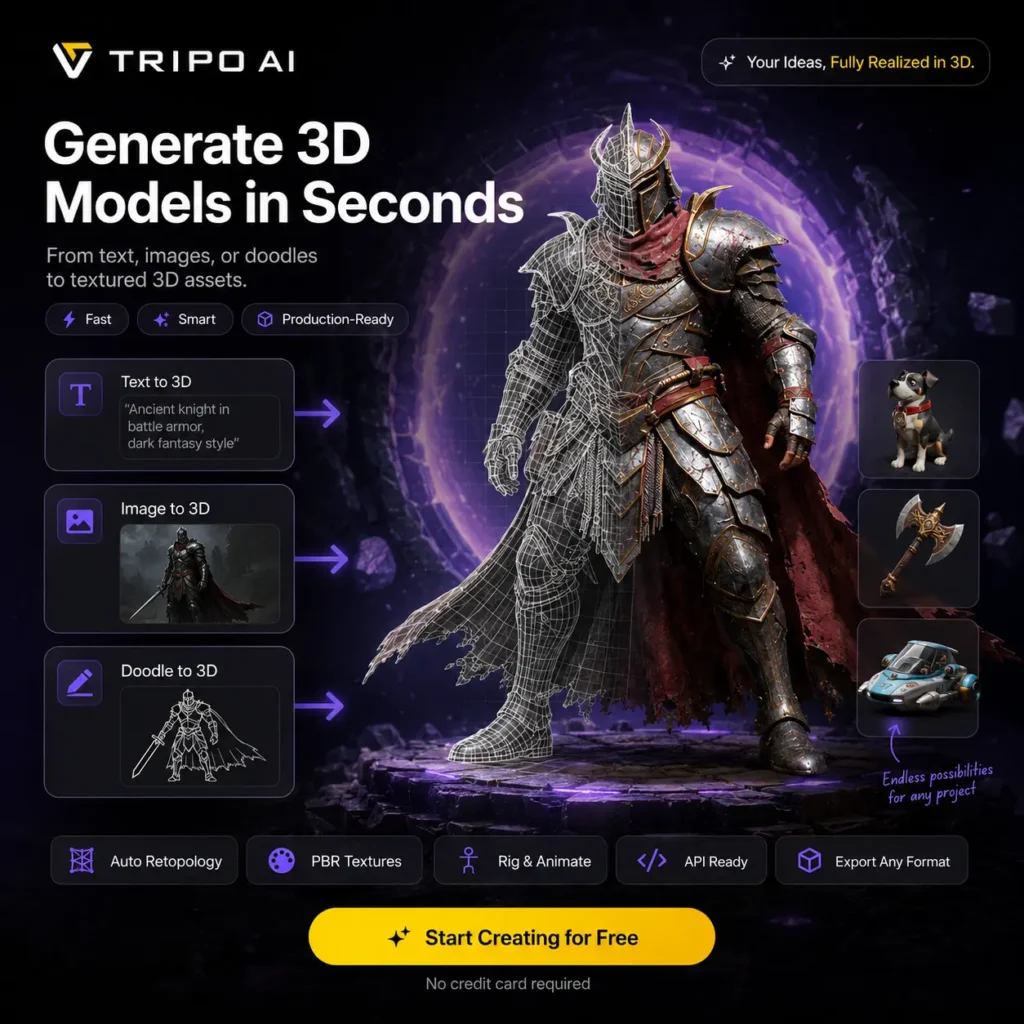
Tripo AI turns a text description, one reference image, or several views into a textured 3D model. Tripo Studio now covers much more than the initial generation. You can inspect the mesh, divide it into parts, repair missing geometry, rebuild topology, replace textures, rig characters, apply animations, and export the result.
There are two practical workflows. One Click produces a textured PBR asset with minimal setup. Build & Refine creates the base geometry first and leaves texturing until later, which gives you more control when shape matters. Generate in Parts can separate components during creation, while existing models can be uploaded for texturing and further processing.
Image input usually gives you more control over silhouette and style than a text prompt. Multiple view generation improves coverage when you have front, side, and rear references. It is not the same as scanning an object. With only one image, Tripo must infer every hidden surface, so backs, interiors, hands, thin structures, hard edges, and printed lettering can be inaccurate.
The geometry tools have become a major part of the product. High Detail Model creates dense geometry for rendering or printing. Smart Mesh targets lighter models with cleaner topology, while the quad remesher converts triangle based output into more manageable quad geometry. Segmentation splits a model into meaningful components so you can edit, merge, replace, or complete individual parts.
Tripo generates PBR material maps and can retexture both imported and generated models. Texture enhancement and upscaling tools can produce higher resolution materials, while style controls can turn an asset into voxel, Lego, clay, or other visual treatments.
Auto Rigging adds skeletons and skin weights to human, animal, and stylized characters. Preset motions and animation retargeting make it possible to test movement without building a rig manually. Joint placement, skinning, and deformation still need checking around shoulders, hands, faces, and characters with unusual proportions.
Exports include GLB, FBX, OBJ, STL, USDZ, and 3MF. These cover web viewers, game engines, animation software, augmented reality, and 3D printing. A model that looks convincing inside the browser may still need repair before it is ready for a game, print, or client project. Check scale, normals, polygon density, texture seams, watertightness, and any geometry inferred from an incomplete reference.
The REST API covers model generation, texturing, segmentation, retopology, format conversion, rigging, and animation. API usage has its own credit balance and is separate from a Tripo Studio subscription. Resources are also available for Blender, Unity, Unreal Engine, ComfyUI, Cocos, and Godot.
Tripo and Stability AI released TripoSR, an MIT licensed model for reconstructing 3D objects from a single image. It remains useful for local experiments and research, but it is separate from the newer hosted models and editing tools available through Tripo Studio.
Public feedback is generally positive about speed, accessibility, and rapid prototyping. The repeated criticism concerns consistency. Some generations contain distorted proportions, hollow geometry, incomplete surfaces, rough topology, or textures that need manual correction. It is sensible to test several generations before spending additional credits on rigging, high resolution textures, or batch processing.
There is a free plan with monthly credits. Models created through the free plan are public and licensed under CC BY 4.0. Paid tiers add private models, commercial usage rights, multiple view generation, parts generation, Smart Mesh, batch processing, better output settings, faster queues, and longer project history.
🛠️ Tripo AI: Pros & Cons
| Pros (The Wins) |
Cons (The Friction) |
Generation:
Text, single image, and
multiple view inputs. |
Hidden geometry:
Unseen surfaces may be
invented or incomplete. |
Mesh tools:
Parts, Smart Mesh, quads,
and texture controls. |
Cleanup:
Complex models may still
need work in Blender. |
Downstream use:
Rigging, animation, API,
and common exports. |
Credit use:
Retries and processing
increase consumption. |
Entry point:
Free monthly credits
for testing ideas. |
Free licensing:
Free models are public
under CC BY 4.0. |
Features
- Text to 3D generation
- Single image and multiple view reconstruction
- One Click and Build & Refine workflows
- Generate in Parts and model segmentation
- Part completion, merging, and manual selection tools
- Smart Mesh and quad retopology
- High detail geometry generation
- PBR materials and texture regeneration
- Higher resolution texture upscaling
- Automatic character rigging
- Preset motions and animation retargeting
- Batch generation and bulk export on supported plans
- GLB, FBX, OBJ, STL, USDZ, and 3MF export
- REST API for automated 3D production
- Blender, Unity, Unreal, ComfyUI, Cocos, and Godot resources
- Open source TripoSR model available separately
Alternatives to Tripo AI
- Meshy: Closest direct alternative for text-to-3D, image-to-3D, sketch-to-3D, textures, animations, and exportable game, print, design, and VR assets.
- Krea: Broader creative suite with 3D generation, real-time image generation, text-to-video, LoRA fine-tuning, and high-resolution upscaling.
- QuickMagic: Best for motion capture workflows, turning 2D video into 3D motion data for animation, games, avatars, and virtual production.
- Floor Plan AI: Niche alternative for architecture and interior layouts, converting text descriptions into 2D, 2.5D, and 3D floor plans.
- Skybox Lab: Environment-focused alternative for generating 360-degree skyboxes and immersive virtual spaces from text prompts.
- Leonardo AI: Stronger for concept art, game assets, image generation, custom models, canvas editing, and image-to-video than export-ready 3D mesh creation.