
Accelerate Your Potential
Smart Strategies Real Results |

Your ultimate destination for everything AI — from deep
learning and neural networks to real-world applications and
futuristic insights, helping you stay ahead in the age of intelligence.

Consensus

Consensus

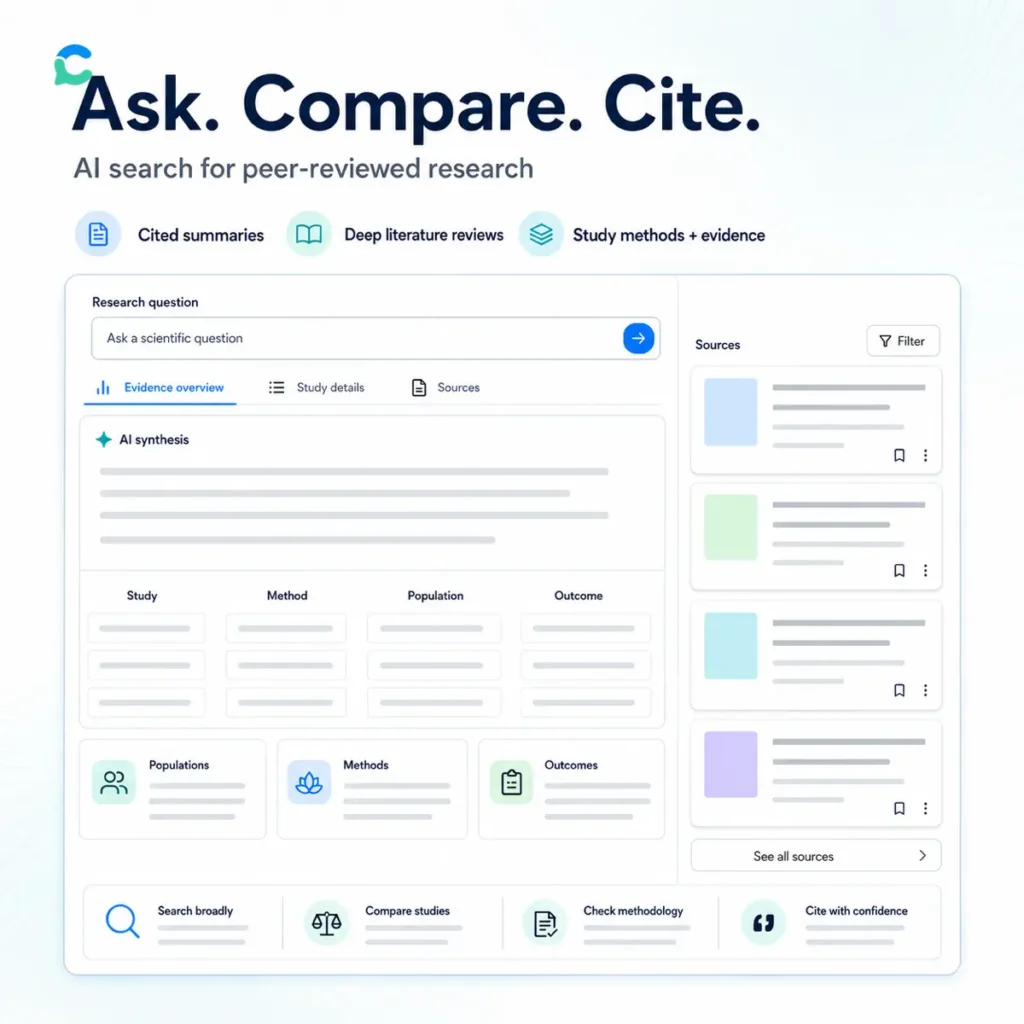
Consensus is an AI academic search engine for finding, comparing, and understanding scientific research. It searches a database of more than 220 million peer reviewed papers, then uses AI to analyze the retrieved material and produce answers with linked citations. Searches combine semantic matching with traditional keyword search. Results are ranked using relevance, publication recency, citation activity, and journal reputation. You can enter a natural language question, keywords, a paper title, an author, Boolean operators, or a DOI. Paper Search returns a conventional list of papers without generating a summary. Pro searches analyze a selected group of relevant papers and produce a cited synthesis. Each citation opens the supporting source, making it easier to check whether the paper supports the generated statement. Deep review handles larger research questions. It divides the question into smaller searches, examines a broad set of potentially relevant papers, and builds a structured literature review from the strongest results. Reports can include methods, findings, counterpoints, evidence tables, research gaps, influential authors, and citation graphs. Consensus explains the Deep review process. The Consensus Meter summarizes whether studies appear to support, reject, or provide mixed answers to a yes or no question. It is useful for seeing disagreement quickly, but it is not a formal meta analysis. Study quality, sample size, methodology, population, and effect size still need to be examined separately. Study Snapshots extract details such as research design, population, sample size, study duration, outcomes, and results. Ask Paper lets you question an individual paper, while full text chat works across saved papers, uploaded documents, and collections. Advanced filters can narrow results by publication year, study design, human or animal population, sample size, study duration, journal rank, publisher, academic field, country, citation count, and open access status. Preprints can also be excluded when you only want published research. Medical Mode searches a curated collection of medical papers and clinical guidelines. It can help clinicians and healthcare researchers locate evidence, but generated summaries should not be used as patient specific medical advice. Check the original study, current clinical guidance, and local standard of care. Consensus for US research and education Consensus is not restricted to the United States. However, its country filter can isolate studies conducted in the USA, which is helpful when location affects healthcare systems, education policy, demographics, regulation, or consumer behavior. American university students can use it to find sources for assignments and literature reviews. Faculty, librarians, healthcare professionals, policy researchers, and evidence based business teams can use it to compare research without relying entirely on a general web search. Users can connect an institutional library to improve access to subscribed full text material. Academic integrity and permitted AI use vary between US universities, departments, and journals, so students and researchers should follow their institution’s current rules. My Library stores papers and collections. You can upload PDFs, import Zotero libraries, or add papers through DOI, RIS, and BibTeX files. Search results and reports can be exported in common citation formats or copied into Word, Google Docs, Notion, Obsidian, and LaTeX workflows. Consensus states that private uploads remain accessible only to the account owner unless a collection is deliberately shared. It also states that queries, uploaded content, and personal information are not used to train its models. Consensus privacy policy AI summaries can still miss qualifications, misread methodology, or give too much weight to papers that happen to rank well. Full text is not available for every publication, which means some analysis may rely on abstracts. A real citation confirms that a paper exists. It does not guarantee that the generated interpretation is correct. Independent feedback is broadly positive about source discovery and cited summaries, while critical users mention shallow treatment of specialist topics and occasional loss of scientific context. G2 reviews reflect both experiences. A free tier provides paper search and limited access to advanced analysis. Paid plans increase Pro, Deep review, and Study Snapshot allowances. Team subscriptions are available for laboratories, departments, and research organizations. Consensus: Pros & Cons Pros (The Wins) Cons (The Friction) Research grounded: Answers begin with real academic papers. Interpretation risk: Summaries can miss context or methodological detail. Linked citations: Statements connect back to supporting sources. Coverage gaps: Full text is not available for every publication. Detailed filters: Control study type, country, population, and quality. Simplified agreement: The Consensus Meter is not a formal meta analysis. Deep reviews: Build structured reports across multiple searches. Usage allowances: Advanced research limits depend on the plan. Key features Natural language academic search Semantic and keyword paper retrieval More than 220 million research papers Cited AI research summaries Deep literature reviews Research Agent for multistep searches Consensus Meter Claims and evidence tables Research gap heat maps Citation graphs and timelines Study methodology snapshots Full text paper chat Medical paper and guideline search Country and population filters Study design and sample size filters Journal rank and publisher filters Saved papers and collections Private document uploads Zotero library imports DOI, RIS, and BibTeX imports PDF and citation exports Institutional library connections ChatGPT and Claude integrations Alternatives to Consensus Perplexity: Searches the wider web and produces cited answers across general topics, while Consensus concentrates on academic papers and scientific evidence. Read more

Education Productivity Business Intelligence
Freemium
Visit Tool
Fyxer

Fyxer

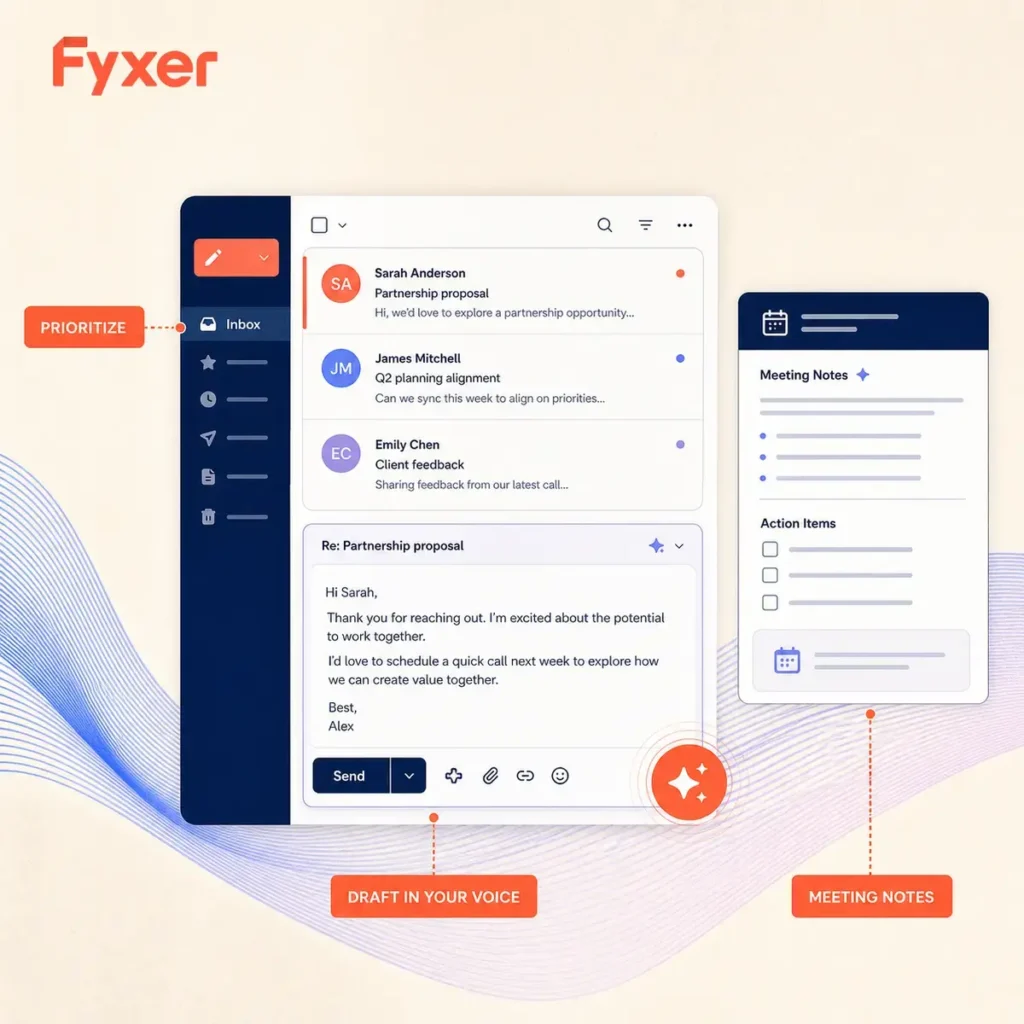
Fyxer is an AI email and meeting assistant that works inside Gmail and Outlook. It sorts incoming messages by priority, learns how you write, and places reply drafts in your inbox for review. You can choose which categories stay visible, keep everything searchable, and use email rules to give VIP contacts or recurring message types more attention. The drafting feature uses your sent email history and ongoing edits to pick up your tone. That is useful when a reply needs to sound like you rather than a generic template. You remain responsible for the final message, which matters for client commitments, pricing, sensitive topics, and any reply where small wording changes carry weight. Fyxer also connects email work to meetings. Its Notetaker can join Zoom, Microsoft Teams, and Google Meet calls, then send notes to your inbox with key decisions and action items. It can suggest follow-up drafts, offer meeting times, and share booking links. Professional plans add multi-inbox and calendar support, team scheduling, file context, HubSpot integration, and Fyxer Chat for asking questions across past emails and meeting notes. There is a seven-day trial, then the service uses paid per-seat plans. Fyxer is a practical fit for people who spend too much of the day triaging inboxes and following up after calls. It is less useful if you need a general writing app, a full customer support system, or a meeting recorder without email and calendar access. Inbox prioritization: Categorize incoming Gmail or Outlook messages by urgency and relevance. Voice matched email drafts: Prepare replies based on your writing style and prior messages. Meeting Notetaker: Capture notes from Zoom, Microsoft Teams, and Google Meet. Follow-up support: Draft post-meeting emails, suggest times, and share booking links. Fyxer Chat: Search and ask questions across email threads and meeting notes. Team controls: Use shared writing style, roles, permissions, and centralized administration. File context and HubSpot: Add business context to drafting and connect CRM work on Professional plans. Alternatives to Fyxer Superhuman: A fast email client with AI writing and inbox management for people who want a dedicated high-speed mail interface. Shortwave: An AI email client for organizing, searching, and drafting from Gmail, with a stronger focus on inbox collaboration. Fireflies.ai: An AI meeting notetaker for recording, transcribing, and searching conversations across video conferencing platforms. Read more

Productivity Automation Transcription Chat
Paid
Visit Tool
Vidalgo

Vidalgo

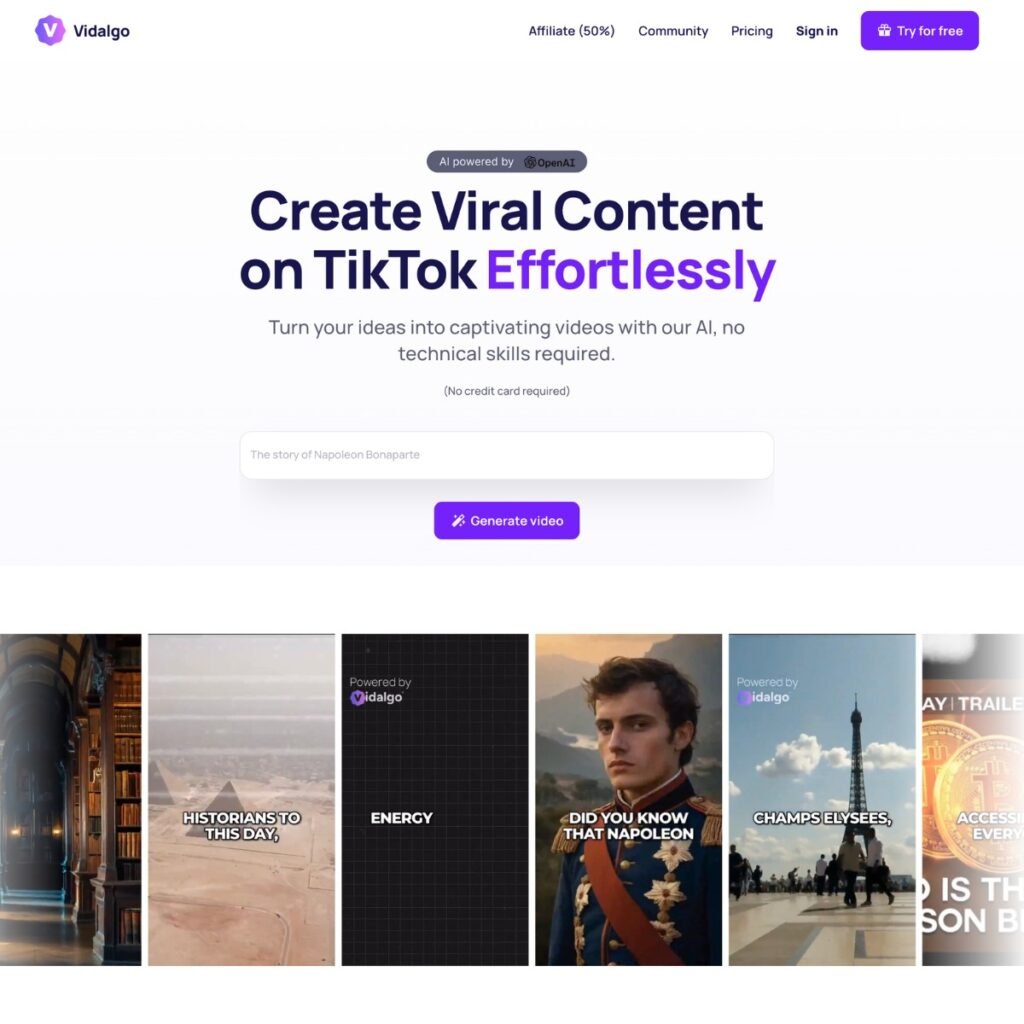
Vidalgo is an AI tool that takes the hassle out of creating viral TikTok content. If you’re a content creator wanting to make waves on one of the biggest social media platforms, Vidalgo is worth a look. It’s designed to boost your engagement and visibility by turning your ideas into eye-catching videos with minimal effort, making it perfect for those who aren’t video editing pros. I find the unlimited testing feature interesting for content creators. It allows you to experiment with different variations of your content, potentially increasing your chances of creating that viral hit. Rapid Video Production with AI: Vidalgo automates the complicated process of turning your ideas into videos. With this specialized AI in charge, scriptwriting, image selection, and video editing are taken care of, start to finish, without you’re constant attention. Extensive Music Library: With access to over 30 diverse tracks, you can find the perfect background music to enhance your content and maintain viewer engagement. High-Quality Visuals: Pick from tons of cool images to make your videos look awesome and match your story perfectly. Multilingual Support: Make your content accessible to people from all over the world with multilingual capabilities. Viral Optimization: The AI can help you write attention-grabbing titles and hashtags to boost your videos on social media. Customization Options: Customize the voices, styles, and music to fit your brand’s identity and message, giving your content a personal touch. Unlimited Testing: By experimenting with multiple video variations, you can discover which ones resonate the most with your audience, allowing you to continuously provide fresh and appealing content. Automated Publishing (Coming Soon): Stay tuned for the upcoming feature that will allow you to effortlessly publish your videos to TikTok, YouTube, and Instagram, making the distribution process much easier. Performance Claims: 99% reduction in editing time 3x increase in viral content 40% boost in engagement 4x improvement in visibility for AI-generated videos Alternatives to Vidalgo Short AI: Closest alternative for faceless short videos, TikTok content, YouTube Shorts, AI scripts, auto captions, and scheduled publishing. VideoGen: Stronger for turning text, images, and articles into social videos with stock assets, AI voices, multilingual narration, and a simple editor. Hypernatural: Better for creating short-form videos from scripts, podcasts, ideas, product shots, narration, captions, and consistent visual styles. VEED AI Video: Broader browser video editor for AI video generation, subtitles, avatars, voiceovers, branding, translation, and timeline-based editing. OpusClip: Better for repurposing long videos into TikToks, Reels, and Shorts with AI clip selection, captions, reframing, and viral scoring. Read more

Text-to-Video
Paid
Visit Tool
Aircall

Aircall

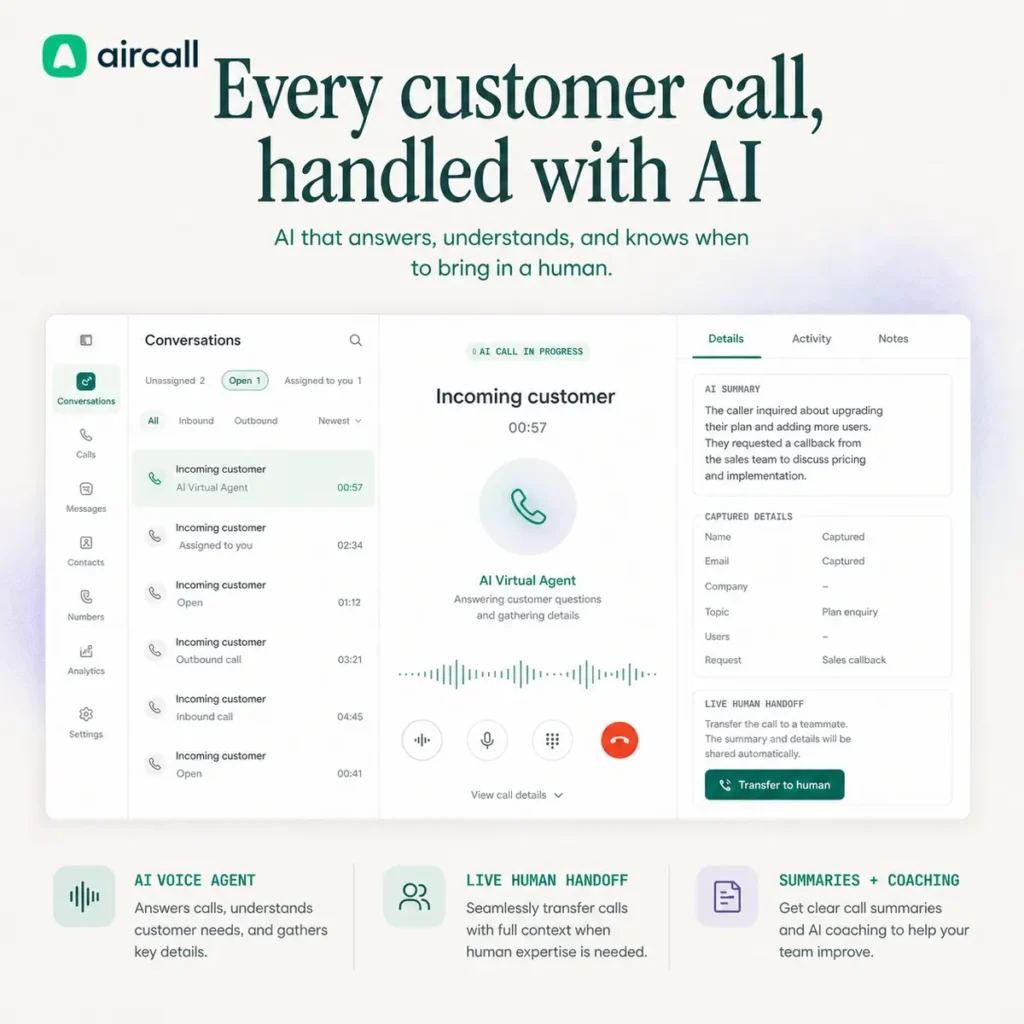
Aircall is a cloud phone and customer communications platform for sales, support, and service teams. Its AI features cover autonomous voice calls, SMS and WhatsApp conversations, call analysis, automated quality scoring, and live agent coaching. The AI Voice Agent answers incoming calls using information from your company knowledge base. It can respond to routine questions, collect caller details, qualify leads, schedule appointments, and transfer a conversation to a person when the request requires human attention. The receiving agent gets the call context, so the customer does not have to explain everything again. Outbound agents can place calls for appointment reminders, billing follow ups, customer surveys, and lead outreach. Calls can be triggered by connected software through a webhook, with rules determining when the AI should complete the conversation or transfer it. AI Messaging Agents handle inbound SMS and WhatsApp conversations through existing Aircall numbers. They can answer questions, qualify leads, book or reschedule meetings, look up orders, create support tickets, and update connected records. Conversations can be escalated to staff with their context intact. AI Assist works on conversations handled by people. It generates transcripts, summaries, topics, sentiment indicators, action items, talk ratios, and follow up material. Automated call scoring helps managers review a larger share of customer conversations without listening to every recording. AI Assist Pro adds live transcription, real time prompts, sales and support playbooks, suggested questions, contact information, and custom scoring criteria. This is mainly useful for teams that want guidance during a call rather than a summary afterward. Aircall connects with more than 250 CRM, help desk, and business applications. Integrations include Salesforce, HubSpot, Zendesk, Pipedrive, Intercom, and Slack. Calls, recordings, summaries, and outcomes can be attached to the relevant contact or ticket, reducing manual record keeping. The platform also includes business phone features such as local and toll free numbers, call routing, IVR menus, queues, recordings, voicemail, SMS, analytics, desktop applications, and mobile applications. Aircall makes the most sense for a team that needs both telephony and AI, rather than a standalone voice agent added to an unrelated phone provider. Privacy and call data Aircall states that customer call recordings and transcripts are not shared with third parties for model training. Transcripts used for AI processing are handled through Microsoft’s OpenAI service and deleted after being returned to Aircall. Call recordings may be stored in Europe or the United States. Transcripts and generated AI insights are currently stored in the United States. Businesses with regional storage requirements should confirm the available configuration before purchasing. Recording, transcription, and automated call disclosure laws vary by location. The business using Aircall remains responsible for notifying callers and obtaining consent where required. Pricing and limitations Aircall is a paid platform with a trial. Core phone subscriptions generally require multiple user licenses. AI agents use separate usage allowances, while conversation intelligence and coaching availability depends on the selected plan and add-ons. This structure suits established sales and support teams better than solo operators. A small company that only wants an after hours receptionist may find a dedicated AI answering service easier to justify. User reviews frequently praise the interface, CRM connections, call records, and reporting. Reports of inconsistent call quality, delayed support, routing configuration problems, and additional feature costs also appear across G2 and Capterra. Test routing, mobile performance, number porting, and audio quality with your own network before moving every customer line. Aircall: Pros & Cons Pros (The Wins) Cons (The Friction) AI call handling: Answers, qualifies, books, and transfers callers. Multi-seat commitment: Not an economical choice for many solo businesses. Conversation intelligence: Summaries, topics, sentiment, actions, and call scoring. Features split by plan: Advanced AI may require licenses or usage fees. Live coaching: Prompts and playbooks appear while agents are speaking. Call quality reports vary: Some reviewers mention drops, echoes, or audio delays. Business integrations: Connects calls with CRM and help desk records. Setup needs testing: Routing and handoff rules must be configured carefully. Voice and messaging: AI works across calls, SMS, and WhatsApp conversations. US insight storage: May not suit every regional data residency requirement. Key features Inbound AI Voice Agents Outbound AI calling workflows AI agents for SMS and WhatsApp Knowledge base answers Lead qualification and caller intake Appointment booking and rescheduling Human call transfers with context Transcripts and call summaries Sentiment and topic analysis Action item extraction Automated call scoring Live transcription and coaching prompts Custom sales and support playbooks Automated CRM call logging Follow up email generation Call routing, IVR, queues, and recordings Desktop and mobile calling applications More than 250 business integrations API, webhooks, and developer tools Multilingual AI voice support Alternatives to Aircall Smith.ai: Combines AI call handling with North American human receptionists for intake, booking, transfers, and sensitive conversations. Jobber AI Receptionist: Handles calls and texts inside a field service platform covering customer records, scheduling, estimates, invoicing, and job management. LucroVox: A more focused AI receptionist for local service businesses that need lead qualification, appointment booking, CRM updates, and after hours coverage. Simple Phones: Provides configurable AI phone agents for answering calls, gathering information, taking messages, and routing enquiries. Read more

AI Agents Automation Business Intelligence Productivity
Paid
Visit Tool
10Web

10Web

10Web is an AI website builder and managed WordPress platform. Its agents can turn a business description into an editable website, revise pages through conversation, and prepare a WooCommerce store. You can begin with a written prompt, an existing website URL, or a Figma design. The AI Website Builder Agent generates the initial layout, written content, images, colors, typography, and responsive pages. The AI Editor Agent handles changes after generation. You can describe a new section, adjust existing content through chat, select an element for precise editing, or add custom code where the visual controls are insufficient. URL cloning recreates an existing page as editable WordPress content. The redesign option uses the existing material as the basis for a new layout. Only copy websites that you own or have permission to reproduce. Figma import converts a design into a responsive WordPress page. Complex interactions, custom components, exact spacing, and unusual typography may still need manual correction after conversion. WordPress and ecommerce Every generated site uses a WordPress backend with 10Web’s Elementor based builder. You can install WordPress plugins, manage content through the familiar administration area, and use WooCommerce for an online store. The ecommerce tools cover products and orders, along with customer accounts, payments, checkout, analytics, taxes, and inventory. AI can generate the initial store structure and sample products, but you need to verify prices, tax rules, shipping settings, payment processing, stock levels, and product information before accepting orders. Dynamic content tools can add forms, reservations, and booking features. These work well for straightforward business sites, but 10Web is not a replacement for an application builder when you need custom databases, account logic, or complex software workflows. Hosting, performance and SEO 10Web combines its builder with managed WordPress hosting. Available infrastructure includes SSL, backups, staging, caching, security controls, SFTP or SSH access, and plan dependent CDN capacity. The platform also generates SEO content and schema and includes performance optimization tools. These can improve the technical foundation of a site, but they do not guarantee rankings or visibility in AI search. The separate SEO Agent and Hosting Agent shown on the 10Web homepage are marked as forthcoming. They should not be confused with the SEO and hosting functions already included in the platform. Agencies, white labelling and API access Agencies can manage multiple client websites from one workspace. White label plans add a branded dashboard, branded WordPress administration, client management, custom subscriptions, invoices, and integrated billing. The Website Builder API lets hosting companies, domain registrars, SaaS products, and agencies place 10Web’s site generation inside their own customer experience. API and larger agency arrangements require a separate commercial agreement. Pricing and free access There is limited free access for generating and previewing one website. Full editing requires activating a card backed trial, while publishing and continued hosting require a paid subscription. Plans vary by website count and monthly AI credits. Storage, traffic, support, CDN access, and agency features also vary. Some restricted actions can end the trial early and activate billing. Read the current trial documentation and pricing information before connecting a domain. AI credits place a practical limit on repeated generation and editing. A project that needs frequent redesigns may consume its allowance faster than a simple business website. Reliability and limitations The generated result is a starting point, not a finished business asset. Check contact details, service descriptions, qualifications, legal text, accessibility, image rights, privacy notices, testimonials, and factual statements before publishing. WordPress provides more control than many closed website builders, but 10Web still depends on its own editor, hosting services, and account limits. Moving a completed site elsewhere may require testing its layout, plugins, forms, caching, and builder specific content. Reviews on G2 and Trustpilot frequently praise fast website creation, integrated hosting, and the relative ease of producing an initial WordPress site. Critical feedback includes difficult AI edits, credit consumption, billing confusion, and support problems involving more complicated technical issues. 10Web: Pros & Cons Pros (The Wins) Cons (The Friction) Fast site creation: Generate a complete first draft from a short prompt. Editing still required: Copy, images, and business details need checking. Multiple starting points: Use a prompt, URL, or Figma design. AI credit limits: Repeated generation can consume allowances quickly. WordPress foundation: Use plugins, content tools, and WooCommerce. Learning curve: WordPress and Elementor still require some knowledge. Managed infrastructure: Hosting, backups, staging, SSL, and optimization. Hosting dependence: Moving a finished site may require additional work. Agency options: White labelling, client tools, billing, and API access. Trial restrictions: Some actions can activate a paid subscription early. Key features AI website generation from a written brief AI Website Builder Agent Conversational AI Editor Agent Ecommerce Agent for WooCommerce Website recreation and redesign from a URL Figma to WordPress conversion Image attachments and voice input Visual editing and custom code AI generated website copy and images Responsive desktop and mobile layouts Forms, reservations, and booking features WooCommerce products and order management AI generated SEO content and schema Managed WordPress hosting SSL, backups, staging, caching, and security tools WordPress plugin support Multi site agency management White labelled client dashboard Client subscriptions and billing AI Website Builder API Alternatives to 10Web Hostinger AI Website Builder: A simpler hosted builder for users who do not need WordPress, an agency reseller platform, or API based website generation. Durable: Combines AI website generation with CRM, bookings, customer communication, and local business marketing tools. Mixo: Creates straightforward business and lead generation websites with less WordPress configuration and fewer advanced development controls. Dorik: A no code website builder with AI generation, CMS features, reusable sections, and white label options for agencies. Read more

NoCode AI Agents Marketing SEO
Freemium
Visit Tool
Ezier

Ezier

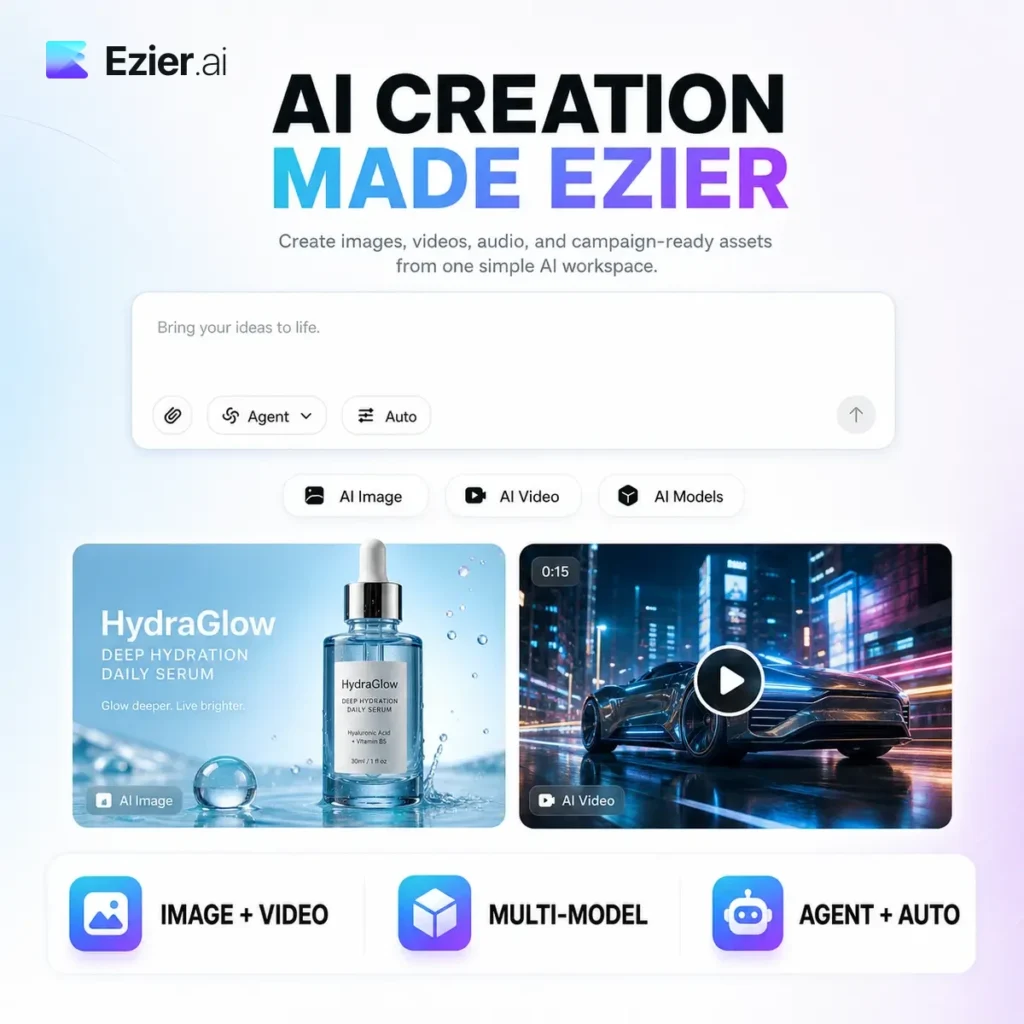
Ezier is a creative AI workspace for generating and editing images, video, and audio without managing a separate account for every model. You can select a specific tool and model or let Agent and Auto choose a route based on your prompt. The image section provides access to more than 20 models. Current options include GPT Image 2, Nano Banana, Qwen Image, and Wan Image. Model availability can change, so confirm that a particular option is still included before subscribing for it. Image generation and editing Ezier covers text to image, image to image, product pictures, social graphics, avatars, posters, wallpapers, and logo concepts. Editing tools remove backgrounds, objects, text, and watermarks. You can also sharpen, enhance, upscale, extend, or create variations from an existing image. This makes it useful when one asset needs several passes. A product photograph can become a cleaner listing image, a social post, an advertisement concept, and the opening frame for a video without rebuilding the project in several apps. Generated logos, products, people, and commercial designs still need checking for unwanted similarities, trademarks, inaccurate text, and unauthorized likenesses. AI video tools The video workspace supports text to video, image to video, and video to video generation. Its current model catalog includes Veo, Kling, Seedance, Hailuo, and other options suited to different styles of motion. Editing tools include lip synchronization, clip extension, background removal, object removal, subtitle removal, enhancement, upscaling, and unblurring. Video generation normally consumes more credits than simple image edits, particularly when duration and resolution increase. Ezier describes audio generation as part of the wider platform, although the current public tool catalog concentrates mainly on image and video workflows. Agent and Auto modes Agent mode interprets a creative request and selects a suitable workflow, tool, and model. Auto provides a quicker starting point when you know the result you want but do not know which generator to open. You can still select a model directly when cost, speed, visual style, or prompt handling matters. Previous prompts, references, model choices, edits, and generated assets stay close to the project, making it easier to continue refining the same idea. Credits and pricing Ezier has a freemium structure. Some browser tools and free usage programs are available, while most substantial generation work uses credits. Credits may come from subscriptions, separate purchases, promotions, or rewards. Consumption varies by model, resolution, duration, processing cost, and workflow complexity. The generation button displays the relevant estimate before supported jobs begin. Ezier does not currently publish a conventional public pricing page. Check the current credit allowance, renewal terms, and generation costs inside your account before purchasing. Key features AI image generation from prompts and references More than 20 supported image models Text to image and image to image workflows Product picture and social post generation Background, object, text, and watermark removal Image enhancement, sharpening, and upscaling AI video generation from text or images Video to video transformation Veo, Kling, Seedance, and Hailuo model access AI video editing and extension Lip synchronization Video background and object removal Video enhancement and upscaling Agent based workflow selection Automatic model and tool routing Shared prompts, references, edits, and assets Credit based generation Free tools and paid usage options Alternatives to Ezier OpenArt: Combines image, video, character, audio, and editing tools with a Director workflow for longer scene based projects. Krea: Better suited to real time visual iteration, advanced upscaling, model training, and interactive image or video experimentation. Leonardo AI: An image focused creative platform with detailed style controls, model choices, canvas editing, and production asset workflows. Runway: A video focused alternative with stronger filmmaking, visual effects, editing, and production controls. Read more

Generative Art Video Generation Image Editing AI Agents
Freemium
Visit Tool
Wellows

Wellows

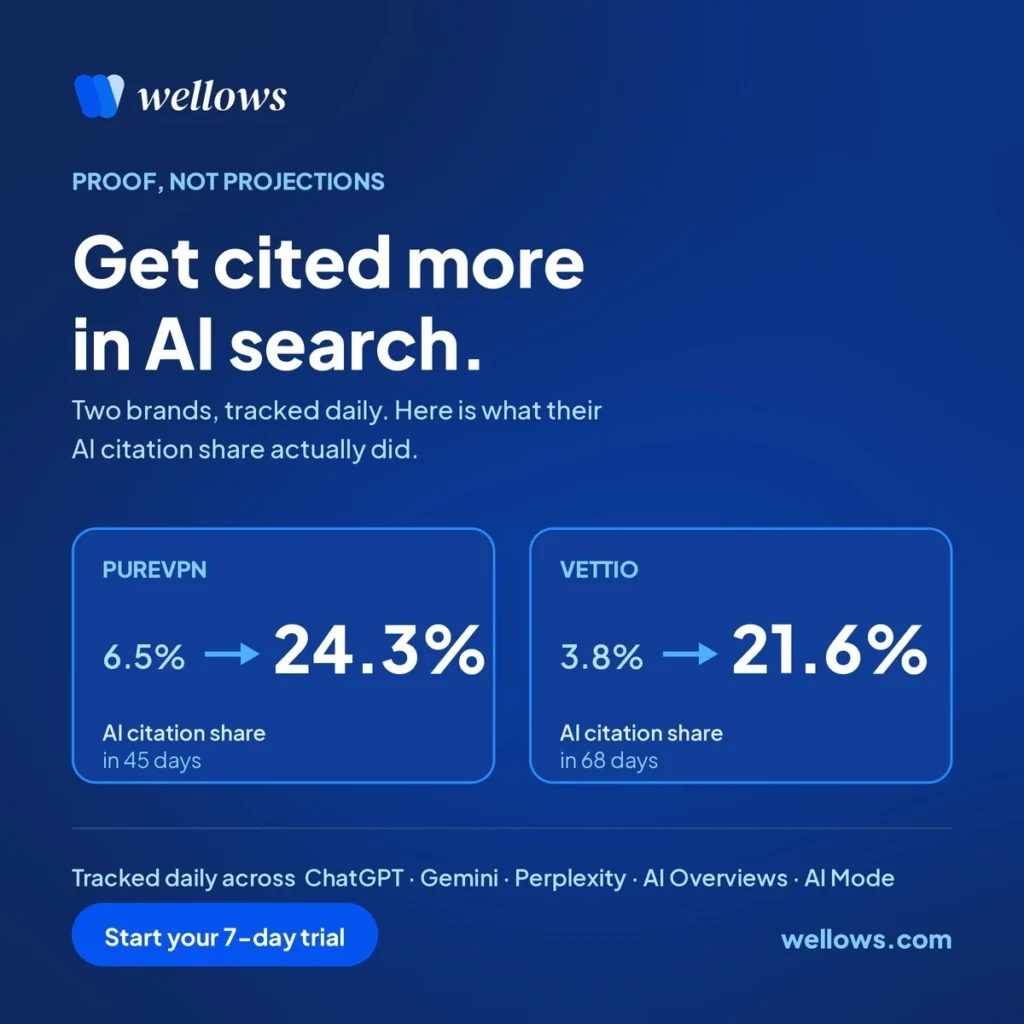
Wellows is a web-based AI visibility platform that measures how often Answer Engines actually cite your brand and turns it into one number you can move: your Citation Score. It tracks ChatGPT, Gemini, Perplexity, AI Overviews, and AI Mode every 24 hours, scores every domain in your category on real citations rather than passing mentions, and ranks you against named competitors. This isn’t another dashboard that reports a percentage and leaves the rest to you. Behind your rank sits the citation gap, the prompts and pages where competitors get cited and you don’t, and Wellows turns that gap into ranked content ideas, outreach targets with verified contacts, and one Quick Wins card each morning. If you’ve ever watched a ChatGPT visibility number swing for reasons you couldn’t trace, or published a page with no way to prove it earned anything, this handles that. You won’t find keyword rank trackers or backlink indexes here. Wellows works in the AI search layer only, and it won’t pretend a mention is a citation. For agencies, e-commerce brands, and in-house growth teams, it solves two things at once: a defensible read on brand visibility in Gemini and every other Answer Engine, and a plan for improving it. Applications and Core Features Citation Score & Citation Rank One number for how much Answer Engines cite you, one rank for where that places you. Updated daily, not monthly. Citation-Level Tracking Tracks both explicit mentions and implicit ones, where your domain sits inside a cited page without being named. Skipping the second understates AI Overviews visibility badly. Brand Sentiment Analysis Reads how your brand is described inside the cited sources, not just how one answer phrased it that day. Content Opportunities Citation gaps become a ranked queue: suggested title, buyer intent, estimated citations earned. Checked against your existing pages so nothing cannibalizes. KIVA (AI Writing Agent) Takes a keyword to a publish-ready draft in about 20 minutes using SERP data, PAA, and your own Search Console data. Outreach Opportunities Every URL citing a competitor but not you, refreshed daily, with a verified contact and a ready-to-send template. Performance History Pick any two dates, see the exact movement in Citation Score and Rank, plotted next to competitors. White-Label Workspace Run every client from one login, scoped by domain and region, with white-labeled dashboards per client and country. Bullet Point Features Daily citation tracking across ChatGPT, Gemini, Perplexity, AI Overviews, and AI Mode One Citation Score and Citation Rank, benchmarked against named competitors Explicit and implicit citation detection, down to the URL Sentiment read from cited sources, not just answer text Ranked content ideas with intent tags and estimated citation gain KIVA writes citation-optimized content in about 20 minutes Outreach lists with verified contacts and email templates Quick Wins card daily: the page to craft, the email to send Prompt-level view of visibility in AI Mode and every other Answer Engine White-label, multi-client reporting for agencies No setup or dev work. Connect a domain, tracking starts, 7-day trial included Read more

SEO AI Visibility Marketing Buisness Intelligence
Paid
Visit Tool
Hypernatural

Hypernatural

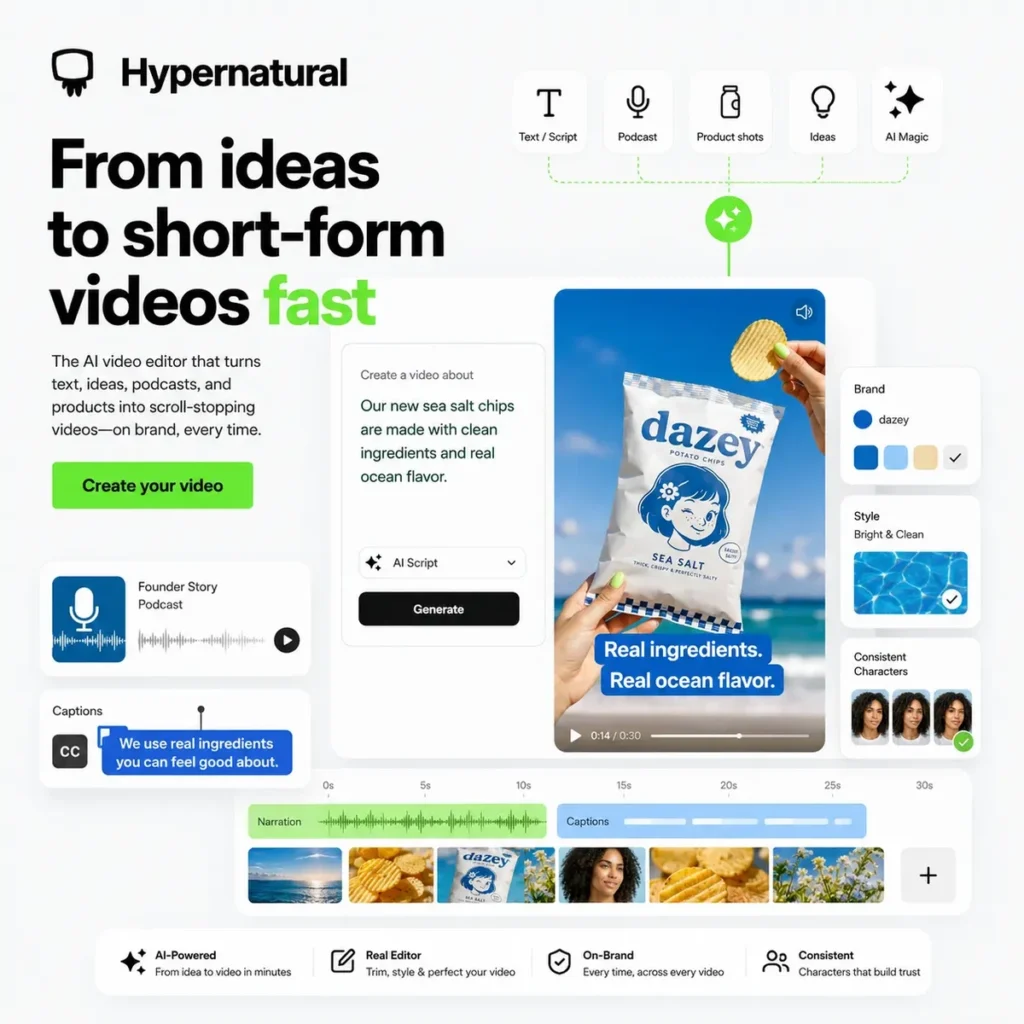
Hypernatural turns ideas, scripts, podcasts, product shots, and existing content into short form videos for TikTok, Instagram Reels, YouTube Shorts, and similar feeds. You can start with a script, paste in an idea, upload audio, bring in a product image, or repurpose a longer piece of content, then use AI to build the video around narration, captions, B roll, and a chosen visual style. The product is useful because it has an editor wrapped around the AI generation step. You are not just typing a prompt and hoping for a usable clip. Hypernatural lets you work from source material, generate visuals, add captions, use AI narration, upload your own audio, and shape the result around a brand or recurring style. Styles are a big part of it. There are 200 plus templates, but you can also create custom styles from prompts or reference images. Hypernatural supports consistent characters too, which matters if you are making a recurring faceless channel, BookTok series, author promo, fictional narrator, mascot, or UGC style video. Without that, AI video characters tend to wander off into a new face every other scene. The B roll feature is also practical. If your script needs supporting visuals, Hypernatural can generate or suggest shots that match the topic instead of sending you to hunt through stock libraries. You can still add stickers, GIFs, logos, captions, and brand elements, but the main time saver is getting a complete draft video without assembling every tiny piece by hand. The best fit is creators and small teams making repeatable short form content: authors promoting books, podcasters cutting clips, marketers turning webinars and blog posts into social videos, ecommerce brands making product videos, and entrepreneurs who need a visual presence without hiring an editor for every post. Hypernatural is not a full manual video editor like CapCut, Premiere, or DaVinci Resolve. If you need frame level editing, complex motion design, or a polished campaign film, you will still want a traditional editor. Hypernatural is better when the job is getting from script or idea to a publishable short video quickly, with enough style control that it does not look like a default AI template. Turn ideas, scripts, podcasts, audio clips, videos, and product shots into short form videos Create videos for TikTok, Instagram Reels, YouTube Shorts, and similar platforms 200 plus video style templates Custom styles from prompts or reference images Consistent characters for recurring hosts, mascots, authors, and faceless channels AI generated B roll matched to your script AI narration or uploaded voice/audio Captions, logos, stickers, GIFs, and brand elements Product reference support for ecommerce and ad content Repurpose blog posts, webinars, podcasts, and longer videos into shorter clips Credit based freemium pricing with paid upgrades Read more

Video Generation Text-to-video Marketing
Freemium
Visit Tool
Uplup

Uplup

Want to run a viral giveaway, launch a quiz, or build a form to gather insights? Just describe it in one sentence and let Uplup do the heavy lifting. Define your contest with a one-line brief, incorporating essential details such as the giveaway item (which will be used in promotional material), target audience, and timeline. Need a quick quiz, poll, or branded contest? Uplup has free tools, prebuilt layouts, and AI that make marketing easier. Just type a one-liner about your contest idea. Uplup’s AI handles the rest. Are you hoping to grow on Instagram? Or give away a uniquely branded t-shirt around Christmas? Let the built-in AI create the right content for your target audience on the target social media platform. From drag-and-drop forms to viral-ready contests, Uplup gives you branded, embeddable content that actually gets engagement. And enterprise-level security and rewards system help ensure that entries are authentic and reward users for sharing your contests with friends, igniting viral growth. The AI-Powered Contest Builder will take care of the hard work for you: all it takes is a one-line description and the tool will build an amazing giveaway in seconds! Build a community around your brand with smart forms and giveaways that spark action and sharing, without the tech hassle. Run contests and collect likes, follows, shares, and leads from over 60 social platforms Learn more about your audience with tailor-made form fields. Got a questionnaire or survey in mind? Create customized forms and gather all the user data you need! Uplup’s native API, in addition to its more than 25 integration partners offers a unique level of connectedness. Read more

AiForms AiContents Giveaways
Paid Visit Tool
Dify

Dify

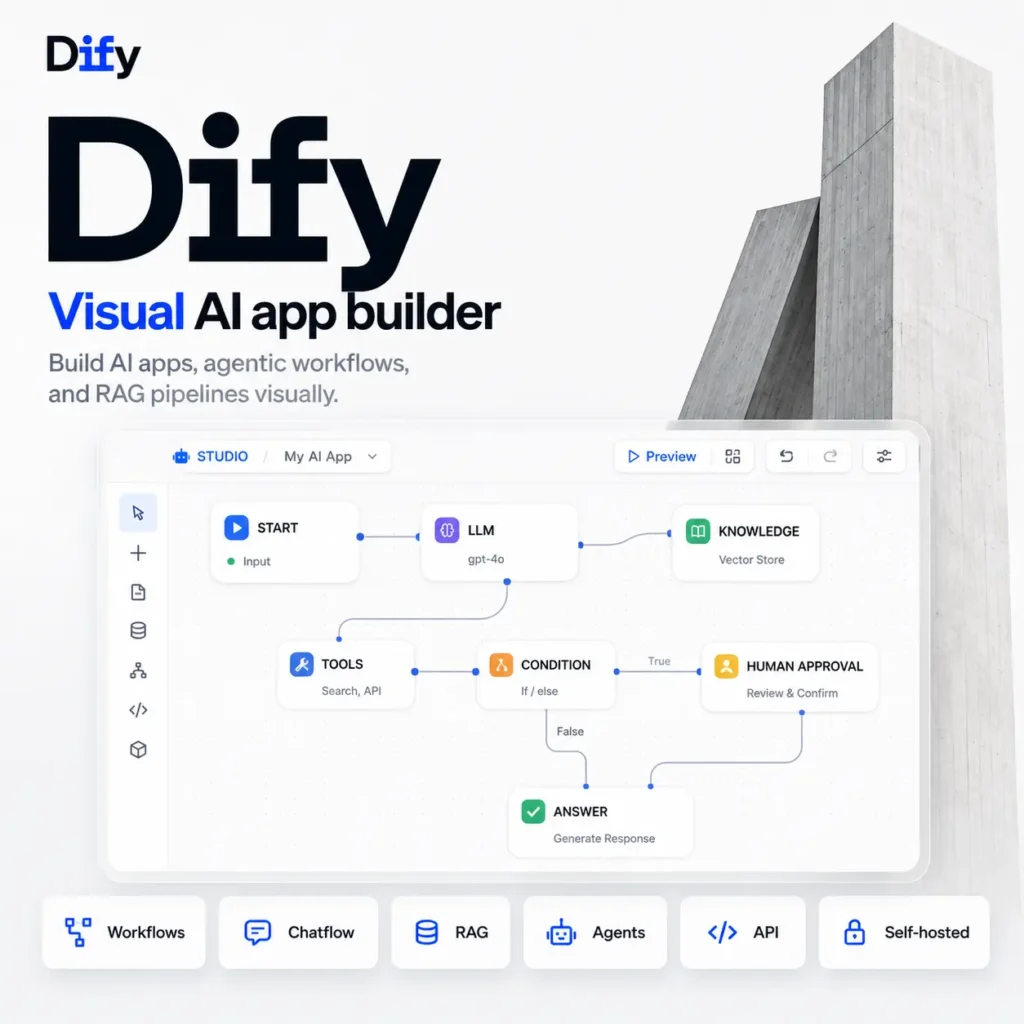
Dify puts the parts of an AI application onto a visual canvas where you can build the logic and see what happens at each step. It supports chat assistants, autonomous agents, document processing jobs, internal search tools, content pipelines, customer support bots, and backend automation. You can start with a template or connect nodes yourself. Available nodes cover model calls, knowledge retrieval, classifiers, conditions, loops, code, HTTP requests, tools, human approval, and structured output. Workflows can start from a user message, API request, schedule, webhook, plugin event, or uploaded file. Individual nodes can be tested before running the complete flow. When something fails, Dify records the execution path, inputs, outputs, variables, latency, and error details. Recovery branches can stop the run, return a default value, or send the work down another path. There are two main workflow types. A standard Workflow runs once from input to output, which suits document processing, batch jobs, and backend automation. Chatflow keeps conversation memory and runs the workflow again for every message. Both use the same node library. Dify also has a visual Knowledge Pipeline for RAG applications. It can collect material from uploaded files, websites, document platforms, cloud drives, and data source plugins. Processing steps cover parsing, cleaning, enrichment, chunking, embedding, indexing, metadata, and retrieval. That detail matters. Throwing a pile of PDFs into a chatbot and hoping retrieval behaves itself is not much of a system. Dify lets you inspect how documents were divided, test retrieval before connecting the knowledge base, and choose vector, keyword, or hybrid search. Parent and child chunking can retrieve a precise passage while returning the surrounding context. Model access is handled through plugins. You can connect commercial providers, open models, local inference services, and OpenAI compatible endpoints. A model can be swapped without rebuilding the rest of the workflow, although different models will still behave differently with tool calls, structured output, context limits, and reasoning. The plugin system covers more than models. Plugins can add tools, agent strategies, data sources, triggers, and external services. Workflows can also call REST APIs, MCP servers, HTTP endpoints, or sandboxed Python and JavaScript code. Finished applications can be published as hosted web apps, website embeds, API endpoints, reusable templates, or MCP tools. The same workflow can therefore sit behind a public chatbot, an internal form, a product feature, or a tool used by an MCP compatible coding assistant. Dify provides API credentials, session handling, response streaming, logs, and usage data. You can use Dify Cloud or run the Community Edition on your own infrastructure. The cloud version removes the server work and includes shared workspaces, model credits, document storage, logs, and managed updates. The free Sandbox plan is enough to test a few apps, but its application, document, storage, and usage limits are fairly small. Paid workspace plans raise those limits and support larger teams. You can connect your own model API keys when the included credits run out. The Community Edition can be installed with Docker Compose and gives you a single workspace with the public repository’s core features. Self hosting gives you more control over data and model connections, but it also leaves upgrades, backups, databases, queues, vector storage, plugin security, and uptime in your hands. Starting a Docker stack is easy. Keeping it healthy for a busy team is the actual job. There is an important licence detail. Dify calls the Community Edition open source, but the repository uses a modified Apache 2.0 licence. Operating a multi tenant service requires commercial permission, and the Dify logo and copyright information cannot be removed from its frontend. Companies planning to rebrand Dify or sell access to separate customer workspaces should read the licence before building around it. Dify suits teams that need more than a chatbot wrapper and want the workflow, retrieval, tools, API, and monitoring in one place. It is probably too much machinery for a single prompt and response form. For an internal knowledge assistant, support agent, document processor, or multi step business workflow, the visual execution history makes debugging considerably less painful. Visual Workflow and Chatflow builder AI agents with tools, memory, and limits Model provider and local model plugins RAG knowledge bases and retrieval testing Visual document processing pipelines Vector, keyword, and hybrid retrieval Parent and child document chunking Conditions, loops, iteration, and code nodes Scheduled, webhook, API, and plugin triggers Human approval steps MCP servers and MCP tool publishing REST API and HTTP integrations Hosted web apps and website embeds Application APIs with streaming responses Workflow version history and restoration Execution logs, variables, latency, and error traces Langfuse, LangSmith, Arize, and other observability connections Plugin marketplace for models, tools, data sources, and triggers Dify Cloud and Docker based self hosting Enterprise deployment, SSO, governance, and support options Read more

NoCode Ai Agents Automation Coding
Freemium
Visit Tool
BetterPic

BetterPic

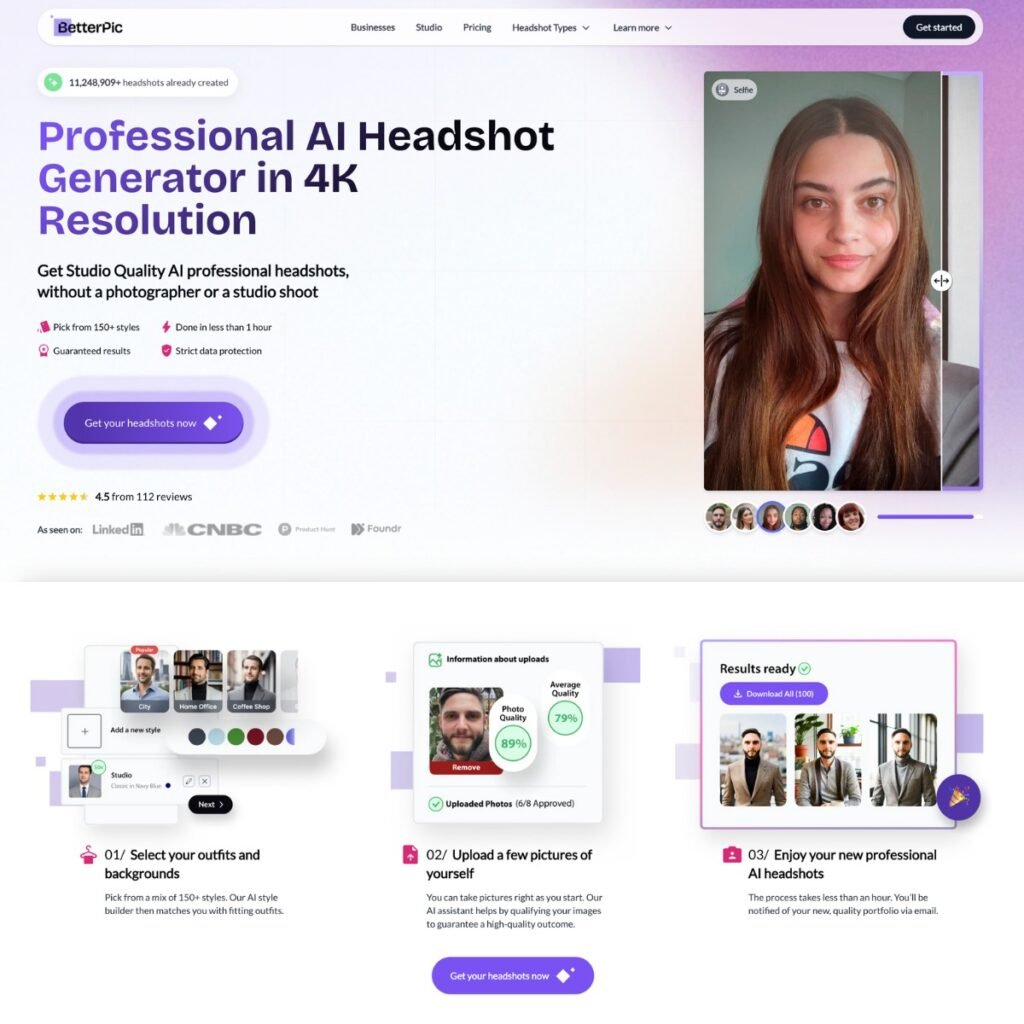
If you need professional headshots without the hassle and expense of a studio shoot, BetterPic’s AI Headshot Generator offers a practical and inexpensive solution. In under an hour, you can have studio-quality 4K images with over 150 styles and backgrounds. The choices for customisation are great. Once you have your first set of AI-made photos, you can use the studio to make more changes. If you want to change what you’re wearing, the scene, or even your hair, you can do that. For $8 per request, you have the option to use a service where you get manual adjustments by hand for more complicated alterations. AI feedback assists with photo uploading for optimal results. Multiple styles offer personalization for diverse tastes and needs. Main uses: Professional Profiles: Enhance your LinkedIn or WhatsApp profile with a high-quality headshot. Business Needs: Use for business cards, email signatures, and CV/resumes. Personal Branding: Perfect for actors’ portfolios and dating profiles. Website Showcases: Add a polished look to your website’s team page. Features: Studio quality 4K resolution for headshots – no photographer needed! Quick turnaround: Get it done in under an hour. Take your pick from 150+ styles and backgrounds to suit your needs. Super easy process: Just upload some pics and let the AI handle the rest. Guaranteed Results: Option to redo or request edits until satisfied. Strict Data Protection: Ensures your photos are secure. Customer Service: Responsive and perceptive support team. Remember that AI-generated images may not be suitable for every situation. Traditional photography may still be necessary in certain industries or applications. It’s important to be mindful of any applicable guidelines or regulations in their field regarding the utilization of AI-generated images. Read more

Generative Art
Freemium
Visit Tool
Hailuo AI

Hailuo AI

Hailuo AI is MiniMax’s video and image generation workspace for making short AI clips from prompts, images, and reference frames. It is mainly useful when you want fast visual drafts for social posts, ads, character scenes, music style clips, product shots, or concept tests. The video tools cover text to video, image to video, and start and end frame generation. You can type a prompt, upload a still image, set the first and last frame, or use one of the template tools for things like dance clips, transformations, stylized product videos, character motion, and social content. Hailuo is strongest when the job is mood, motion, and atmosphere. A portrait can become a moving character shot. A product image can become a short promo clip. A still scene can turn into a cinematic camera move. You still need to watch for normal AI video problems, especially hands, face drift, messy object movement, and clips that lose consistency after a few seconds. The product has expanded beyond simple video generation. Hailuo now includes AI image tools, creative templates, asset handling, and Hailuo Agent for guiding creative workflows. MiniMax also connects Hailuo to its wider model and audio ecosystem, so it is becoming more of a creative workspace than a single video generator. There is a free tier, with paid options available for heavier use. Treat the free version as a way to test output quality before relying on it for regular production. Hailuo AI suits creators, marketers, short form video makers, and small teams experimenting with fast AI visuals. It is less useful if you need frame accurate editing, long videos, strict brand control, or reliable continuity across many connected shots. Text to video generation Image to video generation Start and end frame controls AI image creation Hailuo Agent for creative workflows Tool templates for social and creator clips Photo based motion effects and transformations Creative image packs and asset library Light Studio and relighting style tools Links into MiniMax audio and model products Best for short clips, social videos, concept tests, and fast visual drafts Read more

Video Generation Text-to-video Generative Video Generative Art
Freemium Visit Tool

Vellow AI is a modern AI tools directory built for creators, businesses, marketers, developers, students, and professionals looking to discover the latest AI software in one place.