
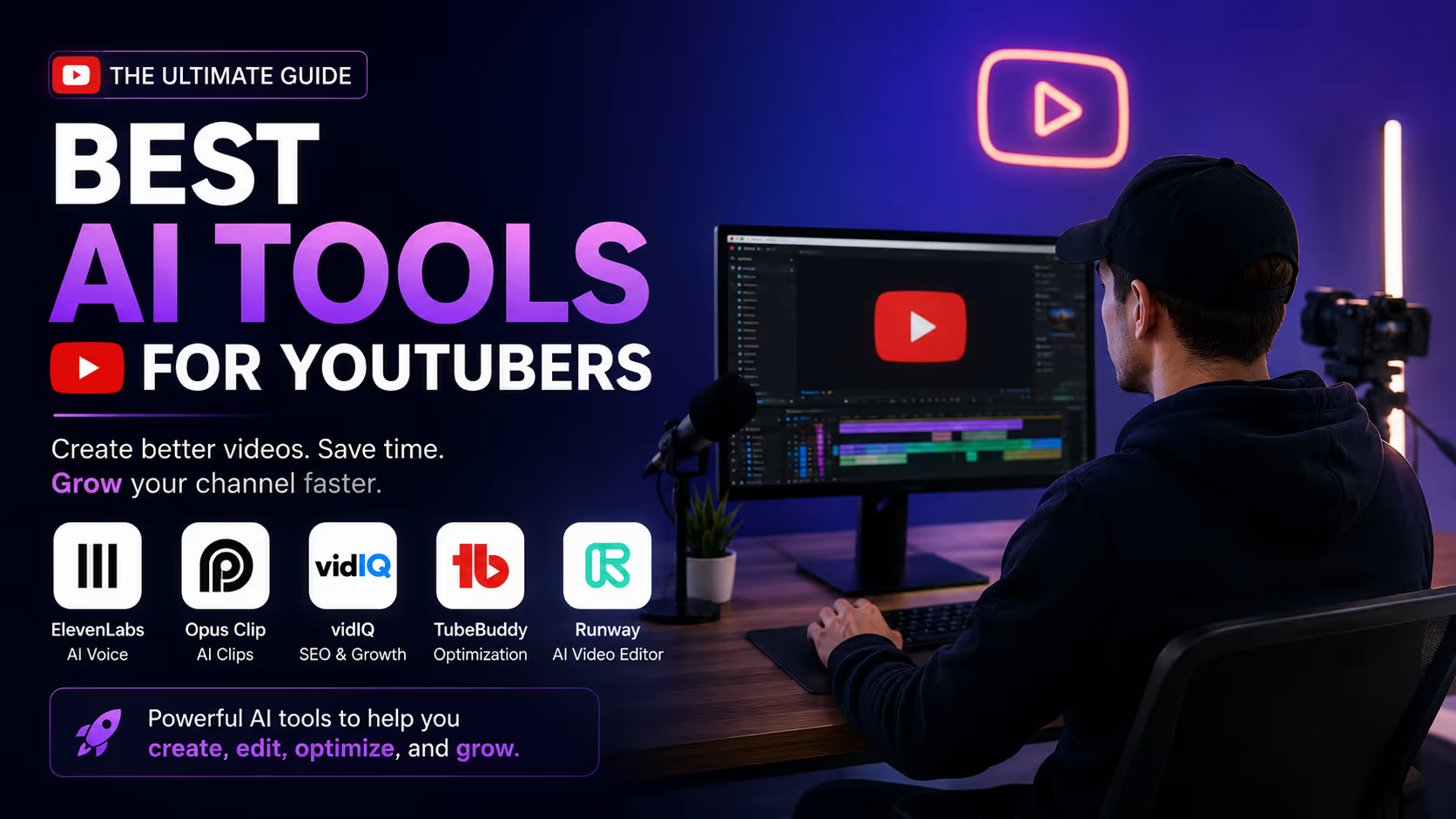
YouTube in 2026 isn't the platform it was five years ago. More creators are uploading, algorithms are pickier, and audiences scroll past anything that doesn't hook them in the first two seconds. Standing out now takes more than a good camera and a decent idea — it takes speed, consistency, and a workflow that doesn't burn you out by episode ten.
That's exactly where AI has changed the game. The best AI tools for YouTubers aren't here to replace your creativity — they're here to kill the repetitive, time-consuming parts of content creation: writing rough script drafts, clipping long videos into Shorts, generating thumbnails, and researching keywords that actually get you found. The channels growing fastest right now aren't necessarily using AI to make more content — they're using it to make the same amount of content in half the time, and spending the hours they save on the parts only a human can do well.
This guide is for brand-new creators trying to build a sustainable upload schedule, and for established YouTubers looking to tighten their workflow and grow faster without hiring a full production team.
Below, we break down 10 of the best AI tools for YouTubers in 2026 — what each one does, what it costs, and where it fits into your workflow — plus recommendations by channel type, a practical AI workflow you can copy, and answers to the questions creators ask most.
Quick Comparison Table
| # | Tool | Category | Best For | Free Plan | Starting Price | Rating |
|---|---|---|---|---|---|---|
| 1 | ElevenLabs | Voice AI | Faceless & voiceover channels | Yes | $5/mo | 4.6/5 |
| 2 | Opus Clip | Clipping | Repurposing long-form to Shorts | Yes | $15/mo | 4.4/5 |
| 3 | VidIQ | SEO | Keyword & topic research | Yes | $16.58/mo | 4.4/5 |
| 4 | TubeBuddy | SEO | Budget-friendly optimization | Yes | $3/mo | 4.3/5 |
| 5 | Runway | Video Generation | AI-generated B-roll & effects | Yes (limited credits) | $12/mo | 4.3/5 |
| 6 | Descript | Video Editing | Talking-head & podcast editing | Yes | $24/mo | 4.5/5 |
| 7 | Canva AI | Design | Thumbnails & channel art | Yes | $12.99/mo | 4.6/5 |
| 8 | ChatGPT | Scripting | Ideation & script drafts | Yes | $8/mo (Go) | 4.7/5 |
| 9 | CapCut AI | Video Editing | Fast, free short-form editing | Yes | ~$9.99/mo | 4.5/5 |
| 10 | Adobe Firefly | Image/Video Generation | Commercially safe thumbnails & B-roll | Yes | $9.99/mo | 4.4/5 |
Pricing reflects publicly listed rates as of mid-2026 and changes often — always confirm current pricing on the provider's site before subscribing.
Detailed Reviews of the Best AI Tools for YouTubers
1. ElevenLabs
ElevenLabs produces some of the most natural-sounding AI voices available, which has made it a staple for faceless channels, documentary-style narration, and multilingual dubbing.
Best For: Faceless creators, narrators, and channels translating content into multiple languages.
Key Features:
- Lifelike text-to-speech across dozens of languages and accents
- Voice cloning for a consistent, personalized channel voice
- Automatic dubbing for translating videos into new markets
- API access for automating voiceover pipelines
Pros: Genuinely lifelike voice quality; easy to build a recognizable, consistent narrator voice.
Cons: Free tier's 10,000 monthly credits (about 10 minutes of audio) run out fast on regular upload schedules.
Pricing: Free tier available. Starter $5/month, Creator around $22/month, Pro $99/month.
Why YouTubers Should Use It: If you're camera-shy or running a faceless channel, this is the tool that lets you scale without narrating every video yourself.
Best Use Cases: Faceless explainer videos, audiobook-style narration, dubbing content for international audiences.
2. Opus Clip
Opus Clip takes a long video — a podcast, interview, or full-length YouTube upload — and automatically finds the best moments, then turns them into captioned, vertical clips ready for Shorts, Reels, and TikTok.
Best For: Podcasters and long-form creators who want to repurpose one upload into a week of short-form content.
Key Features:
- AI highlight detection with a "virality score" per clip
- Automatic captions in 20+ languages
- Auto-reframing for vertical formats across platforms
- One-click publishing directly to social platforms
Pros: Genuinely fast — can pull 10 usable clips from a single long video in minutes.
Cons: Credit-based pricing (1 credit = 1 minute of source video) gets expensive fast for high-volume podcasters; free clips expire after 3 days.
Pricing: Free tier (60 processing minutes/month). Starter $15/month, Pro $29/month, custom Business plans.
Why YouTubers Should Use It: One long-form upload becomes a week's worth of Shorts without you touching a timeline.
Best Use Cases: Podcast clipping, interview highlight reels, turning livestream VODs into Shorts.
3. VidIQ
VidIQ focuses on the "what should I make" problem, surfacing keyword demand, trending topics, and competitor data so you spend less time guessing what will actually get views.
Best For: Creators who want deep keyword and trend research before they script a single video.
Key Features:
- AI Coach offering personalized channel growth tips
- Daily AI-generated content ideas based on your niche
- Competitor tracking and outlier video detection
- Keyword research with real search volume estimates
Pros: Strong for discovering underserved topics with real demand before you invest production time.
Cons: The advertised annual price is much lower than the true month-to-month rate, which can catch new users off guard.
Pricing: Free tier (150 AI credits/month). Boost around $16.58/month billed annually ($39/month), Max around $39/month annually, Coaching around $99/month.
Why YouTubers Should Use It: Run your next five video ideas through VidIQ before you script them — it tells you whether anyone's actually searching for them.
Best Use Cases: Topic research, competitor gap analysis, tracking which videos are outperforming your channel average.
4. TubeBuddy
TubeBuddy has been a reliable YouTube SEO companion for years, offering tag suggestions, A/B thumbnail testing, and bulk-editing tools that save real time on channel housekeeping.
Best For: Budget-conscious creators who want solid SEO tools without VidIQ's higher price tag.
Key Features:
- A/B thumbnail and title testing
- Bulk processing tools for tags, cards, and end screens
- Keyword Explorer for search volume and competition scoring
- Browser extension that overlays directly on YouTube Studio
Pros: The cheapest genuinely useful SEO tool on this list, especially with the small-channel discount for creators under 1,000 subscribers.
Cons: Fewer AI-specific features than VidIQ at the entry-level tier.
Pricing: Free tier available. Pro from about $3/month billed annually (~$4.99/month monthly), Legend from around $23/month annually.
Why YouTubers Should Use It: If VidIQ feels like overkill for your channel size, TubeBuddy Pro covers the SEO fundamentals for a fraction of the price.
Best Use Cases: Thumbnail A/B testing, bulk tagging across an existing video library, small-channel SEO on a tight budget.
5. Runway
Runway generates entirely new video footage from a text prompt or image — genuinely useful for creating B-roll, effects, and visuals that would be impossible or expensive to film.
Best For: Creators who need supplementary visuals — B-roll, transitions, stylized effects — that filming alone can't provide.
Key Features:
- Text-to-video and image-to-video generation via the Gen-4.5 model
- Multi-motion brush for precise control over generated movement
- Inpainting to remove or replace objects within existing footage
- Now integrated directly into Adobe Firefly and Premiere Pro workflows
Pros: Genuinely cutting-edge generative video quality; useful for concepts too expensive or impossible to shoot.
Cons: Generation is slow relative to traditional editing, and the free tier's credit allowance covers only a few seconds of usable footage.
Pricing: Free tier with limited credits. Standard from around $12–$15/month depending on credit package, higher Pro tiers available.
Why YouTubers Should Use It: Use it sparingly for hero shots and concept visuals your camera simply can't capture, not as your main editing tool.
Best Use Cases: Generative B-roll, stylized transitions, product or concept visualization for review channels.
6. Descript
Descript treats video editing like editing a text document — it transcribes your footage, and deleting a word from the transcript deletes that segment from the video. It's a genuinely different, faster way to edit talking-head content.
Best For: Talking-head YouTubers and podcasters who want to edit by cutting text instead of scrubbing a timeline.
Key Features:
- Text-based editing that removes video segments as you delete words
- One-click filler word and "um/uh" removal
- Studio Sound for cleaning up rough location audio
- Overdub voice cloning for quick script fixes without a reshoot
Pros: Dramatically faster than traditional timeline editing for dialogue-heavy content; genuinely beginner-friendly.
Cons: Less effective for B-roll-heavy or music-driven content without a clear transcript to work from.
Pricing: Free tier available. Creator plan around $24/month, Pro around $35/month.
Why YouTubers Should Use It: If your channel is mostly you talking to camera, this cuts editing time down to a fraction of what a timeline editor takes.
Best Use Cases: Podcast editing, talking-head tutorials, removing filler words from interview footage.
7. Canva AI
Canva's AI design tools make it fast to produce scroll-stopping thumbnails and channel branding without any real design background — genuinely useful given how much a thumbnail affects click-through rate.
Best For: Creators who need consistent, high-quality thumbnails and channel art without hiring a designer.
Key Features:
- Thumbnail templates sized correctly for YouTube out of the box
- Magic Studio tools for background removal and image editing
- Brand Kit to keep fonts, colors, and logos consistent across videos
- Massive stock photo and icon library for fast thumbnail assembly
Pros: Free tier is genuinely usable for thumbnails; extremely fast for creators without design experience.
Cons: Some premium templates and elements sit behind the paid Pro tier.
Pricing: Free tier available. Canva Pro is $12.99/month.
Why YouTubers Should Use It: A better thumbnail is one of the highest-ROI changes you can make to an existing video's performance.
Best Use Cases: Thumbnail design, channel banners, end-screen graphics and social promo images.
8. ChatGPT
ChatGPT has become the default brainstorming and scripting partner for a huge share of creators — not to write finished scripts word-for-word, but to break through blank-page paralysis and structure ideas fast.
Best For: Any creator who wants faster ideation, outlines, and first-draft scripts before adding their own voice.
Key Features:
- Fast video idea and title brainstorming based on your niche
- Script outlines and hook variations for testing different openings
- Description and tag drafting to speed up publishing
- Custom GPTs for building a repeatable, channel-specific scripting process
Pros: Extremely versatile, capable free tier, works well alongside every other tool on this list.
Cons: Draft scripts sound generic if you don't heavily edit them into your own voice and delivery style.
Pricing: Free tier available. Go $8/month, Plus $20/month, Pro $100–$200/month.
Why YouTubers Should Use It: Use it to beat blank-page paralysis, then rewrite the draft in your own voice — audiences can tell when a script wasn't.
Best Use Cases: Video idea brainstorming, script outlines, video descriptions and tags.
9. CapCut AI
CapCut brings TikTok-style editing speed to a genuinely capable free desktop and mobile editor, making it a favorite for Shorts creators who need to move fast without sacrificing polish.
Best For: Shorts creators and social-first channels who want quick, trend-aware editing without a subscription.
Key Features:
- Auto-captions with stylized, trend-driven text animations
- AI background removal and smart object cutout
- Auto-reframing for switching between horizontal and vertical formats
- Large library of trending effects, transitions, and sounds
Pros: The free tier alone covers most short-form creator needs; genuinely fast, mobile-friendly workflow.
Cons: Struggles with longer-form videos over 10 minutes, and its AI leans toward viral-style editing over professional polish.
Pricing: Free tier covers most core features. CapCut Pro runs roughly $9.99/month for extra AI credits and watermark-free exports.
Why YouTubers Should Use It: If Shorts are a growth priority, CapCut's free tier alone can carry your entire short-form editing workflow.
Best Use Cases: YouTube Shorts editing, trend-driven captions, quick mobile edits on the go.
10. Adobe Firefly
Adobe Firefly stands out for being trained on commercially licensed Adobe Stock content, giving creators a cleaner commercial-use story than most competing generative tools — important if you're monetizing.
Best For: Creators who want commercially safe AI-generated thumbnails, graphics, and short video clips inside a familiar Adobe workflow.
Key Features:
- AI image generation for thumbnails and channel graphics
- Access to Runway's Gen-4.5 video model directly inside Firefly
- Content Credentials that label AI-generated origin for transparency
- Direct integration with Photoshop and Premiere Pro
Pros: Clear commercial usage rights on paid plans; genuinely strong value if you already use Creative Cloud.
Cons: Less useful as a standalone tool if you're not already invested in Adobe's ecosystem.
Pricing: Free tier available. Standard $9.99/month (2,000 credits), Pro $19.99/month (4,000 credits, includes Runway Gen-4.5 access).
Why YouTubers Should Use It: The commercial licensing clarity alone makes this the safer choice for monetized channels using AI-generated visuals.
Best Use Cases: Thumbnail generation, brand-safe B-roll, Photoshop-integrated graphic work for channel branding.
Best AI Tools for YouTubers by Creator Type
- Beginner YouTubers: ChatGPT for scripting and Canva AI for thumbnails — both have genuinely usable free tiers.
- Gaming Channels: Opus Clip for turning stream VODs into Shorts, plus CapCut AI for fast highlight edits.
- Educational Channels: ChatGPT for structuring explanations and VidIQ for finding underserved topic gaps.
- Tech Review Channels: Adobe Firefly for commercially safe product visuals and Descript for fast talking-head edits.
- Podcast Creators: Descript for editing full episodes and Opus Clip for repurposing them into Shorts.
- Vloggers: CapCut AI for fast day-to-day edits and Canva AI for consistent thumbnail branding.
- Business Channels: Adobe Firefly for brand-safe visuals and TubeBuddy for budget-friendly SEO.
- Shorts Creators: Opus Clip and CapCut AI together cover clip generation and polish end to end.
- Faceless YouTube Channels: ElevenLabs for narration and Runway or Adobe Firefly for AI-generated visuals.
How AI Helps YouTubers
- Script writing: ChatGPT breaks through blank-page paralysis with fast outlines and hook variations.
- Voiceovers: ElevenLabs produces natural narration without a recording booth or a camera-ready voice.
- Video editing: Descript's text-based editing and CapCut's AI tools cut editing time dramatically.
- Thumbnail creation: Canva AI and Adobe Firefly turn a rough concept into a click-worthy thumbnail in minutes.
- SEO optimization: VidIQ and TubeBuddy surface the tags and titles that actually move the needle.
- Keyword research: Both SEO tools reveal real search demand before you invest in production.
- YouTube Shorts: Opus Clip and CapCut AI turn long-form content into short-form output automatically.
- Repurposing content: One long upload becomes a week of Shorts, clips, and social posts.
- Audience growth: Data from VidIQ and TubeBuddy helps you double down on what's already working.
- Productivity: Automating scripting, editing, and thumbnails frees up hours for the creative decisions that actually matter.
A Practical AI Workflow for YouTube Creators
Here's a simple, repeatable workflow using the best AI tools for YouTubers covered above:
- Research Ideas → ChatGPT
- Keyword Research → VidIQ
- Script Writing → ChatGPT
- Voiceover → ElevenLabs
- Video Editing → Descript or Runway
- Short Clips → Opus Clip
- Thumbnail → Canva AI or Adobe Firefly
- SEO Optimization → TubeBuddy
- Publishing & Analytics → YouTube Studio
How to Choose the Right AI Tool for Your Channel
- Budget: Start with free tiers (ChatGPT, Canva, CapCut) before committing to paid subscriptions across your whole workflow.
- Editing skills: Descript suits non-editors; Runway and Adobe Firefly reward users comfortable with more advanced tools.
- Video type: Talking-head channels lean toward Descript; visual/gaming channels lean toward Opus Clip and CapCut.
- Upload frequency: High-volume creators need tools with generous or unlimited processing, not tight per-minute credit caps.
- Team collaboration: If you work with editors or VAs, prioritize tools with shared workspaces and team seats.
- Automation needs: Tools with API access (ElevenLabs, Opus Clip) matter more if you're building a repeatable content pipeline.
- Ease of use: Weigh the learning curve against your available time — the "best" tool is useless if you never actually use it.
- ROI: Track whether a tool saves you real hours or improves real performance before renewing it every month.
Frequently Asked Questions
What is the best AI tool for YouTubers?
There's no single best AI tool for YouTubers — it depends on your workflow. ChatGPT is the strongest general starting point for scripting, VidIQ wins for SEO research, and Opus Clip wins for repurposing long-form content into Shorts.
Which AI tool creates YouTube Shorts?
Opus Clip is the most purpose-built tool for turning long videos into Shorts automatically, while CapCut AI is the better choice if you're filming and editing short-form content from scratch.
Is ElevenLabs good for YouTube voiceovers?
Yes — ElevenLabs is widely considered one of the most natural-sounding text-to-speech tools available, making it a strong choice for faceless channels and multilingual narration.
What is better, VidIQ or TubeBuddy?
VidIQ generally offers deeper AI-powered research and coaching features, while TubeBuddy wins on price, especially for smaller channels under 1,000 subscribers. Many creators start with TubeBuddy and upgrade to VidIQ as their channel grows.
Can AI edit YouTube videos?
Yes. Descript enables text-based editing for talking-head content, CapCut AI handles fast short-form edits, and Runway can generate entirely new footage — though most creators still make final creative decisions themselves rather than fully automating the process.
Which AI helps YouTube SEO?
VidIQ and TubeBuddy are both purpose-built for YouTube SEO, covering keyword research, tag suggestions, and competitor tracking.
Which AI tool is best for faceless YouTube channels?
ElevenLabs for narration paired with Adobe Firefly or Runway for visuals covers most of a faceless channel's production needs without ever appearing on camera.
Can AI help grow a YouTube channel?
Indirectly, yes. AI tools don't guarantee growth on their own, but they free up time for better thumbnails, tighter scripts, and more consistent uploads — the fundamentals that actually drive channel growth.
Final Thoughts
The best AI tools for YouTubers in 2026 aren't about replacing the creative work that makes your channel yours — they're about clearing away everything that stands between an idea and a published video. Here's the quick-reference version:
- Best Overall: ChatGPT — the most versatile starting point for any creator's workflow.
- Best Free Tool: CapCut AI, for short-form editing without a subscription.
- Best Video Editor: Descript, for talking-head and podcast content.
- Best Voice Generator: ElevenLabs, for lifelike narration and dubbing.
- Best SEO Tool: VidIQ, for deep keyword and trend research.
- Best Shorts Tool: Opus Clip, for repurposing long-form content fast.
- Best AI Workflow: The full stack above — ChatGPT to VidIQ to ElevenLabs to Descript to Opus Clip to Canva to TubeBuddy.
Start with one or two tools that solve your biggest current bottleneck, whether that's scripting, editing, or SEO. Add more only once you've actually outgrown what you're using.
Want to explore more AI tools for creators?
Check out our full Top 25 Best AI Tools in 2026 guide, browse our picks for the Best AI Video Generators and Best AI Voice Generators, or explore our AI Image Generation Tools and AI Productivity Tools categories. Browse more by category on Aivellow, submit a tool we should feature, or get in touch if you have questions.