
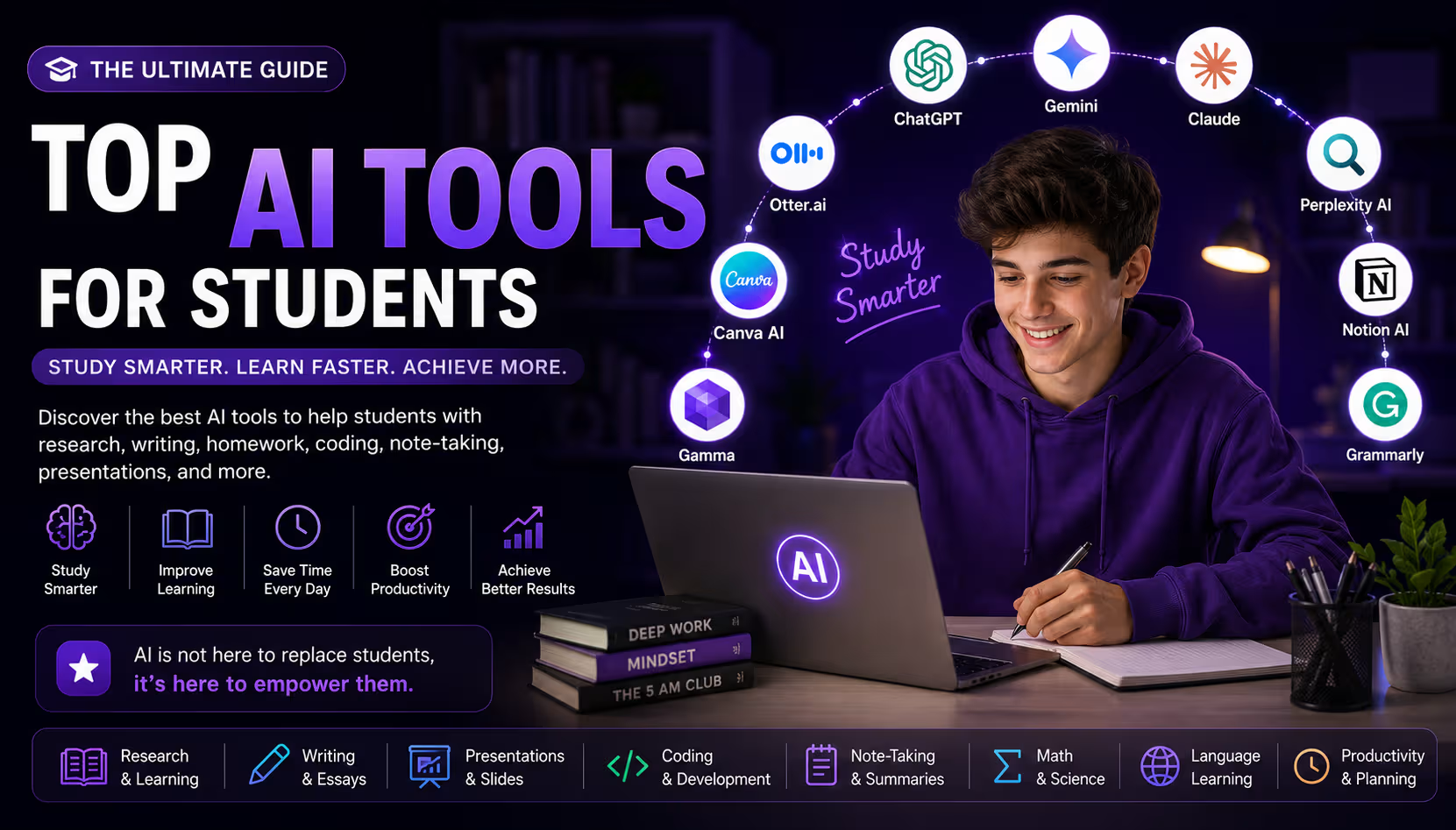
Walk into any lecture hall or dorm room in 2026 and you'll find AI quietly doing work that used to eat entire evenings — summarizing a dense reading, turning messy notes into flashcards, or catching a clunky sentence before submission. Education hasn't been "disrupted" so much as it's absorbed a new set of study tools, the same way calculators and search engines did a generation ago.
That said, the best AI tools for students only help when used the right way. Used well, they explain a concept you're stuck on or catch errors before a deadline. Used poorly, they become a shortcut that skips the actual learning and leaves you unprepared come exam time. The difference isn't the tool — it's how you use it.
This guide is for high schoolers prepping for exams, college students juggling classes and a part-time job, grad students deep in research, and parents or teachers trying to understand what students are actually using.
Below, we break down 15 of the best AI tools for students in 2026 — what each does, what it costs, and who it's built for — plus recommendations by major and tips for using AI responsibly.
Quick Comparison Table
| # | Tool | Best For | Free Plan | Starting Price | Rating |
|---|---|---|---|---|---|
| 1 | ChatGPT | All-purpose study assistant | Yes | $8/mo (Go) | 4.7/5 |
| 2 | Google Gemini | Google Workspace users | Yes | $4.99/mo | 4.5/5 |
| 3 | Claude | Long-form reading & writing | Yes | $20/mo | 4.6/5 |
| 4 | Perplexity AI | Cited research | Yes | $10/mo (Education Pro) | 4.5/5 |
| 5 | Notion AI | Notes & organization | Yes (free for students) | ~$10/mo | 4.4/5 |
| 6 | Grammarly | Essay proofreading | Yes | ~$12/mo | 4.5/5 |
| 7 | Canva AI | Presentations & posters | Yes | $12.99/mo | 4.6/5 |
| 8 | Gamma | Fast slide decks | Yes (limited credits) | ~$8/mo | 4.3/5 |
| 9 | Otter.ai | Lecture transcription | Yes (300 min/mo) | ~$16.99/mo | 4.3/5 |
| 10 | Quizlet AI | Flashcards & exam prep | Yes (with ads) | ~$7.99/mo | 4.4/5 |
| 11 | Khanmigo | Socratic tutoring, K-12 | No (free for teachers) | $4/mo | 4.5/5 |
| 12 | GitHub Copilot | CS & coding students | Yes (free for verified students) | $10/mo | 4.6/5 |
| 13 | Microsoft Copilot | Word, Excel, PowerPoint | Yes | $69.99/yr (M365) | 4.2/5 |
| 14 | Wolfram Alpha | Math & science computation | Yes (basic answers) | ~$7.25/mo | 4.4/5 |
| 15 | ElevenLabs | Audio study materials | Yes (10k credits/mo) | $5/mo | 4.3/5 |
Pricing reflects publicly listed rates as of mid-2026 and changes frequently — always confirm current pricing and student eligibility on the provider's site before subscribing.
Detailed Reviews of the Best AI Tools for Students
1. ChatGPT
ChatGPT remains the default starting point for most students exploring AI tools for students, largely because its free tier is genuinely capable and its Study Mode is built specifically to explain rather than just answer.
Best For: Students who want one flexible tool for explanations, brainstorming, essay outlines, and general homework help across nearly any subject.
Key Features:
- Study Mode, which asks guiding questions instead of handing over answers
- File and image uploads for problem sets, essays, and diagrams
- Custom GPTs for subject-specific tutoring setups (paid tiers)
Pros: Extremely versatile, free tier is genuinely useful, Study Mode actively discourages copy-paste answers.
Cons: Free tier has message limits during heavy use; Go and Plus tiers are the same price whether or not you're a student, since there's no dedicated student discount.
Pricing: Free tier available. Go $8/month, Plus $20/month, Pro $100–$200/month. Verified U.S. K-12 educators get ChatGPT for Teachers free through June 2027.
Why Students Should Use It: If you only try one AI tool this semester, ChatGPT's free Study Mode is the lowest-risk, highest-value starting point.
2. Google Gemini
Gemini's biggest advantage isn't the model itself — it's how deeply it's woven into Docs, Gmail, and Drive, which is exactly where most students already do their work.
Best For: Students who live inside Google Docs, Sheets, and Gmail and want AI assistance without switching apps.
Key Features:
- Direct integration with Docs, Gmail, Slides, and Sheets
- NotebookLM-style source-grounded summarization of your own notes and readings
- Deep Research mode for multi-source academic queries
Pros: Seamless with Google Workspace, strong student promotion currently active, solid free tier.
Cons: Less useful if your school uses Microsoft 365 instead of Google Workspace.
Pricing: Free tier available. Google AI Plus $4.99/month, Google AI Pro $19.99/month, Google AI Ultra from $99.99/month. Verified U.S. college students have been offered up to 12 months of AI Pro free via SheerID.
Why Students Should Use It: Check your eligibility for the free student promotion before paying for anything else — it's currently one of the most generous offers among AI tools for students.
3. Claude
Claude tends to stand out for long, careful writing and reading comprehension, with a Learning Mode designed to push students toward their own analysis rather than a ready-made answer.
Best For: Humanities, philosophy, and literature students working with long readings, dense arguments, or heavy revision.
Key Features:
- Large context window that can hold entire papers, syllabi, or reading packets
- Learning Mode that pushes back on weak arguments instead of writing them for you
- Artifacts for building and iterating on documents, code, and outlines
Pros: Nuanced, careful writing feedback; strong at spotting weak logic or unclear transitions in essays.
Cons: No individual student discount — Claude for Education is sold to universities, not individuals, so access depends on whether your school has a partnership.
Pricing: Free tier available. Pro $20/month ($17/month billed annually), Max $100–$200/month. Free for students at partner universities via Claude for Education.
Why Students Should Use It: Paste your rubric in, ask for an outline, write your own draft, then have Claude flag weak logic before your professor does.
4. Perplexity AI
Perplexity works more like a research assistant than a chatbot — every answer comes with cited sources you can click through and verify, which matters enormously for academic work.
Best For: Research papers, literature reviews, and any assignment where you need to show your sources.
Key Features:
- Every answer cites its sources directly, so you can verify claims immediately
- Learn Mode with interactive flashcards and quizzes built from your material
- Unlimited image uploads for problem sets and diagrams on Education Pro
Pros: Citations make fact-checking fast and painless; the discounted Education Pro tier is genuinely affordable.
Cons: Free tier limits you to about 5 Pro searches a day, which research-heavy weeks will burn through quickly.
Pricing: Free tier available. Education Pro $10/month for verified students (SheerID), standard Pro $20/month, Max $200/month.
Why Students Should Use It: Pair it with Claude or ChatGPT — use Perplexity to find and verify sources, then the others to help you write.
5. Notion AI
Notion AI lives inside Notion's note-taking and organization workspace, which makes it especially strong for students who are already trying to keep class notes, deadlines, and projects in one place.
Best For: Students juggling multiple classes who want notes, to-do lists, and project trackers in a single organized workspace.
Key Features:
- AI summarization of long notes and lecture transcripts
- Auto-generated action items and study to-do lists
- Templates for class schedules, project trackers, and study planners
Pros: Excellent for staying organized across multiple classes; the full Plus plan is free for verified students.
Cons: The organizational learning curve is steeper than a plain notes app if you've never used Notion before.
Pricing: Notion's Plus plan (normally around $10/month) is free for verified students and educators with a school email.
Why Students Should Use It: Claim the free student Plus plan immediately — there's no reason to pay for this one.
6. Grammarly
Grammarly has stayed relevant for over a decade because it does one thing extremely well: catching grammar, clarity, and tone issues in real time, right where you're already typing.
Best For: Any student who wants a final proofreading pass on essays, emails, or applications before submitting.
Key Features:
- Real-time grammar, spelling, and punctuation corrections
- Clarity and tone suggestions tailored to your intended audience
- Plagiarism detection on paid tiers
Pros: Genuinely free tier covers most basic proofreading needs; works everywhere you write.
Cons: No dedicated individual student discount — check whether your university offers an institutional license before paying full price.
Pricing: Free tier available. Premium starts around $12/month billed annually, Business around $15/user/month.
Why Students Should Use It: Even the free tier catches errors your own eyes have gone blind to after re-reading the same essay five times.
7. Canva AI
Canva's AI-assisted design tools make it easy to build polished presentations, posters, and infographics without any real design background — a huge time-saver for group projects and presentations.
Best For: Students building presentations, posters, infographics, or portfolio pieces for design, business, or marketing courses.
Key Features:
- AI-generated presentation and poster templates from a text prompt
- Magic Studio tools for background removal and image editing
- Massive stock photo, icon, and font library
Pros: Free for verified K-12 and university students through Canva for Education; extremely easy for design beginners.
Cons: Some premium templates and elements require the paid Pro tier even for students not covered by Education access.
Pricing: Free tier available. Canva Pro is normally $12.99/month, but free for eligible students and educators through Canva for Education.
Why Students Should Use It: Verify your student status for Canva for Education first — it unlocks the full Pro toolkit at no cost.
8. Gamma
Gamma is built specifically around turning an outline or prompt into a finished presentation in minutes, which makes it faster than Canva for students who just need a clean deck without much design tweaking.
Best For: Students who need a professional-looking slide deck fast, without spending time on manual layout work.
Key Features:
- Text-to-deck generation from a topic or outline
- Auto-formatted layouts that adjust as you edit content
- One-click export to PowerPoint or PDF
Pros: Genuinely fast for last-minute presentations; free tier is usable for occasional projects.
Cons: Free tier's AI credits run out quickly if you're generating multiple decks per month.
Pricing: Free tier with limited AI credits. Paid plans start around $8/month.
Why Students Should Use It: Perfect for the presentation due tomorrow that you haven't started yet.
9. Otter.ai
Otter.ai transcribes lectures in real time, turning spoken class content into a searchable, editable transcript — a genuine game-changer for students who struggle to listen and write notes simultaneously.
Best For: Lecture-heavy courses, students with disabilities or hearing impairments, and anyone who wants to focus on listening instead of transcribing by hand.
Key Features:
- Real-time transcription with speaker identification
- AI-generated summaries that highlight key points automatically
- Searchable transcript archive across every recorded lecture
Pros: Frees you up to actually listen during lectures instead of racing to write everything down.
Cons: Free tier's 300 minutes a month disappears fast with a full class schedule.
Pricing: Free tier includes 300 minutes/month. Pro is around $16.99/month.
Why Students Should Use It: If you've ever missed a key point because you were busy writing down the last one, this solves that exact problem.
10. Quizlet AI
Quizlet has been a go-to study tool for years, and its AI features now let you turn raw notes into flashcards and practice tests automatically, using proven spaced-repetition and retrieval-practice techniques.
Best For: Memorization-heavy subjects — vocabulary, anatomy, history dates, formulas — and exam prep in general.
Key Features:
- AI-generated flashcards from pasted notes or documents
- Learn mode using spaced repetition for stronger retention
- Practice tests generated automatically from your flashcard sets
Pros: Free tier has been genuinely usable for years; huge existing library of shared study sets.
Cons: Free tier includes ads, which some students find distracting during focused study sessions.
Pricing: Free tier with ads. Plus/Pro plans run roughly $35.99–$44.99/year depending on platform.
Why Students Should Use It: Paste your lecture notes in and let it build your flashcard deck automatically instead of doing it by hand.
11. Khanmigo
Khanmigo, built by Khan Academy, is designed to never just hand you the answer. Ask it to solve an equation and it responds with a guiding question instead — frustrating if you want the number fast, but exactly the point if you actually want to learn.
Best For: K-12 and early college students who need patient, step-by-step tutoring in math, science, or test prep.
Key Features:
- Socratic questioning that guides you to the answer rather than giving it away
- Coverage from basic arithmetic through calculus, plus sciences and humanities
- Built-in SAT, ACT, and AP test prep support
Pros: Genuinely pedagogically sound approach; Khan Academy's core video library stays entirely free.
Cons: Limited to Khan Academy's content scope, so it's less flexible than a general chatbot for open-ended questions.
Pricing: $4/month ($44/year). Free for verified teachers.
Why Students Should Use It: If a chatbot just giving you the answer feels like cheating yourself out of actually learning, Khanmigo is built exactly for that discomfort.
12. GitHub Copilot
GitHub Copilot suggests and completes code directly inside your editor, and it remains one of the single best perks available to computer science students thanks to free access through the GitHub Student Developer Pack.
Best For: Computer science, software engineering, and any student writing code for coursework or personal projects.
Key Features:
- In-editor code completion and inline suggestions
- Copilot Chat for explaining, debugging, and refactoring code
- Support across VS Code, JetBrains, Neovim, and more
Pros: Free for verified students; the broader Student Developer Pack alone is worth claiming for CS majors.
Cons: Since March 2026, some premium models (including certain Claude and GPT variants) are no longer manually selectable on the free student plan — you're routed through Auto mode instead.
Pricing: Free for verified students via GitHub Education. Individual plan otherwise $10/month or $100/year.
Why Students Should Use It: Claim your GitHub Student Developer Pack early in the semester — verification and re-checks can take a little time.
13. Microsoft Copilot
Microsoft Copilot's biggest strength is being built directly into Word, Excel, PowerPoint, and Teams — exactly the apps most students already submit assignments in.
Best For: Students in the Windows and Microsoft 365 ecosystem, especially business and data-heavy majors.
Key Features:
- Draft and edit assistance directly inside Word
- Automatic PowerPoint generation from outlines or documents
- Excel formula help and data analysis explanations
Pros: Frictionless if your coursework already lives in Office apps; many universities bundle Microsoft 365 free for students.
Cons: The free standalone Copilot chat is noticeably less capable than ChatGPT or Claude on its own.
Pricing: Free basic web version. Microsoft 365 Personal (includes Copilot across Office apps) is $69.99/year; check if your school already provides it free.
Why Students Should Use It: Check your university email first — many schools already give students free Microsoft 365 with Copilot included.
14. Wolfram Alpha
Wolfram Alpha isn't a chatbot — it's a computational engine that actually calculates answers rather than predicting likely-sounding text, which makes it far more reliable than a general AI chatbot for math and science problems.
Best For: Engineering, physics, chemistry, and math students who need mathematically verified, step-by-step solutions.
Key Features:
- Step-by-step solutions for algebra, calculus, and differential equations (Pro)
- Real computation rather than pattern-based text prediction
- Broad coverage across chemistry, physics, statistics, and engineering
Pros: Mathematically accurate in ways general chatbots often aren't; a genuine trusted resource for STEM coursework.
Cons: Mobile app reviews report bugs and intrusive ads on the free tier more often than the web version.
Pricing: Free basic answers. Pro starts around $7.25/month, with discounted student pricing available.
Why Students Should Use It: Use it alongside a chatbot for STEM homework — Wolfram Alpha verifies the math a general AI model might get subtly wrong.
15. ElevenLabs
ElevenLabs turns text into remarkably natural-sounding speech, which students have started using to convert dense readings into audio they can listen to during commutes, workouts, or downtime.
Best For: Auditory learners, language students practicing pronunciation, and anyone who wants to turn readings into audio study sessions.
Key Features:
- Natural-sounding text-to-speech across dozens of languages
- Voice cloning for personalized audio study tools (paid tiers)
- Dubbing tools for language-learning content
Pros: Genuinely lifelike voice quality; useful niche use case most other AI tools for students don't cover.
Cons: Free tier's 10,000 monthly credits (about 10 minutes of audio) disappear quickly with regular use.
Pricing: Free tier with 10,000 credits/month. Starter $5/month, Creator around $22/month, Pro $99/month.
Why Students Should Use It: Turn your longest, driest reading assignment into an audio file you can listen to on your commute instead of losing another evening to it.
Best AI Tools for Students by Type
Different fields of study lean on different tools. Here's a quick-reference guide by student type:
- School (K-12) Students: Khanmigo for Socratic tutoring and Quizlet AI for exam prep.
- College Students: ChatGPT or Claude for coursework, plus Notion AI to stay organized.
- University/Grad Students: Perplexity AI for cited literature reviews and Claude for long document analysis.
- Engineering Students: Wolfram Alpha for verified computation and GitHub Copilot for coding assignments.
- Medical Students: Perplexity AI for cited research and Quizlet AI for high-volume memorization.
- Business Students: Microsoft Copilot for Excel and PowerPoint work, plus Gamma for fast pitch decks.
- Design Students: Canva AI for portfolio pieces and Gamma for concept presentations.
- Computer Science Students: GitHub Copilot for coding assignments and Claude or ChatGPT for debugging help.
How AI Helps Students
Across every subject and level, the best AI tools for students tend to help in a handful of consistent ways:
- Research: Cited-answer tools like Perplexity cut down hours spent hunting for credible sources.
- Writing essays: Chatbots help with outlining, while Grammarly catches errors a tired brain misses.
- Homework: Study-mode chatbots and Wolfram Alpha explain the reasoning, not just the answer.
- Presentations: Canva and Gamma turn a rough outline into a polished deck in minutes.
- Coding: GitHub Copilot speeds up syntax-heavy work while leaving the problem-solving to you.
- Language learning: Voice tools like ElevenLabs give low-pressure pronunciation practice.
- Time management: Notion AI and Microsoft Copilot turn scattered deadlines into a real weekly plan.
- Note-taking: Otter.ai captures lectures in real time so you can stay present instead of transcribing.
- Exam preparation: Quizlet AI and Khanmigo turn passive review into active recall practice.
Tips for Using AI Responsibly
The students getting the most out of AI tools for students are the ones treating them as a study partner, not a replacement for doing the work. A few ground rules worth keeping:
- Verify information. AI models can sound confident while being wrong — cross-check facts and citations.
- Avoid plagiarism. Submitting AI-generated text as your own violates most academic integrity policies.
- Cite AI-assisted work when required. Many universities have disclosure policies — check your syllabus and cite AI use when asked.
- Use AI to learn, not to skip learning. Ask it to explain and quiz you, not to complete the assignment.
- Balance AI with critical thinking. The goal is needing the tool less over time, not more.
Frequently Asked Questions
What is the best AI tool for students?
It depends on the task. ChatGPT is the strongest general-purpose starting point, Perplexity wins for research, and Notion AI wins for staying organized.
Is ChatGPT good for homework?
Yes, especially in Study Mode, which asks guiding questions instead of handing over finished answers — best for understanding concepts, not for generating work to submit as your own.
Which AI tool is free for students?
Several are free with a school email: Notion AI's Plus plan, Canva Pro through Canva for Education, and GitHub Copilot through the GitHub Student Developer Pack.
Can students use AI legally?
Yes, using AI tools is legal. What matters is your school's academic integrity policy — using AI to explain concepts is usually fine, but submitting AI-generated work as your own often is not. Check your syllabus to be sure.
Which AI is best for research?
Perplexity AI is strongest for research, since every answer includes clickable citations you can verify.
What AI helps with coding?
GitHub Copilot is purpose-built for coding and free for verified students. ChatGPT and Claude also explain errors and debug logic well.
Can AI improve grades?
Used to explain concepts and catch errors before submission, yes. Used to skip the actual work, they tend to backfire once exams test real comprehension.
Are AI tools safe for students?
Reputable tools like these are generally safe, though students should avoid uploading sensitive personal information and check their school's AI usage policy.
Final Thoughts
The best AI tools for students in 2026 aren't about doing less work — they're about spending your study time on what actually builds understanding. Here's the quick-reference version:
- Best Overall: ChatGPT — the most flexible, capable free tier of any tool on this list.
- Best Free Tool: Notion AI, once you claim the free student Plus plan.
- Best for Research: Perplexity AI, for cited, verifiable answers.
- Best for Writing: Claude, for nuanced feedback on long-form work.
- Best for Coding: GitHub Copilot, free for verified CS students.
- Best for Presentations: Gamma, for fast, clean decks under deadline pressure.
- Best for Productivity: Notion AI, for keeping every class organized in one place.
Start with one or two tools that solve your biggest current frustration. Add more only once you've actually outgrown what you're using.
Want to explore more educational AI tools?
Check out our full Top 25 Best AI Tools in 2026 guide, browse our Best AI Tools for Small Businesses, or see our picks for AI Writing Tools and AI Productivity Tools. Explore more by category on Aivellow, submit a tool we should feature, or get in touch if you have questions.